A YouTube Shorts hook is everything a viewer gets in the first one to three seconds: the first frame, the first spoken line and the first on-screen text. Make all three point at the same payoff, and cut everything that comes before them. Then check the result in YouTube Studio under Analytics, Content, Shorts, where "Stayed to watch" shows how often viewers kept watching past the opening.
Below is a method you can repeat for every Short, six hook types with worked examples, and a way to test them. Every YouTube fact was read on YouTube Help or the YouTube Official Blog on 22 October 2026. There are no retention benchmarks here, because YouTube does not publish one.
What the first seconds decide
YouTube states the job plainly. Its Shorts Search & discovery tips say "Our systems use the signals for % of viewers who chose to view, avg. view duration and avg. % viewed to inform ranking." The hook decides the first signal. The other two depend on whether the rest of the Short keeps the hook's promise.
The YouTube Official Blog says the same in creator terms. Its April 2025 starter guide says to "Capture attention in the first few seconds to prevent viewers from scrolling", and an April 2025 post on cutting long videos into Shorts suggests you "Start with a question, a surprising fact, or a visually captivating moment."
The view count cannot judge a hook. Since 31 March 2025 a Shorts view counts each time a Short "starts to play or replay, with no minimum watch time requirement", and from 24 August 2026 views count from the first frame in every format, so a swipe-away still adds one. The figure that reflects the hook is the engaged view: "How many times viewers stayed to watch past the initial seconds, not including any loops," in YouTube Help's words.
Step by step: writing a Shorts hook
- Write the payoff first. In one sentence, what does the viewer have at the end that they did not have at the start? A finished recipe, a fixed setting, the end of a story.
- Pick one hook type from the six below that points straight at that payoff.
- Write the spoken first line. One sentence that states or teases the payoff. Say it aloud with a timer; if the promise has not landed by the end of the second second, cut words.
- Write the on-screen text. Two to six words that sharpen the line rather than repeat it. The text has to work for someone watching on mute.
- Choose the first frame. Open on the proof: the result, the mistake, the moment in motion. Not a logo, and not a wide shot of you settling in.
- Cut everything before it. Greetings, "in this video", a breath, a channel intro. If the strongest sentence sits in the middle of your take, start the Short there.
- Check the handoff. By about the third second the body should start delivering. A hook that promises more than the Short gives earns the view and loses the viewer a few seconds later, which is where watch time goes.
- Watch it twice, once with sound and once muted.
Six hook types with worked examples
| Hook type | Spoken first line | On-screen text | First frame |
|---|---|---|---|
| Result first | This omelet never gets flipped. | No-flip omelet | The finished omelet sliding onto the plate |
| Mistake and fix | If deadlifts hurt your lower back, look at where the bar starts. | Bar too far forward? | Side view of the bar drifting away from the shins |
| Specific question | Why does your banking app show two different balances? | Available vs current | Screen recording with both numbers circled |
| Number with a payoff | Three Excel shortcuts that build this whole report without the mouse. | 3 shortcuts, no mouse | The finished report, then a fast rewind |
| Before and after | Same room, same budget, one change. | One change | Split screen, before on the left and after on the right |
| In the middle of the action | We had eleven minutes to catch the last ferry. | 11 minutes to the last ferry | Running down the dock with the ferry in frame |
When each one fits. Result first suits how-to and food, where the outcome is visual. Mistake and fix works in any niche with a common error; the fix is the reason to stay. A specific question works only when viewers have wondered the same thing ("Want to save money?" is not specific). A number sets a length, so keep it small. Before and after needs the "after" to look better at a glance. Starting mid-action suits stories and travel: the viewer stays to see how it ends.
A rewrite, start to finish. A career-advice Short opens with "Hey everyone, welcome back. Today I want to talk about a mistake a lot of people make on their resume." The payoff, what to write instead, arrives at about second six. As a mistake-and-fix hook, the first frame becomes a resume with the objective line struck through, the on-screen text says "Delete this line", and the first spoken line is "Recruiters skip resumes that open with an objective. Put this there instead." The promise is now in the first frame, the first three words of text and the first sentence.
On-screen text is part of the hook
Many viewers read the hook before they hear it, so treat the text as a second hook line, not a transcript of the first.
- Put it on the first frame. Text that fades in at second two misses the viewers who decide in second one.
- Keep it short and specific. Two to six words in large type, with a noun, and a number when you have one. "3 shortcuts, no mouse" beats "Excel tips".
- Keep it clear of the Shorts interface. The channel name, title and buttons sit over the bottom and right of the frame. Check placement with the YouTube Shorts safe zone preview.
- Don't confuse it with the title. The title (up to 100 characters, per YouTube Help) shows under the Short and in search; the on-screen text lives inside the video. The limits for both are in YouTube Shorts caption and title character limits.
YouTube's Shorts editor has a Text tool to "Place multiple messages over your video and change the color, style, and alignment on the screen", with a timeline for when each text starts and stops.
Captions do the rest. YouTube's April 2025 post says "Shorts are often watched without sound, so captions are essential", and a caption that appears on the first word repeats the hook for muted viewers. With CapsAI's YouTube Shorts caption generator you upload the finished MP4 or MOV (up to 10 minutes), check every word in the browser, choose 1 to 4 words per caption, and export one MP4 with the captions burned in. Captions sit from the middle of the frame downward, so a headline at the top of the frame belongs in your editor. There are 37 caption styles, 8 of them free, and 3 free minutes to start.
Hooks for AI-voiced and faceless Shorts
Faceless Shorts lose the fastest hook there is, a face reacting to something. Make up for it in three places.
- The first line of the script is the hook. Don't let a synthetic voice open with "In this video" or "Did you know". Give it the payoff sentence.
- The first clip must be specific. Generic stock footage under a specific line reads as filler. Show the screen, product or place the line is about.
- Let the text carry the promise. With no face on screen, the text is often the first thing a viewer takes in.
On disclosure, YouTube Help requires creators "to disclose AI-generated or altered content that seems realistic", using the "AI use" setting in the Attributes section during upload. Using AI for an outline or script, "Caption creation" and "Cloning one's own voice to create voice overs or dubs" are listed as not needing disclosure.
How to test a hook with YouTube Analytics
YouTube Help says "A/B testing is not available for Shorts", so you test hooks across Shorts, not inside one.
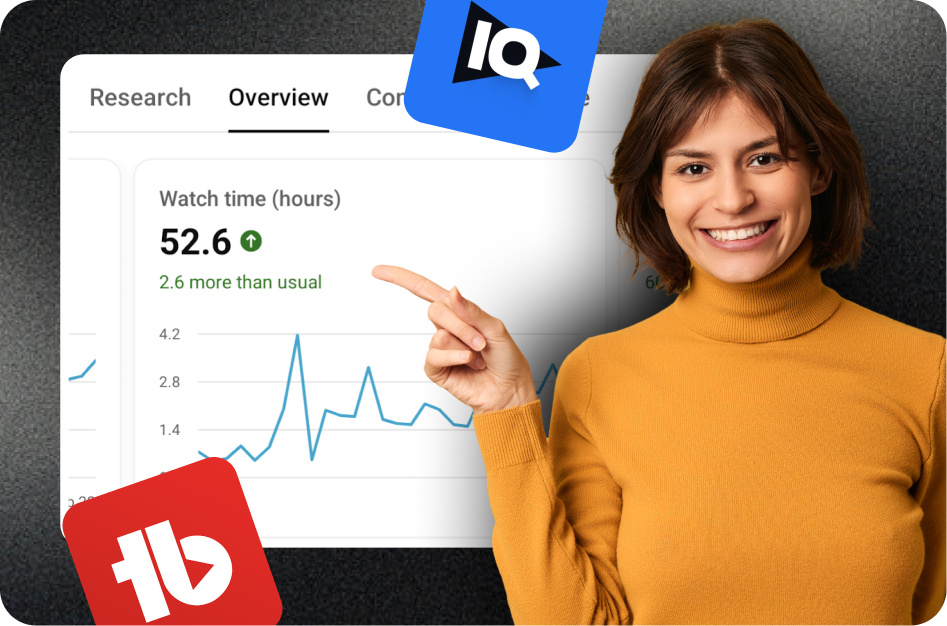
- Find the hook number. In YouTube Studio, open Analytics, then Content, then the Shorts tab. YouTube Help defines Stayed to watch as "The percentage of times viewers stayed to watch past the initial seconds of a Short." It does not say how many seconds "initial" means.
- Read the body numbers separately. Average view duration and average percentage viewed are calculated "among those who stayed to watch", so they describe the body, not the hook. A high Stayed to watch with a low percentage viewed means the hook promised more than the Short delivered.
- Open one Short's retention chart. From Content, open the Short's analytics; YouTube Help places the audience retention report on the Overview or Engagement tab. A sharp drop at the very start is the hook failing. A flat line means viewers "are watching that part of your video from start to finish", dips mean "viewers are abandoning or skipping", and spikes appear "when more viewers are watching, rewatching, or sharing".
- Compare like with like. YouTube's Shorts analytics tips say "it's key to still compare videos of the same type" and to "avoid comparing each video against a viral hit". Compare a recipe Short with your other recipe Shorts.
- Change one thing at a time. For each Short, log the hook type, first line, on-screen text, first frame, Stayed to watch, average percentage viewed and subscribers gained. After eight to ten Shorts in one format, keep the hook types that beat your own median.
YouTube publishes no "good" Stayed to watch percentage, and the figure varies by topic. Your own median is the benchmark that counts.
Common hook mistakes and fixes
- The promise arrives at second five. Start the Short on the sentence that contains it.
- The text and the voice say different things. Write the line first, then make the text a shorter version of the same promise.
- The hook is bigger than the payoff. Scale it to what the Short delivers; "a faster way" beats "the only way".
- A slow first frame. Open on movement or the result; move any logo to the end.
- Questions that name nothing. "You won't believe this" gives no reason to stay. Name the thing.
What to do next
Write your next three Shorts with three different hook types from the table, keep the topic and length the same, and compare Stayed to watch after a week. Then build the winners into your editing workflow, and read how Shorts turn viewers into subscribers for what comes after a hook that works.