
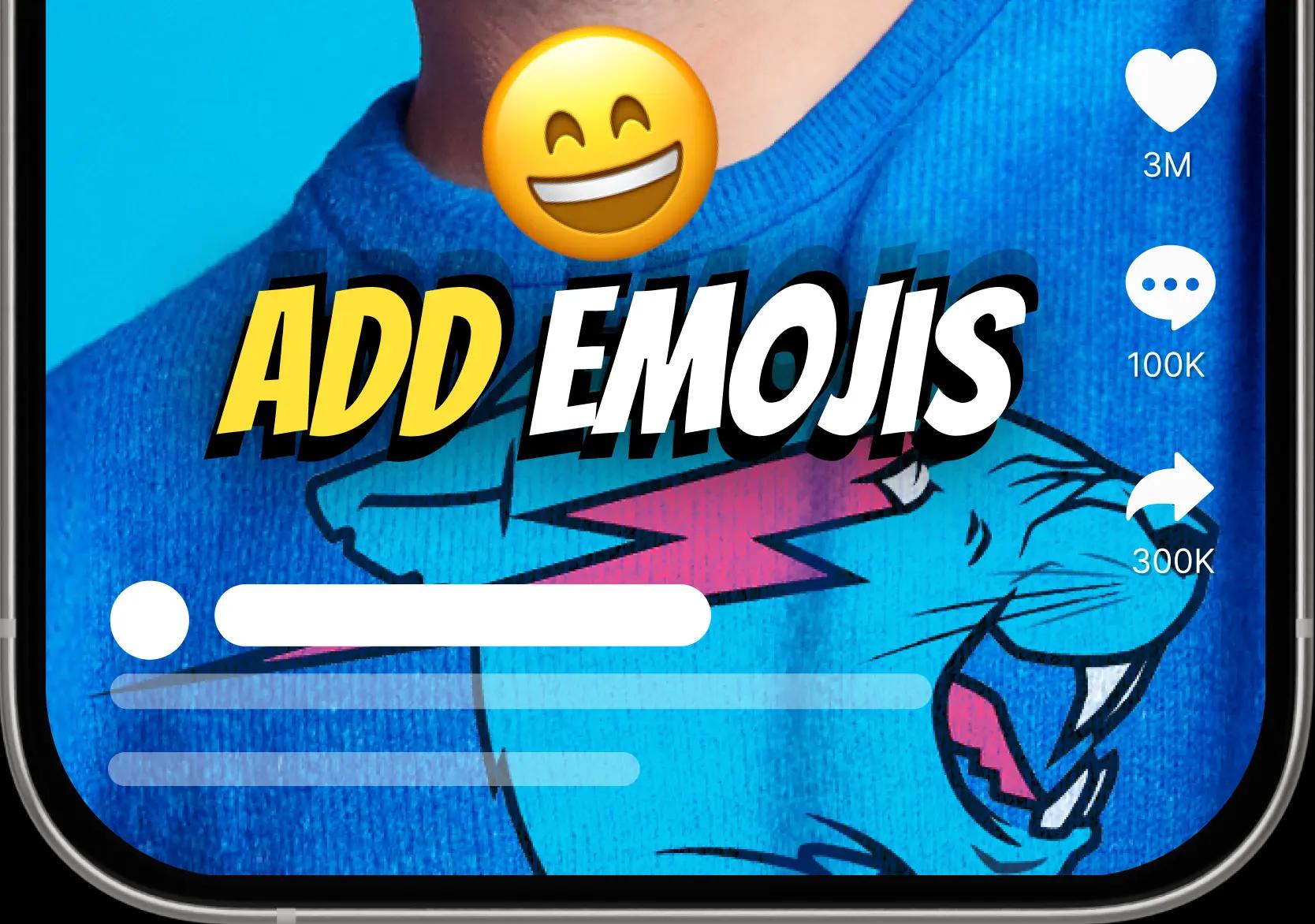
AI Emoji Sync🎉
Let your videos speak louder with auto-timed emojis, powered by AI Emoji Sync


Live preview
Try a caption style and the spoken language on this sample, then upload your own video to caption it.

Features
Pick the spoken language, a caption style and AI emoji timing, then export an MP4 with the captions burned in for Reels, Shorts and YouTube.
Let your videos speak louder with auto-timed emojis, powered by AI Emoji Sync
Adding subtitles can significantly boost average viewer watch time by keeping audiences engaged - even without sound.


How it works
Create subtitles from video speech in a simple browser workflow: upload, choose language, generate, edit, and export.
Start with an MP4 or MOV video file. Direct URL transcription is not part of the current caption workflow.
Pick English, Hindi, Hinglish, Tamil, Telugu, Bengali, Marathi, or another supported language so the AI can produce cleaner speech to text results.
CapsAI transcribes the audio, creates synced auto captions, and prepares subtitle lines that match the timing of your video.
Review the subtitle editor, correct names or brand terms, adjust captions for short videos, and choose a visual style that fits your content.
Render the reviewed captions into a video using an export option available to your current plan.
Features
CapsAI combines automatic captions, AI video transcription, multilingual subtitle support, editing, and creator-ready export workflows.
CapsAI turns video speech into synced subtitles quickly, which makes it useful for creators who publish often. Upload your video, choose a language, and let the auto subtitle generator build the first draft.
The AI transcription workflow is designed for clear timing, readable captions, and practical cleanup. You can edit any line before export, so names, product terms, and creator slang stay accurate.
Choose one spoken language from the current uploader: Hinglish, English, Hindi, Bengali, Telugu, Marathi, Tamil, Urdu, Gujarati, Kannada, Punjabi.
Render reviewed captions into an MP4 using the video export option available to your current plan.
Free video export may include a CapsAI watermark. The current pricing page lists watermark-free export as a paid-plan benefit.
CapsAI gives creators a fast way to try automatic captions without installing heavy software. The web workflow is easy to start and built for quick subtitle generation.
Use the subtitle generator on desktop, laptop, iPhone, Android, tablets, and modern browsers. Upload, preview, edit, and continue your caption workflow from the device you already use.
Creators, agencies, educators, founders, and marketers use captions to make videos easier to watch, understand, repurpose, and publish across multiple platforms.
Use cases
Use CapsAI for captions for YouTube, Reels, TikTok, podcasts, educational videos, marketing videos, demos, tutorials, and webinars.
Generate subtitles for YouTube videos, tutorials, interviews, and Shorts so viewers can follow along with or without sound.
Create captions for Reels so hooks, punchlines, and voiceovers remain clear on mobile feeds. Subtitles help viewers understand the video even when audio is muted.
Fast auto captions help TikTok creators publish more consistently. Edit the transcript, style the captions, and keep short-form content easy to watch.
Turn podcast clips into captioned videos for social platforms. Video transcription also helps teams reuse podcast conversations as quotes, show notes, and content ideas.
Students and learners understand lessons better when speech is supported by readable subtitles. Educators can use captions for lectures, explainers, and training material.
Captions make product launches, testimonials, ads, and brand videos easier to understand in busy feeds. Marketers can use subtitles to improve clarity and retention.
Add subtitles to demos so feature explanations stay clear even when viewers skim. Captions are useful for SaaS walkthroughs, app previews, and sales enablement clips.
Tutorial captions help viewers follow each instruction, pause at the right moment, and revisit steps without replaying audio repeatedly.
Generate subtitles and transcripts for webinar recordings so long-form sessions become easier to search, summarize, repurpose, and share with teams.
Export formats
Review subtitle text, timing, and style, then export an MP4 with the captions burned in for the platform you publish on.
| Format | Support | Best for |
|---|---|---|
| MP4 with burned captions | Available through the captioned video export workflow | Instagram Reels, TikTok, Shorts, social posting |
| Subtitle editing before export | Supported | Correcting names, timing, punctuation, and caption style |
Related tools
Move from subtitle generation into captions, transcripts, downloads, clip cutting, and long-video repurposing with related CapsAI tools.
Generate English subtitles from the speech in any video, Indian English included.
Create editable captions for Hindi and English code-switched creator speech.
Generate and review Hindi subtitles for Indian videos and social content.
Create Tamil subtitles for videos, lessons, interviews, and regional creator content.
Generate Telugu subtitles for creator videos, YouTube content, and Reels.
Download public Instagram Reels before adding subtitles, captions, or edits.
Save public YouTube Shorts as MP4 files for creator workflows where you have rights.
Cut long videos into short clips, then add subtitles and captions for social publishing.
Browse subtitle generators for Indian languages and creator workflows.
Read more
Open this guide for a deeper look at AI subtitle generation, video transcription, multilingual captions, burned-in captions vs SRT/VTT files, and creator workflows.
An AI subtitle generator converts spoken words in a video into synced captions. Instead of manually listening to every sentence, typing the transcript, splitting it into caption lines, and aligning each line to the timeline, CapsAI uses speech to text and video transcription to create a subtitle draft automatically. That makes the subtitle maker useful for creators, educators, marketers, podcasters, and teams that publish video regularly.
A strong subtitle generator online should do more than produce raw text. It should help you add subtitles to video, review the transcript, fix mistakes, style captions, and export the result in a practical format. CapsAI's current workflow uploads a video, generates captions, supports text and timing review, and renders captions into the video.
This matters because subtitles are no longer optional for many creators. Short videos are watched in busy feeds, on public transport, at work, and in low-audio environments. Automatic captions help viewers understand the message immediately, even before they turn sound on. A fast auto caption tool turns that need into a repeatable workflow.
Subtitles make videos easier to understand. They support viewers who are deaf or hard of hearing, viewers watching without sound, and viewers who are listening in a second language. Captions can also make dense tutorials, webinars, product demos, and educational videos easier to follow because the key words remain visible on screen.
For creators and marketers, captions help reduce friction. A viewer can understand the opening hook of a Reel, Short, or TikTok even when the phone is muted. A product demo can communicate the value proposition before audio starts. A webinar clip can highlight the main point without forcing someone to replay the same line several times.
Accessibility also improves content quality. When you create subtitles for videos, you naturally clarify the script, simplify the message, and make the video more inclusive. An online subtitle generator helps teams do that quickly without turning every upload into a manual transcription project.
Captions for YouTube videos are useful for long tutorials, interviews, product reviews, podcasts, and Shorts. Burned-in subtitles keep the reviewed text and visual style inside the exported video.
Captions for Reels, Shorts, and TikTok are especially important because short-form platforms move fast. People often decide whether to keep watching in the first few seconds. A clear subtitle line can explain the hook, reinforce a punchline, and keep the viewer oriented when the scene changes quickly.
CapsAI is built for those creator workflows. You can generate subtitles from video, edit the caption text, preview the style, and continue toward a captioned video that feels ready for social media. The goal is not just transcription; it is publishing speed.
The basic workflow is simple. Upload an MP4 or MOV video file and choose the spoken language. CapsAI then creates a timed caption draft from the speech in the video.
After the first draft is ready, review the captions in the subtitle editor. This is where you can correct names, product terms, slang, acronyms, and words that sound similar. Even accurate AI transcription benefits from a quick human review, especially if the video has background music, multiple speakers, or regional language mixing.
Once the captions look right, render them into an MP4 using an export option available to your current plan.
A subtitle editor is important because captions should be readable, not just technically present. Good captions use sensible line breaks, clear timing, and visual contrast. They do not cover faces, product details, or important on-screen text. CapsAI helps you review the caption content and choose styles that fit social video formats.
Creators often use different caption styles for different channels. A podcast clip may need clean captions near the bottom. A Reel may use bold animated words to emphasize the hook. A product demo may need subtle captions that do not distract from the interface. Styling options help the same transcript become useful across several publishing contexts.
Editing is also where brand quality improves. You can fix capitalization, add punctuation, and make sure names or technical terms are spelled correctly. That turns auto captions from a rough transcript into a polished asset.
Multilingual captions help creators reach more viewers. English subtitles can make a Hindi video easier for a broader audience. Hindi captions can make English or Hinglish content feel more local. Regional language subtitles such as Tamil, Telugu, Bengali, Marathi, Gujarati, Kannada, Punjabi, and Urdu can help creators communicate with the communities they care about.
CapsAI is especially useful for Hinglish captions and regional language subtitle workflows because many creators naturally mix languages. A generic subtitle tool may struggle when a sentence moves between Hindi and English, or when a regional phrase appears inside an English sentence. Choosing the closest language workflow gives the AI better context.
For educators, marketers, and agencies, multilingual captions can also make the same video useful across campaigns. A webinar clip, product explainer, or training video can be repurposed for different audiences when subtitles are easy to generate and edit.
The export is an MP4 with the captions burned in. Separate SRT or VTT files are not available from the editor yet; the standalone converters under /tools work on subtitle files you already have.
SRT export is one of the most common subtitle workflows. An SRT file stores caption text and timing, and many video platforms and editing apps can import it. Creators use SRT files for YouTube captions, course platforms, review workflows, and archive-friendly subtitle storage.
VTT export is common for web video and browser-based playback. If you are publishing to a website or a platform that prefers web captions, VTT can be the better format. Both SRT and VTT keep subtitles separate from the video, which means you can update captions without re-rendering the full MP4.
Burned captions become part of the actual video image. This is useful for social platforms where you want the caption style to remain visible regardless of the player's caption settings.
A browser based subtitle generator should work where creators already work. On desktop, you can upload larger files, review captions comfortably, and manage exports for YouTube, webinars, and marketing videos. On mobile, you can test a short clip, generate captions for Reels, or start a quick captioning workflow without installing software.
On iPhone and Android, upload behavior depends on the browser and device permissions. Use a modern browser, keep the video in a local folder the browser can access, and avoid closing the tab while processing. On desktop, a stable connection and a clear source file usually make the workflow smoother.
The important point is flexibility. CapsAI is not tied to one editing machine. It gives creators a subtitle generator online that can fit into a laptop workflow, a phone workflow, or an agency workflow with multiple people handling content.
Short-form videos need instant clarity. A viewer may scroll past a video if the first line is unclear. Auto captions make the opening idea visible immediately, which is why creators use subtitles for hooks, list videos, talking-head clips, tutorials, reactions, and product explainers.
Captions also support repurposing. A podcast highlight can become a Reel. A webinar answer can become a Short. A product demo can become a TikTok. Once the transcript exists, the same video can become captions, clips, quotes, blog notes, or sales material.
CapsAI fits that workflow because it connects subtitle generation with creator-oriented styling. It is not only an audio to text tool; it is an auto caption tool for videos that need to look good in social feeds.
Many generic subtitle tools focus on one task: upload a video and get text. CapsAI is designed around the broader creator journey. You can generate subtitles, preview caption styles, work with regional languages, and continue toward social-ready exports in the same ecosystem.
CapsAI also connects with related video tools across the site. Creators can download public Reels or Shorts they have rights to use, cut long videos into short clips, generate transcripts, and add captions. That internal workflow matters because subtitle generation is usually one step inside a bigger publishing process.
The result is a faster path from raw video to finished content. Whether you need a free subtitle generator for a quick clip, a multilingual subtitle generator for regional audiences, or a video transcription workflow for repurposing, CapsAI is built to keep the process moving.
CapsAI is a browser-based AI caption and subtitle generator for video creators working in English, Hinglish, Hindi and other Indian languages. Upload an MP4 or MOV video, choose one of 11 spoken-language options (Hinglish, English, Hindi, Bengali, Telugu, Marathi, Tamil, Urdu, Gujarati, Kannada, Punjabi), review and edit the caption text, timing and style, then export an MP4 with burned captions. You can start with 3 free minutes.
You can start with 3 free minutes. More upload minutes come in paid one-time packs (no subscription), and watermark-free export is listed as a paid-plan benefit.
The current pricing page lists watermark-free captioned video export as a paid-plan benefit. Free video export may include a CapsAI watermark.
Yes. CapsAI supports Hindi, Hinglish, English, Tamil, Telugu, Bengali, Marathi, and other regional language subtitle workflows for creators.
Yes. CapsAI works in modern mobile browsers on iPhone, Android, tablets, and desktop devices. Upload a video, select a language, and continue in the online editor.
The export is an MP4 with the captions burned in. Separate SRT or VTT files are not available from the editor yet; the standalone converters under /tools work on subtitle files you already have.
Yes. After AI transcription, you can review the subtitle lines, correct words, adjust timing, and style captions before exporting.
Yes. You can use CapsAI to generate subtitles for YouTube videos, Shorts, tutorials, podcasts, and other videos you own or have permission to process.
Yes. Upload your Reel video, generate auto captions, edit the text if needed, and export a captioned video for Instagram.
You can explore the page without logging in. Some upload, processing, project, and export actions may require an account so your work can be saved securely.
Accuracy depends on audio clarity, background noise, accents, and language selection. CapsAI creates a strong first draft and lets you edit captions before export.
No. CapsAI does not currently translate subtitles into another language. It generates captions in the spoken language you select, and you can review and edit the caption text before export.
Yes. CapsAI supports captioned video workflows where subtitles are styled and burned into the exported MP4 for social platforms.
CapsAI processes videos through a secure web workflow. Avoid uploading content you do not have rights to use, and remove private or sensitive material from videos before processing.
Yes. CapsAI works on iPhone, Android, Mac, Windows, and modern desktop browsers, making it a browser based subtitle generator for most devices.
The uploader accepts MP4 and MOV video files.
The export is an MP4 with the captions burned in. Separate SRT or VTT files are not available from the editor yet; the standalone converters under /tools work on subtitle files you already have.
Upload a video, review the AI caption draft and export it with your captions. Start with 3 free minutes.