

Video Subtitle Generator
Generate an editable AI subtitle draft, review the text and timing, apply your caption styling, and prepare the available export that fits your video workflow.
Generate Subtitles
Editable subtitle workflow

Browser-based editor

Indian language workflows
English subtitle example: This is a preview of the subtitle design Please transcribe to get your video

How to auto generate subtitles in 3 steps
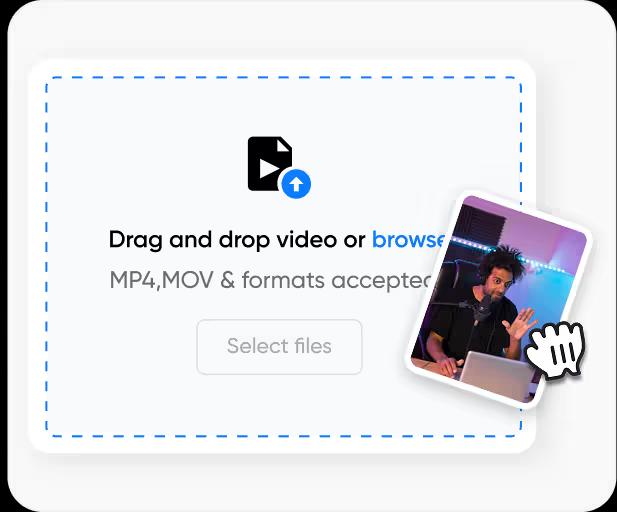
Step 1. Upload Your Video
Upload an MP4 or MOV video. CapsAI processes the file and prepares an editable, time-coded subtitle draft.
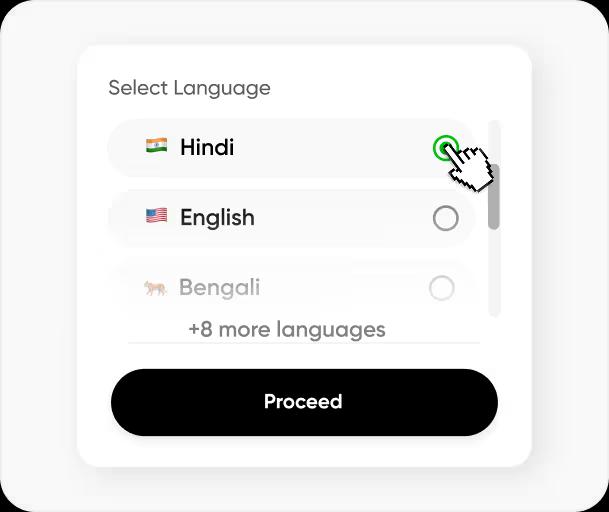
Step 2. Select the Language
Choose the source language from the supported options, including Hinglish, English, Hindi, Bengali, Telugu, Marathi, Tamil, Urdu, Gujarati, Kannada, Punjabi. Generate the draft, then review its wording, line breaks, and timing.
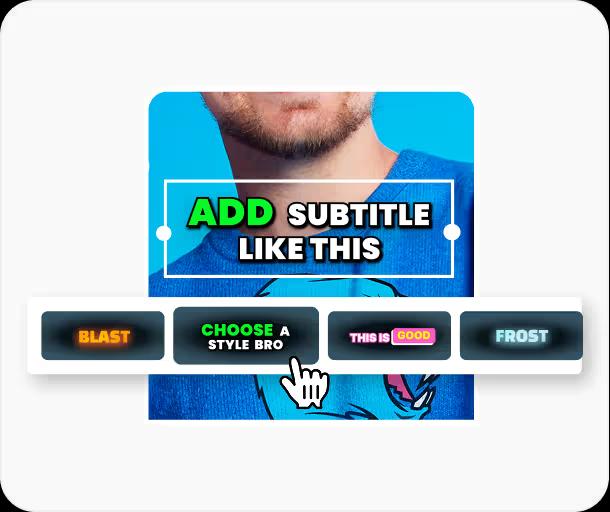
Step 3. Edit, Style & Export
Fine-tune subtitle text and timing, then customize the caption styling. Verified export vocabulary includes MP4 with burned captions, with availability based on the editor workflow and current plan.

Reach a Global Audience on Every Platform
Use CapsAI's AI-powered subtitle generator to create editable subtitle drafts for Hinglish, English, Hindi, Bengali, Telugu, Marathi, Tamil, Urdu, Gujarati, Kannada, Punjabi. Review the result and prepare an available export for YouTube, Instagram, LinkedIn, and other video platforms.
Choose one supported spoken language for each uploaded video, then review subtitle text and timing before video export.
Review names, punctuation, timing, and formatting in the browser editor before the captions are rendered into your video.
Generate Subtitles
Boost Engagement and Viewer Retention
Readable subtitles can help viewers follow speech on mute-first social feeds. CapsAI creates a first draft that you can review before publishing.
Customize your subtitles with branded fonts, colors, positioning, and on-screen subtitle animations to make your content more dynamic and easier to follow. Well-designed subtitles make your videos easier to follow.
Render reviewed subtitles directly into your video using an export option available to your current plan. Use styling and placement controls to keep the captions readable across social platforms.
Subtitles also make your videos more accessible to viewers who are deaf or hard of hearing.
Generate Subtitles
Pair Captions with Searchable Page Copy
CapsAI burns your reviewed captions into an MP4, so they are part of the video image rather than text that search engines can crawl. To help people find the video, write your own titles, descriptions, and page copy. CapsAI does not export transcripts or subtitle files.
Choose the spoken language before generation and review the resulting caption text for names, local phrasing, and readable timing.
Convert video speech into editable timed captions, then render the reviewed captions into an MP4 for your publishing workflow.
Generate SubtitlesOther subtitling features

Intelligent CPS Management
Review line length and timing so viewers have enough time to read each caption before publishing.

Edit Subtitle Start Time
Adjust caption timing manually and preview the result against the video before export.

Captioned Video Export
Render reviewed captions into the video using an export option available to your current plan.

Caption Text Review
Correct words, names, punctuation, and line breaks directly in the caption editor.

Timing Controls
Review caption segments against the video and adjust their start and end timing.

Caption Styling
Choose supported fonts, colors, positions, outlines, and animation treatments before export.

Browser-Based Workflow
Upload, generate, review, style, and export one video project at a time in the browser.

Multilingual Subtitle Workflow
Work with supported subtitle languages including Hinglish, English, Hindi, Bengali, Telugu, Marathi, Tamil, Urdu, Gujarati, Kannada, Punjabi, then review wording, timing, and formatting before export.
AI Online Subtitle Editor
Our user-friendly subtitle editor let you edit your subtitles and make them match your audience in minutes.
Generate Subtitles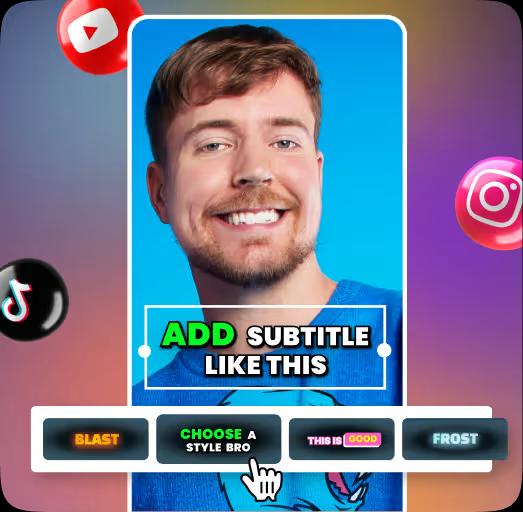
The Benefits of Using CapsAI for Subtitle Creation
Using AI for subtitle generation with CapsAI makes adding subtitles faster, easier, and more efficient than ever. Instead of spending hours manually typing and syncing subtitles, CapsAI’s auto subtitle generator handles the heavy lifting by creating an editable first draft. Review the text and timing before publishing.
Whether you're creating subtitles for YouTube, Instagram Reels, online courses, or marketing videos, the editor lets you correct names, punctuation, line breaks, and timing before the final export.
Supported language workflows include Hinglish, English, Hindi, Bengali, Telugu, Marathi, Tamil, Urdu, Gujarati, Kannada, Punjabi. Always review multilingual or translated text for meaning, names, local phrasing, and readable timing before publishing.
Customization is another major advantage. CapsAI allows you to style your subtitles exactly how you want - adjust subtitle font size, subtitle position, subtitle colors, background boxes, and animation effects. You can create branded subtitle templates so every video maintains consistent subtitle design across platform
Generate SubtitlesFAQ
Frequently Asked Questions
Which files can I upload?
The current CapsAI uploader accepts MP4 and MOV video files. Standalone audio upload is not currently available.
Which subtitle languages can I select?
The current uploader lists Hinglish, English, Hindi, Bengali, Telugu, Marathi, Tamil, Urdu, Gujarati, Kannada, Punjabi. Choose one spoken language for each uploaded video.
Can I edit captions after they are generated?
Yes. Review and correct caption text, line breaks, timing, and supported styling before video export.
Can I download edited SRT, VTT, or TXT files?
The export is an MP4 with the captions burned in. Separate SRT or VTT files are not available from the editor yet; the standalone converters under /tools work on subtitle files you already have.
Can I paste a YouTube or Instagram URL for transcription?
No. Direct URL transcription is not currently available. Save a video you are allowed to process, then upload the video file.
Does CapsAI support live captions or batch processing?
No. The current caption workflow processes one uploaded video at a time and is not a live-captioning tool.
Can CapsAI translate an existing subtitle track?
No. Automatic subtitle translation and transliteration are not currently exposed in the editor. Hinglish is a selectable spoken-language caption mode.
How much can I try for free?
CapsAI currently includes 3 free minutes. Video export and watermark benefits depend on the current plan.
Subtitle your next video
with CapsAI
Upload a video, review the AI caption draft and export it with your captions. Start with 3 free minutes.
Start Creating NowRelated tools