
Accessibility
Captions help viewers who are deaf or hard of hearing follow what is said in your video.


Free Auto Subtitle Generator
Generate and edit AI subtitles for Indian creator videos in English, Hinglish, Hindi, and regional languages, then prepare captions for export.
11
spoken-language options
MP4 or MOV
video upload
3 min
free to start
English subtitle example: This is a preview of the subtitle design Please transcribe to get your video

Features
Captions help viewers who are deaf or hard of hearing follow what is said in your video.

Captions help muted viewers follow along, increasing watch time and making short-form content easier to consume.

Generate subtitles in the spoken language you select: Hinglish, English, Hindi, Bengali, Telugu, Marathi, Tamil, Urdu, Gujarati, Kannada, and Punjabi.

Generate a timed subtitle draft from the speech in your video instead of typing every line by hand.

Choose fonts, colors, and caption positions so your videos keep a consistent look.

Burn the reviewed subtitles into an MP4 using an export option available to your plan.
Workflow
Step 1
Upload an MP4 or MOV video and let the speech engine create an editable, time-coded subtitle draft.
Step 2
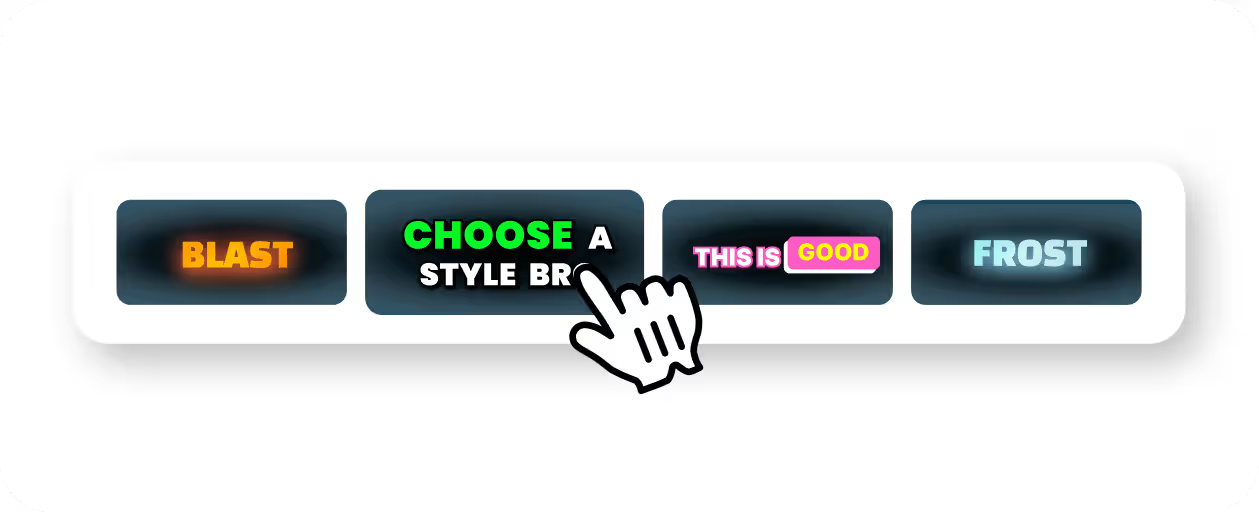
Refine the transcript, fix names and product terms, then choose the styling treatment that fits your content best.
Step 3
Export an MP4 with the subtitles burned in and move straight into distribution.

Step 4
Use the captioned video across Shorts, Reels, posts, and course material.
Use Cases
CapsAI generates subtitle drafts from speech quickly and keeps the editing pass lightweight.
Correct names, jargon, or timestamps with a simple editor instead of wrestling with raw subtitle files.
Control font, background, emphasis, and movement so subtitles support the content rather than clutter it.
Pick a caption style for each video and keep fonts, colors, and placement consistent across your channel.

Why CapsAI
Burned-in captions help viewers, but search engines read the text around your video rather than the words drawn into it.
Why CapsAI
Subtitles help long-form content stretch much further than a single upload.
Related tools
Generate AI-powered subtitles in 11 Indian languages.
Create captions for social video content.
Upload a video and generate subtitles from speech.
Add subtitles to any video in your browser.
Try subtitle generation with free minutes.
FAQ
The export is an MP4 with the captions burned in. Separate SRT or VTT files are not available from the editor yet; the standalone converters under /tools work on subtitle files you already have.
Yes. Hindi and Hinglish are both options in the language selector, which currently offers Hinglish, English, Hindi, Bengali, Telugu, Marathi, Tamil, Urdu, Gujarati, Kannada, and Punjabi.
Yes. Burned-in subtitle exports are available for platforms like TikTok and Instagram that often need the text directly in the video.
Yes. CapsAI lets you adjust timing, fix sync issues, and refine subtitle text before exporting.
Not directly. Burned-in captions are part of the video image, so search engines do not read them as text. Pair captioned videos with clear titles, descriptions, and structured data.
Upload an MP4 or MOV video, review the subtitle draft, and export a captioned MP4. Start with 3 free minutes.
Start FreeExplore