
How Indian Creators Can Use Instagram Analytics to Skyrocket Growth" 🚀
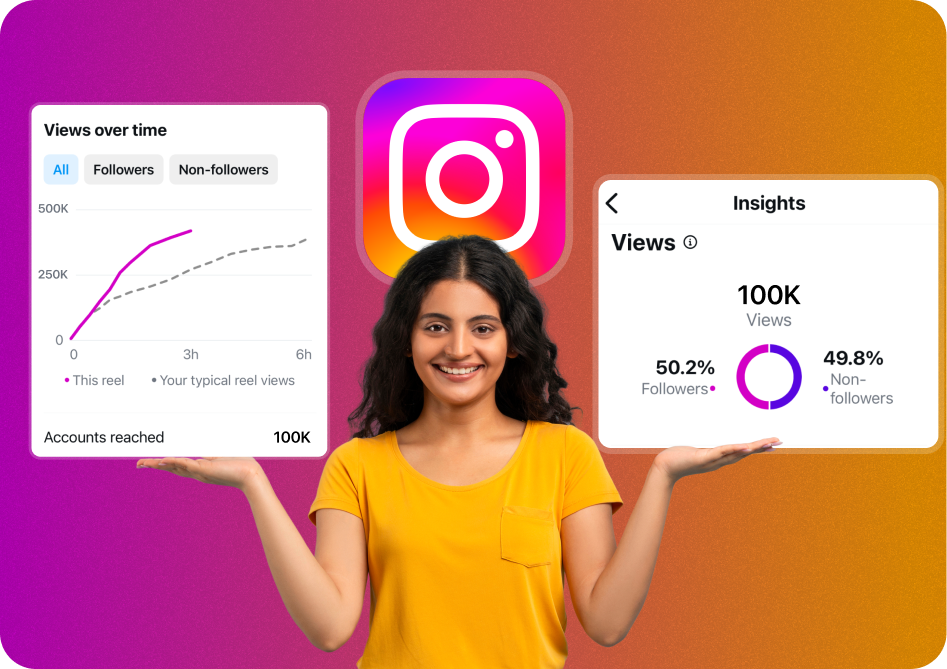
Instagram Analytics is a powerful resource offering valuable insights on follower activity, interactions, content performance, and audience behavior. Leveraging these insights strategically enables Indian creators to supercharge their content strategy, reach broader audiences, and achieve remarkable growth quickly! 📈📲🌟
Why Instagram Analytics Matters? 🤔📉
For every Indian creator, analytics provides actionable information:
✅ Identify what content resonates effectively.
✅ Examine ideal posting times and follower activity.
✅ Understand detailed audience demographics.
✅ Fine-tune content strategy based on real data.
✅ Identify opportunities for increased engagement.
Steps to Utilize Analytics to Grow Your Instagram 🌟📈
🎯 1. Identify Your Goals with Clarity 🗣️💭
First, set clear goals like growing followers, increasing engagement, enhancing reach within India, or driving sales. It helps measure effectiveness and guides efforts effectively in content creation.
📆 2. Track Optimal Posting Times ⏰📱
Instagram Analytics clearly shows peak engagement hours. Creators can identify and consistently post content during these active periods to optimize reach and visibility.
🔍 3. Analyze Your Content Performance 📊✨
Use analytics regularly to determine your best-performing posts-examining impressions, reach, shares, saves-and craft similar content that genuinely resonates with your audience.
👥 4. Understand Your Audience Closely 🌐🧑🤝🧑
Examining age, location, gender, and active hours of your Indian audiences helps creators better personalize content to increase relevance and resonance.
📑 5. Evaluate your Stories & Reels Effectiveness 📸🎥
Stories and Reels analytics show completion rate, interactions, and views. Insights help refine your content style, creating captivating short-form content for increased engagement.
🎬 6. Measure Your Engagement Rate & Revise Strategy 🧩📉
Monitor metrics like likes, comments, shares, and saves regularly. Adjust your strategy based on what's working best, maximizing audience interactions continually.
🆕 7. Experiment, Measure & Optimize Content 🔄🔥
Continuously experiment with various content formats, captions, visuals, hashtags, and posting schedules. Regularly measuring analytics helps optimize each aspect for maximum effectiveness.
Best Tools for Advanced Instagram Analytics 🛠️📱
✨ Instagram Insights (Native):
Direct access to essential analytics tracking daily progress.
✨ Later:
Comprehensive analytics for channels, posts, stories, Reels.
✨ Iconosquare:
Deep analytics insights improving content strategies significantly.
✨ Socialinsider:
Advanced engagement tracking, competitor benchmarking.
✨ Sprout Social:
Reports, metrics & actionable insight into content effectiveness.
Top Growth Tips Tailored for Indian Creators 🇮🇳🌟
✅ Regularly engage with followers & culturally trending topics.
✅ Participate in Indian-specific viral trends, hashtags, & relevant content.
✅ Optimize content style, length, and visuals specifically for regional preferences.
Common Analytics Mistakes to Avoid ⚠️🚫
❌ Ignoring patterns or data regularly.
❌ Not setting or revisiting clear goals.
❌ Focusing only on vanity metrics (followers count) without actual engagement.
❌ Not aligning content strategy based on analytics findings.
Conclusion & Key Takeaway 🚀✨
Instagram Analytics powerfully equips Indian content creators to understand followers deeply, deliver improved engagement, optimize content creation, and accelerate platform growth immensely.
Regularly embrace, analyze, and act upon these valuable Instagram insights. Skyrocketing growth and expanded online visibility await you in India’s booming digital landscape! 🇮🇳📊🌟
Why This Matters in 2026
The demand for captions expertise has never been higher. As platforms like YouTube, Instagram, and TikTok continue to prioritize short-form video, creators who master captions workflows see 3-5x higher engagement rates compared to those using outdated methods.
Studies show that 85% of social media videos are watched without sound. Adding accurate captions increases watch time by 40% and boosts engagement by 25%. AI caption generators now achieve 98%+ accuracy across 100+ languages.
Step-by-Step Guide
Follow this proven workflow to achieve professional results. Each step builds on the previous one, creating a systematic approach that saves time while maximizing quality and engagement.
Step 1: Choose Your Caption Method
Decide between manual captioning, auto-generated captions, or AI-powered tools. For most creators, AI caption generators offer the best balance of speed and accuracy. They process videos in seconds and support 100+ languages.
- Manual: highest accuracy but extremely time-consuming (5-10x video length)
- Auto-generated: fast but often inaccurate, especially with accents or technical terms
- AI-powered: near-perfect accuracy with instant processing
Step 2: Generate and Review Captions
Upload your video to your chosen tool and let it process. AI tools typically achieve 98%+ accuracy, but always review for proper nouns, technical terms, and brand names. Fix any timing issues where captions appear too early or late.
- Review captions at 0.5x speed for thorough checking
- Pay special attention to proper nouns and numbers
- Check sync at transition points where topics change
Step 3: Style and Format Your Captions
Match your caption style to your brand. Choose fonts, colors, positioning, and animation that enhance rather than distract. Position captions in the lower third for standard videos or center for short-form vertical content.
- Use high-contrast colors for readability (white text, dark outline)
- Keep font size large enough for mobile viewing (minimum 24px equivalent)
- Animate word-by-word for engagement, or use static for accessibility
Step 4: Export and Publish
Export your video with burned-in captions for social platforms, or as separate SRT/VTT files for YouTube and web hosting. Test playback on mobile before publishing-most viewers watch on phones where small text becomes unreadable.
- Burn-in captions for Instagram, TikTok, and Twitter
- Upload SRT files separately on YouTube for toggleable subtitles
- Always preview on mobile before publishing
Best Practices and Pro Tips
After working with thousands of creators, these best practices consistently separate high-performing content from the rest. Apply these principles to see measurable improvements in engagement and growth.
- Always add captions-85% of social media video is watched on mute
- Use word-by-word highlighting to boost viewer retention and engagement
- Match caption font and color to your brand for consistent recognition
- Position captions where they do not obscure important visual elements
- Use AI caption generators for speed, then manually review for accuracy
- Provide captions in multiple languages to expand your global reach
- Test different caption styles (pop-up, static, animated) to find what resonates
- Keep caption text concise-paraphrase rather than transcribe word-for-word for readability
Common Mistakes to Avoid
These common pitfalls hold creators back from reaching their full potential. Recognizing and avoiding these mistakes can dramatically accelerate your growth.
Prioritizing Quantity Over Strategy
Publishing high volumes of unfocused content dilutes your brand and confuses the algorithm. Each piece should serve a clear purpose in your content strategy. Quality and relevance consistently outperform volume alone.
Not Using Available Tools
Manual processes that could be automated waste hours every week. AI tools for captioning, editing, and optimization exist to free your time for creative work. Not using them is a competitive disadvantage in 2026.
Skipping Analytics Review
Creating content without studying performance data is like driving blindfolded. Your analytics tell you exactly what resonates with your audience. Dedicate 30 minutes weekly to reviewing metrics and adjusting your strategy accordingly.
How CapsAI Helps You Succeed
CapsAI provides a complete suite of AI-powered tools designed for modern creators. Whether you need to generate captions automatically, convert long videos to short clips, or download content for repurposing, CapsAI streamlines your entire workflow.
- AI-powered caption generation with 98%+ accuracy in 100+ languages
- Automatic video cropping and reformatting from horizontal to vertical (9:16)
- Smart clip detection that identifies the most engaging moments in long videos
- One-click subtitle styling with customizable fonts, colors, and animations
- Batch processing for multiple videos-save hours on repetitive tasks
- Direct export optimized for YouTube Shorts, Instagram Reels, and TikTok
- Built-in transcript generation for SEO and accessibility compliance
- Cloud-based processing-no powerful hardware required, works on any device
Real-World Creator Use Cases
Here is how real creators are using these strategies and tools to grow their channels and reach new audiences in 2026.
Education Creators
Teachers and course creators repurpose their lecture content into bite-sized clips. A 60-minute lecture becomes 10-15 short-form videos with AI-generated captions in multiple languages. This approach has helped education channels grow 5x faster while reaching international audiences without additional production costs.
Business and Marketing Teams
Marketing teams use AI tools to produce 20-30 short-form videos per week from existing long-form content. By adding professional captions and optimizing for each platform, they maintain brand consistency across YouTube, Instagram, TikTok, and LinkedIn simultaneously.
Independent Creators and Vloggers
Solo creators leverage AI automation to compete with larger production teams. Tools like CapsAI handle captioning, clipping, and formatting automatically, allowing independent creators to maintain a daily publishing schedule without burning out or hiring additional staff.
What to Expect in 2026 and Beyond
The content creation landscape continues to evolve rapidly. In 2026 and beyond, expect AI tools to become even more integrated into creator workflows-from automated content ideation to real-time performance optimization. Platforms will increasingly reward accessible content (captions, translations) and consistent publishing. Creators who adopt AI-powered tools early will maintain their competitive edge as the industry standard rises. The key is to use automation for efficiency while keeping your creative voice and authentic connection with your audience at the center of everything you produce.
Recommended CapsAI Tools
Enhance your workflow with these powerful tools:
Try our AI subtitle generator to streamline your captions workflow.
Try our video caption generator to streamline your captions workflow.
Try our YouTube transcript generator to streamline your captions workflow.
Written by CapsAI Team | Last Updated: June 2026 | Reviewed by Video Caption Specialists
FAQs
What is the best AI caption generator in 2026?
CapsAI is the leading AI caption generator in 2026, offering 98%+ accuracy across 100+ languages with instant processing. It supports custom styling, word-by-word highlighting, and direct export to all major social platforms.
How accurate are AI-generated captions?
Modern AI caption generators achieve 98-99% accuracy for clear speech in supported languages. Accuracy may decrease with heavy accents, background noise, or technical jargon. Always review AI captions before publishing for professional content.
Do captions help with video SEO?
Yes, captions significantly improve video SEO. Search engines can index caption text, making your video content discoverable through text searches. Videos with captions receive 16% more organic traffic and rank higher in search results.
What caption format should I use?
Use SRT for YouTube and most platforms, VTT for web hosting, and burned-in (hardcoded) captions for Instagram Reels, TikTok, and Twitter. SRT offers the most flexibility as it can be edited and reformatted easily.
How do I add captions to Instagram Reels?
Use an AI caption generator like CapsAI to generate captions, style them with your brand colors and fonts, then export with burned-in captions. Instagram auto-captions exist but offer limited styling and lower accuracy.
Can I generate captions in multiple languages?
Yes, AI caption tools like CapsAI support 100+ languages. You can generate captions in your original language and then translate them automatically, or generate captions directly from foreign-language audio.
How long does it take to generate captions with AI?
AI caption generators typically process videos in real-time or faster. A 60-second video takes approximately 10-30 seconds to caption. Batch processing allows you to caption dozens of videos simultaneously.
Are auto-generated captions accessible enough?
While better than no captions, auto-generated captions should be reviewed for WCAG accessibility compliance. AI-generated captions from tools like CapsAI meet accessibility standards when reviewed, as they maintain proper timing, punctuation, and speaker identification.
What makes this guide about "How Indian Creators Can Use Instagram Analytics to Skyrocket Growth" 🚀" different from others?
This guide is regularly updated (last reviewed June 2026) with current best practices, real-world creator examples, and tool recommendations that reflect the current state of the industry. We focus on actionable strategies backed by data rather than generic advice.
Where can I get started with the tools mentioned in this article?
You can get started immediately with CapsAI at capsai.co. The platform offers a free tier that includes basic captioning, video clipping, and transcription. Premium features unlock unlimited processing, multi-language support, and advanced styling options.
Related CapsAI tools
Related Posts
View all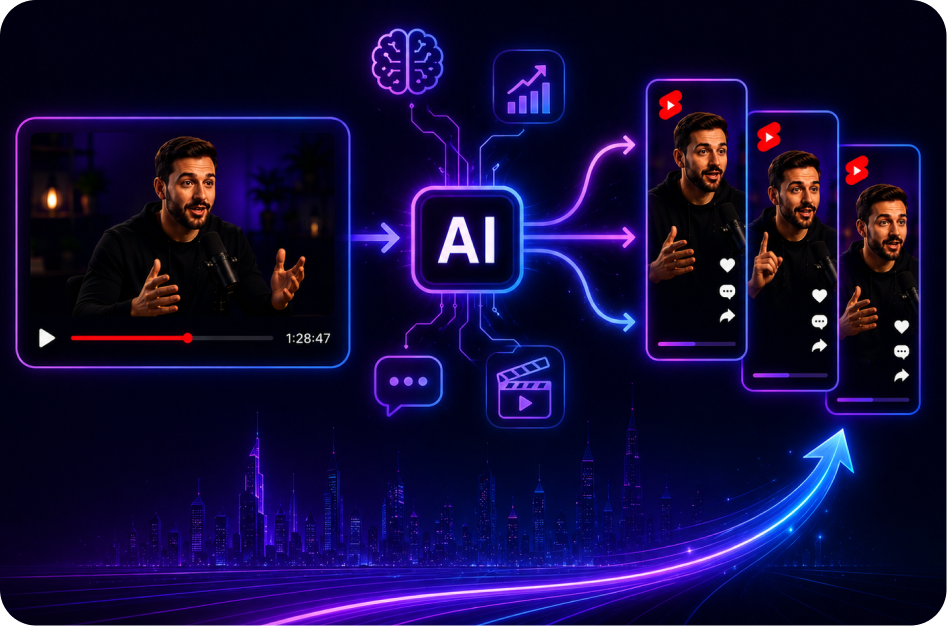
21 June 2026
The Future of AI Long-to-Short Video Tools in 2026
21 June 2026
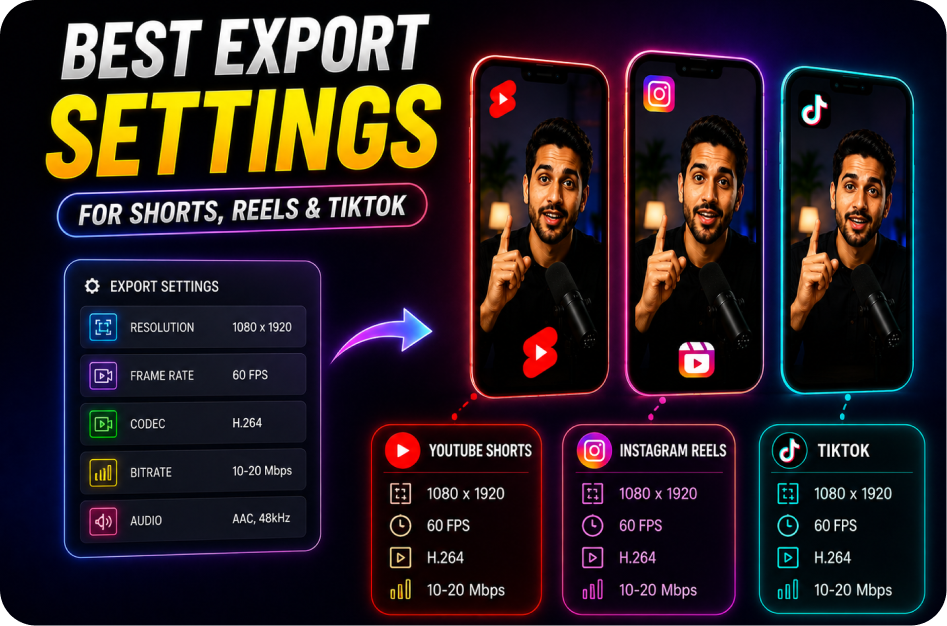
Best Export Settings for Shorts, Reels, and TikTok
21 June 2026
CapsAI vs Wayin: Long Video to Short Video Comparison
21 June 2026
CapsAI vs OpusClip: Which Long-to-Short Tool Is Better?
21 June 2026
Best AI Long Video to Short Video Tools in 2026
20 June 2026