


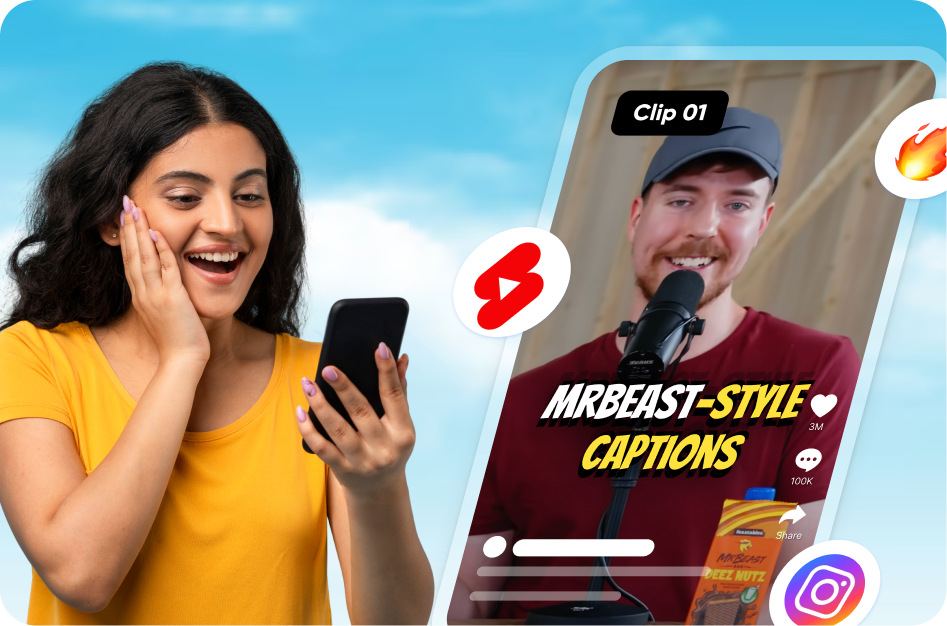
MrBeast-style captions are big, bright and fast: a heavy condensed font in one or two colors, a dark outline, one to three words on screen at a time, and a scale "pop" on each new word so the text moves with the voice. You can build the look in almost any editor in ten minutes, and CapsAI has it as a ready preset called Beast, one of the 37 styles in the browser editor.
The second half of this post is the part most guides skip: the style is tuned for high-energy entertainment with short sentences. On an interview, a tutorial or anything with long sentences, it tires the viewer and hides your point. Below is how to build the style, how to apply it in CapsAI, and how to decide when a quieter style wins.
What the style actually is
Watch any recent MrBeast video or Short with the sound off and the captions follow a small set of rules:
- Font: a heavy, condensed, rounded sans. Guides that try to name it usually point to Komika Axis; as of 18 October 2026 videocaptions.ai's font page says the choice has not been confirmed by MrBeast's team, so treat any font name as a lookalike, not a fact.
- Fill color: white or a bright yellow for most words, with a second accent color (often blue, green or pink) on the word that carries the meaning or the number.
- Outline: a thick black stroke, sometimes with a drop shadow, so the text reads over any background.
- Chunking: one to three words at a time, in ALL CAPS, centered a little below the middle of the frame.
- Motion: each chunk appears with a quick scale-up (around 110 to 120 percent) and settles in two or three frames. Nothing fades; everything cuts.
- Timing: the chunk changes on the stressed syllable, not on the gap between words. The captions feel like a drumbeat.
The whole effect depends on the voice-over being fast and punchy. The captions are not carrying new information; they are amplifying energy that is already there. It also depends on length: the style was refined on Shorts, which YouTube's help page (read 18 October 2026) defines as vertical or square video up to three minutes long. Over a 20-minute video, constant pops wear thin, which is why the long-form versions use the loud style in bursts.
How to build it in any editor
If your editor has a caption or text tool with keyframes, this recipe gets you most of the way:
- Transcribe the clip and split it into chunks of one to three words. Keep numbers, names and the punchline word on their own.
- Pick a heavy condensed font. If you cannot license a paid one, any free heavy rounded sans will read the same at phone size.
- Set the fill to white or yellow, the stroke to black at roughly 8 to 12 percent of the font height, and add a soft shadow.
- Center the text at about 60 to 65 percent of the frame height. On 9:16 video this keeps it clear of the platform UI; check the Shorts safe zone if you post to YouTube.
- Add a scale keyframe on each chunk: 115 percent on frame one, 100 percent by frame three.
- Color the key word in each chunk with the accent color. Do not color more than one word per chunk or the accent stops meaning anything.
- Export at 1080x1920 for vertical or 1920x1080 for landscape.
The slow part is step 1. Hand-chunking a two-minute video is 200 to 300 cuts, which is why most people reach for a tool that does the split and timing automatically.
Kapwing's MrBeast template
Kapwing ships a ready template. As of 18 October 2026, its page at kapwing.com/explore/mr-beast-subtites-template (that spelling is Kapwing's) says it uses the Komika Axis font with a "blue (#08B0D5) active word highlight and pink (#E3447C) accent", and that you "replace the sample video with your own footage and reapply auto-subtitles". The template page itself says nothing about price or watermarks; Kapwing's subtitles FAQ, read the same day, says every export from a Free account carries a watermark. See Kapwing vs CapsAI for the full comparison. Kapwing also lists TikTok-style and Hormozi-style templates next to it, which is a useful reminder that "MrBeast captions" is one of several creator looks rather than the default.
How to make MrBeast-style captions in CapsAI
CapsAI does the chunking, timing and styling in one pass and lets you fix any word before export.
- Open MrBeast-style captions and upload an MP4 or MOV up to 10 minutes long. Pick the spoken language: English, Hinglish, Hindi or one of the other eight Indian languages CapsAI recognizes.
- Wait for the draft. A one-minute clip takes a few minutes to transcribe and render.
- In the editor, choose the Beast preset from the style panel. It applies the heavy font, the bright fill, the dark outline and the per-word pop. The other 36 styles are on the caption styles page if you want to compare.
- Read every line. Fix names, brand words and numbers; speech recognition gets those wrong more often than common words, and in this style a wrong word is 200 pixels tall.
- Adjust chunk size if a line feels long. The style works best at one to three words; CapsAI's word-by-word caption generator is the one-word extreme if you want that.
- Export. The output is one MP4 with the captions burned in, 1080p on Starter and up to 4K on Creator and Pro.
New accounts get 3 free minutes to test the draft on your own audio. Paid packs start from $4 (₹49 in India, €4 in the euro area) for 20 minutes, paid once, nothing to cancel, and watermark-free export comes with every paid pack.
Two things CapsAI does not do, so you can plan around them: it does not export an SRT or VTT file (the captions are burned in), and it does not translate. If you need a subtitle file for YouTube's own caption track, make it separately and upload it there.
When a quieter style wins
The MrBeast look was built for a specific kind of video: fast cuts, short declarative sentences, a narrator who is shouting slightly, and a payoff every few seconds. Move it to other content and three problems show up.
Education and tutorials
Explanations have long sentences with clauses. Chopped into two-word chunks, "if the function returns null, the loop exits early" becomes six flashes that nobody can hold in their head. Viewers of tutorials also pause and re-read, and a pop animation makes that annoying. Use a plain two-line style, 32 to 42 characters a line, bottom-center, with no per-word animation. The best line length for short-form video post has the numbers.
Interviews, podcasts and talking heads
Conversation is slower and more even than a scripted voice-over. Beat-driven captions on a calm speaker look like the editor is trying to make the clip more exciting than it is, and the all-caps shouting clashes with the tone. A clean sans with a subtle highlight on the current word keeps the energy honest. CapsAI's karaoke caption generator is the gentle version of word highlighting.
Anything with reading-heavy viewers
Accessibility viewers who rely on captions, people watching in a second language, and anyone watching with sound off in a noisy place all read captions as text, not as decoration. Short chunks that disappear in 300 milliseconds give them no time. For those audiences, a steady two-line caption that stays on screen for at least a second per line is more useful than any animation. The animated caption generator page lists which CapsAI styles animate and which stay still.
A simple test
Mute the video and watch the captions alone. If you can follow the point without straining, the style fits. If you catch yourself re-watching to read, go quieter.
Common mistakes
- Too many accent colors. One accent word per chunk. Three colors in one line reads as noise.
- Captions on the face. Keep text below the chin or above the eyebrows; on 9:16 that usually means the lower third, inside the platform safe zone.
- Not fixing the draft. Any auto-caption tool misses names and slang. In a 200-pixel font, one wrong word becomes the thing people comment on.
- Chunking against the voice. The new chunk should land on the stressed word. If the pop lands between words, it feels off even when the text is right.
- Using the style for the whole video. Many creators switch to the loud style only for the hook (the first three to five seconds) and the payoff, and use a quieter style in between. It keeps the loud moments loud.
What to do next
Pick the clip, decide whether its pace suits a loud or a quiet style, and test the draft before you commit. For the loud version, upload at MrBeast-style captions, choose the Beast preset, and read every word before export. For the quiet version, start from the caption styles gallery and pick a plain two-line style.
