To generate Hindi subtitles from a video you need three things: a transcript in Devanagari that matches what was said, timing that follows the speech, and a font that can draw the script. Three routes get you there. An online AI tool does all three in a browser and gives you back a captioned MP4. YouTube's own automatic captions do the first two for free on videos you upload there, and leave the display to the viewer's player. A desktop editor gives you full control and makes you solve the Devanagari problems yourself.
This guide walks through each route, then covers what goes wrong with Hindi in particular: fonts that lack Devanagari, misplaced matras, English words inside Hindi speech, and numbers. It ends with a worked example whose character counts were measured, not guessed.
The three routes at a glance
| Route | What you get | Where the captions live | Cost and limits |
|---|---|---|---|
| Online AI tool | Devanagari captions styled and burned into a new MP4 | In the video, on every platform | Minutes-based; CapsAI starts with 3 free minutes |
| YouTube auto captions | A Hindi caption track viewers can toggle | On YouTube only | Free, if YouTube generates them |
| Desktop editor | Whatever you build, by hand or from an SRT | In the export, or as a file | Your time, plus a Devanagari-capable font |
If the video is going to Instagram, YouTube Shorts and WhatsApp, the first route is the only one that puts the same Hindi text on every copy. If it lives on YouTube alone, the second may be enough. If you already cut everything in one editor, the third keeps you there.
Route 1: an online Hindi subtitle generator
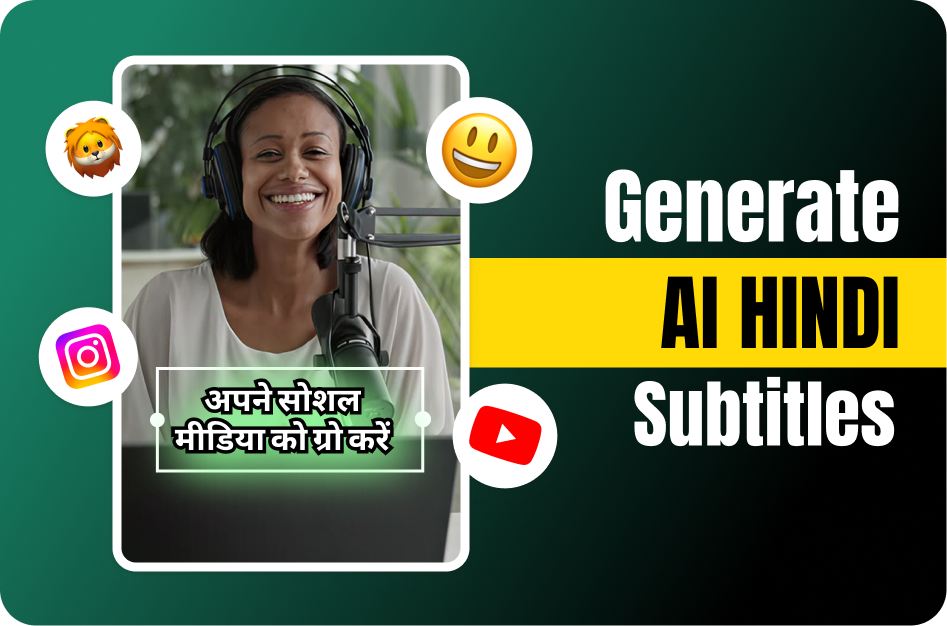
Here is the workflow in the CapsAI Hindi subtitle generator, which captions speech in 11 languages, including Hindi in Devanagari and Hinglish in Roman script.
- Finish the edit first. Trims, cuts and speed changes shift the timing, so caption the final MP4 or MOV, up to 10 minutes long.
- Upload it and set the language to Hindi. Pick Hinglish instead if the speaker mixes English words freely and you want them in English letters; Hindi mode usually writes them in Devanagari.
- Let the AI transcribe and time the lines.
- Read every line against the audio. Hindi errors cluster around matras, names and English words (details below).
- Choose a style. There are 37 caption styles, 8 of them free, with editable font, colour, size and position, so pick one whose font draws Devanagari.
- Export. The captions are burned into a new MP4. CapsAI does not export SRT, VTT or TXT, does not translate, and does not import from a URL.
The first 3 minutes are free. After that, minute packs are paid once: $4 for 20 minutes, $9 for 60 and $19 for 180 (₹49, ₹99 and ₹299 in India). Watermark-free export comes with every paid pack. Other online tools that handle Hindi, Tamil and Telugu are compared in the free AI subtitle generators for Indian languages roundup.
Route 2: YouTube's automatic captions in Hindi
Hindi is on YouTube's automatic-captions language list. According to YouTube's automatic captions help page, read on 26 October 2026, the captions are published on the video automatically once processing finishes, and processing time depends on the audio. Live automatic captions are a separate feature and are English only.
The same page is honest about quality. It says the captions are generated by machine learning, so quality "may vary", and may misrepresent speech because of mispronunciations, accents, dialects or background noise. It also lists when captions may not generate at all: the video is too long, the sound is poor, it starts with a long silence, speakers overlap, or there are multiple languages at once. That last case matters for Hindi creators more than most, because Hinglish speech is multiple languages at once by definition.
To fix the output, open YouTube Studio, choose Subtitles, pick the video and edit the automatic Hindi track line by line. To replace it, YouTube's add subtitles page gives three methods under Add language: upload a file with or without timing, auto-sync (paste the Hindi transcript and YouTube times it, not recommended over an hour or with poor audio), or type manually while the video plays. If you upload an SRT, YouTube's supported files page says it must be plain UTF-8; a Hindi SRT in any other encoding shows as garbage. Does YouTube auto-generate subtitles covers the rest of that feature.
The limit is reach: a YouTube caption track stays on YouTube. Download the video and post it to Instagram and the Hindi text is gone.
Route 3: a desktop editor
Desktop editors handle Hindi in two ways: a built-in speech-to-text feature, or an imported SRT. Either way, three things need testing before you trust the result, and none of them are about the transcript.
- The font. Type a Hindi line in the caption tool. Empty boxes or Latin letters where Hindi should be mean the font has no Devanagari glyphs. Switch to one from the list in the next section.
- The shaping. Type मिनट and look at the first letter. The i-matra (ि) is typed after the consonant but must be drawn before it. If the editor draws it after, its text engine does not shape Devanagari and no font will fix it.
- The input. Typing Devanagari needs a Hindi keyboard layout or a transliteration tool at the operating-system level. The guide to adding Hindi subtitles with Aegisub and Subtitle Edit covers that manual route and the UTF-8 export it needs.
If one test fails, generate the captions online and bring the finished MP4 back into the editor for the rest of the job.
What goes wrong with Hindi specifically
Fonts that lack Devanagari
Most display fonts used for captions are Latin-only. On 26 October 2026, Google Fonts' metadata listed 1,950 families, and 63 of them carry the Devanagari subset. Of the fonts people reach for in caption styles:
| Has Devanagari | No Devanagari |
|---|---|
| Poppins, Mukta, Hind, Teko | Anton, Bangers, Bebas Neue |
| Baloo 2, Rajdhani, Khand | Montserrat, Oswald, Inter |
| Noto Sans Devanagari, Tiro Devanagari Hindi, Kalam | Roboto, Open Sans, Lato |
A caption style that looks right in English can silently fall back to a system font for Hindi, or draw boxes. Check the exported video, not the editor preview. The best fonts for Hindi subtitles post goes deeper on weights and pairing.
Matras and other marks
Devanagari vowels inside a word are marks attached to a consonant: the ा in बात, the ी in हिंदी, the dot of ं in में. In Unicode they are separate code points that cannot stand alone. Two things follow. A transcription error often changes a mark rather than a letter, so दिन and दीन look alike at a glance; read captions at the size viewers will see them. And any tool that cuts lines by counting characters can cut between a consonant and its mark, leaving a dangling matra at the start of the next line. Break lines at spaces only.
English words inside Hindi speech
Almost every Hindi creator says English words: upload, link, comment, subscribe, the product's name. In Hindi mode, AI tools usually write them in Devanagari, so "presentation" becomes प्रेज़ेंटेशन. Decide once: Devanagari for everything (pick Hindi), or Roman script with English words spelled as English (pick Hinglish). Brand names are the exception either way; check each one by hand, because a transliterated brand name looks like a typo to the brand's customers.
Numbers
Spoken Hindi numbers can come out three ways: digits (15 लाख), Devanagari digits (१५ लाख) or words (पंद्रह लाख). Most AI tools write digits. Keep one convention across the video, and remember that lakh and crore have no English digit grouping, so 15 लाख should not become 1,500,000 for Hindi readers.
A worked example, with the counts measured
Take a 40-second clip in which the speaker says four sentences. The counts below were computed in Python with the Unicode database on 26 October 2026. "Code points" is what most character limits count. "Marks" are the matras, anusvaras and nuktas attached to a consonant. "Visible units" is the count a reader would make.
| Caption line | Words | Code points | Marks | Visible units |
|---|---|---|---|---|
| आज हम बात करेंगे कि अपने वीडियो में हिंदी सबटाइटल कैसे जोड़ें। | 12 | 62 | 21 | 41 |
| सबसे पहले अपनी फ़ाइल अपलोड करें और भाषा में हिंदी चुनें। | 11 | 56 | 18 | 38 |
| Upload करने के बाद AI तीन मिनट में captions बना देता है। | 12 | 56 | 11 | 45 |
| यह वीडियो 2024 में 15 लाख लोगों ने देखा। | 9 | 40 | 12 | 28 |
From the table: a third of the first line is marks: 21 of 62 code points draw nothing on their own. A 42-character limit written for English would reject every line but the last while the reader sees 28 to 45 units. And the third line is what Hinglish speech looks like with the English words kept in Latin letters: 56 code points, two scripts, and a font that must cover both.
So split by what the viewer sees, at spaces. The first sentence as two caption lines:
| Line | Code points | Visible units |
|---|---|---|
| आज हम बात करेंगे कि | 19 | 14 |
| अपने वीडियो में हिंदी सबटाइटल कैसे जोड़ें। | 42 | 26 |
The second line is still 42 code points and still fine, because 26 visible units of Devanagari fit a 9:16 frame at caption size with room to spare. Set limits by visible units, around 30 to 35 for vertical video, and let the code-point count be whatever it is.
For the fourth line, the digit version (2024, 15 लाख) and the Devanagari-digit version (२०२४, १५ लाख) have identical counts, 40 code points and 28 visible units, so the choice is purely about your readers. The English rendering of the same sentence runs to 53 code points with no marks, which is why an English line-length rule overestimates how much Hindi fits.
Checklist before you export
- Language set to Hindi, not Hinglish, if you want Devanagari.
- Every brand name and English term checked by hand.
- One convention for numbers, used throughout.
- Line breaks at spaces, never inside a word.
- A font that draws Devanagari, confirmed in the exported file.
- Marks readable at phone size: the i-matra before the consonant, the dots visible.
What to do next
For a video going to more than one platform, generate the Hindi captions online, check the six points above, and export the MP4. If you also need a caption track on YouTube, the automatic track or an uploaded UTF-8 SRT covers that side. CapsAI gives you 3 free minutes to try Hindi on your own footage, and the one-time packs on the pricing page cover the rest.