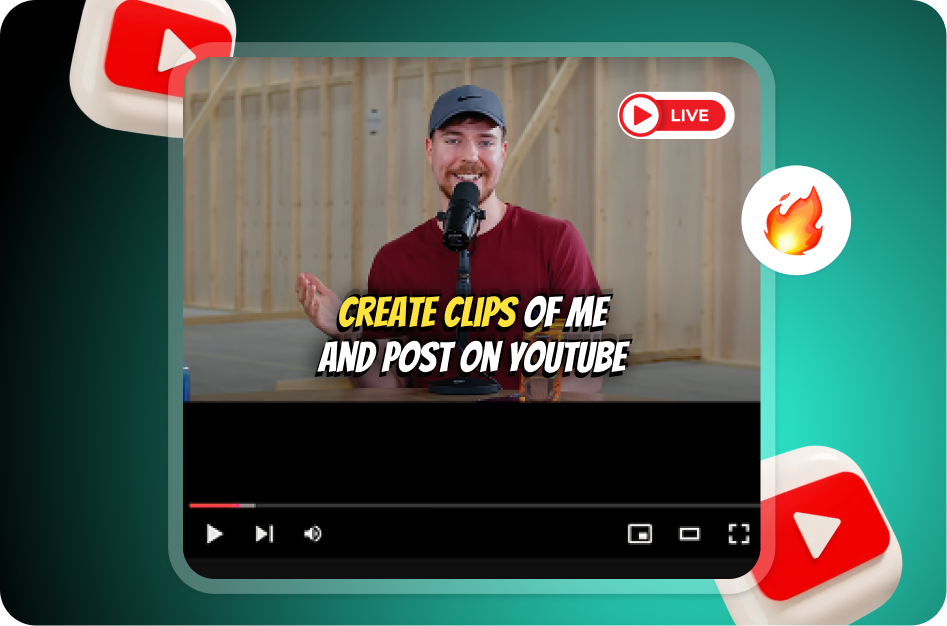
Live captioning puts words on screen while someone is still speaking, with a delay of a few seconds, for a stream, a meeting or an event. A subtitle generator, including CapsAI, works on a finished recording: it needs the whole file before it can produce a caption. The two jobs look alike and use the same speech recognition, but the tools are different, and as of 18 October 2026 most of the live ones are already built into the platforms you stream or meet on.
If you came here looking for live captions, the sections below cover what YouTube Live, Zoom, Microsoft Teams and Google Meet give you for free, what a dedicated live caption tool like Maestra's adds for OBS streams, and what human CART captioning costs. If you came here to caption a recording of a stream, skip to the last section: that is what CapsAI is for.
Live captions vs post-production captions
Live (real-time) captions are generated as the audio arrives. The engine has one chance, no context from later in the sentence, and no editor to fix a name. Delay is typically two to five seconds. Output goes to the platform's caption layer (Zoom's CC button, YouTube's caption track) or to a browser overlay you put on top of an OBS scene. Quality depends on microphone, accent, crosstalk and vocabulary, and every vendor warns that it varies.
Post-production captions are generated from a finished file. The engine can look ahead and behind, you can correct every word before anyone sees it, and the result can be burned into the video or exported as an SRT. This is what every subtitle generator does, and it is why no subtitle generator can caption a stream while it is happening.
The confusing middle ground is a recorded stream: the live captions were generated once and may vanish, and the recording needs fresh captions. YouTube's help page says exactly this: "After the live stream ends, live automatic captions won't remain on the video", and new captions are generated for the upload afterwards.
| Need | Live captions | Post-production captions |
|---|---|---|
| When words appear | 2 to 5 seconds after speech | After the whole file is processed |
| Can you fix errors first | No | Yes, every word |
| Output | Platform caption layer or overlay | Burned-in video or SRT/VTT file |
| Typical cost | Free in Zoom, Teams, Meet, YouTube; $15 to $49 a month for tools; $65 to $180 an hour for humans | Free tiers, subscriptions, or pay-once packs |
| Built into CapsAI | No | Yes, for MP4/MOV up to 10 minutes |
YouTube Live automatic captions
YouTube's automatic captions page (read 18 October 2026) says live automatic captions are English only and are being rolled out slowly to English channels with more than 1,000 subscribers, for normal-latency streams only. Low-latency and ultra-low-latency streams, which includes many mobile streams, are not supported, and captions have to be turned on for each stream rather than for the channel. After the stream, the live captions are dropped and the recording gets new ones, which "may differ from the live version". If your channel does not qualify, the route is a third-party caption source sent to YouTube's caption ingestion, which is what the OBS tools below do.
Zoom automated captions
Zoom's support article "Enabling or disabling automated captions" (18 October 2026) says the Automated captions settings are "enabled by default for paid Zoom accounts" and that "Some accounts may not have automated captions". It lists 49 languages and regional dialects, including Hindi, Tamil, Telugu and Bengali, and the host can choose which are offered. Zoom warns that automated captions may not be accurate and that compliance-critical sessions should use a manual captioner. For a human or third-party service, a separate article explains that the host chooses "Set up manual captioner" and "Copy the API token", and the provider's software posts captions into the meeting through Zoom's closed captioning REST API. Translated captions are a separate add-on. The recording is a different matter: the Zoom subtitle generator page and the how to transcribe Zoom recordings post cover captioning the file afterwards.
Microsoft Teams live captions
Microsoft's help page (18 October 2026) says you turn captions on from More actions, then Captions, and lists more than 50 caption languages. Setting the meeting's spoken language improves results, and Teams prompts the organizer when it detects a mismatch. Live translated captions are "available as part of Teams Premium and Microsoft Copilot"; if the organizer has the license, every participant can use them. Teams accepts two caption sources: its own engine or a CART captioner. One line matters for anyone who wants a record: "Caption data is permanently deleted after the meeting is over". Turn on transcription separately if you need the text.
Google Meet live captions
Google Meet's help page (18 October 2026) says you join the meeting and "At the bottom, click Turn on captions", that "All users can use captions in these languages", and lists 88 languages including Hindi, many marked beta. Captions show only for the person who turned them on. Translated captions are limited to Business Standard, Business Plus, Enterprise Standard, Enterprise Plus and Google AI Pro for Education, and if you record a meeting you can choose to embed the captions in the recording.
Dedicated live caption tools for OBS and events
When you stream through OBS, vMix or a custom player, there is no platform caption button, so you need a tool that listens to the audio and pushes text to an overlay or to the platform's caption input.
Maestra's Web Captioner (live.maestra.ai/captioner, 18 October 2026) says it will "Generate unlimited live captions for free in your browser, in 100+ languages" and that captions can be sent to OBS, vMix, Zoom and Microsoft Teams, with setup guides for each. Its free tier is described as "Free mode: captions only"; Pro adds translation, voice output, speaker labels and saved transcripts. Maestra's pricing page the same day lists Real-Time plans at Personal $19 a month (or $15 billed annually), Meetings $49 (or $39) per user, Basic at $39 a month for 360 minutes of real-time captions, and Events from $799 a day. Maestra's subtitle generator for recorded files is a separate product with its own 1-minute trial.
Other approaches people use: a browser-based captioner window captured as an OBS source, a platform's own captions when the stream is a Zoom webinar or a YouTube Live event that qualifies, or a human captioner who connects to the platform's caption API. Whatever you pick, test it with your real microphone and a colleague on the other end before the event; the failure mode is a caption lagging ten seconds behind or stopping silently.
Human CART captioning and what it costs
CART (Communication Access Realtime Translation) is a trained human captioner writing in real time, usually on a stenotype or with voice writing. It is the standard for legal, medical and accommodation requests because accuracy is the human's job, not a probability. Pricing is per hour or per minute, and public contracts are the easiest place to see real numbers.
North Carolina State University's captioning convenience contract page (© 2026, read 18 October 2026) lists Remote CART in English at $110.00 per hour and Spanish at $150.00 per hour from Automatic Sync Technologies, billed in 15-minute increments with a one-hour minimum; AI-Media's human CART for individuals at $1.08 per minute or $65.00 per hour, with events and live streams at $3.00 per minute or $180.00 per hour; and Carolinas Captioning at $2.50 per minute with a $50 minimum. 3Play Media's own pricing page (18 October 2026) includes live captioning only on its Enterprise plan and says "Your per-minute rate will be personalized based on your service, language, and turnaround needs". Rev's pricing page the same day quotes human captions "Starting at $1.99 /min" for recorded video, with a free plan of "45 AI transcription & caption minutes/month"; Rev's live caption product for Zoom requires a paid Zoom account and had no public price on the pages we could read.
So a two-hour webinar with a human captioner costs roughly $130 to $360 at the public rates above; the same two hours through Zoom's or Teams' built-in captions costs nothing extra. The human is worth it when a wrong word has consequences.
Where CapsAI fits: after the stream
CapsAI cannot caption a live stream, a Zoom call in progress or an event feed. It has no live input and no API. What it does is caption the recording: an MP4 or MOV up to 10 minutes, in English, Hinglish or one of nine Indian languages, with every word, timing and style editable in the browser before you export one MP4 with the captions burned in. Watermark-free export comes with every paid pack; packs are paid once from $4 (₹49 in India, €4 in the euro area) for 20 minutes, and new accounts get 3 free minutes to test on your own audio.
The ten-minute limit shapes the workflow. A two-hour webinar does not go in whole; its highlights do.
- Download the recording from YouTube, Zoom or Teams.
- Cut the moments worth reposting. Smart Clips finds and cuts them automatically; the long video to short video tool is the manual version.
- Upload each clip, read the draft, fix names and product terms, pick a style.
- Export and post the captioned clips to Shorts, Reels, LinkedIn or your course page. The webinar subtitle generator page covers this case; for the full recording's caption track, keep the platform's own captions or an SRT from a file-based tool, since CapsAI does not export SRT.
If you are deciding between burned-in captions and a caption track for the recording, the burned-in vs closed captions post sets out the trade-offs.
What to do next
For the live event, turn on the captions your platform already has: Zoom, Teams, Meet and qualifying YouTube channels include them, and Maestra's free captioner covers OBS. Book a human CART captioner when accuracy is a legal or accommodation requirement. After the stream, cut the highlights and run them through the webinar subtitle generator so the clips you repost carry checked, burned-in captions.