There is no single subtitle font size, because the apps measure it in different units. For a 1080x1920 vertical video, the readable range on a phone is a cap height of about 44 to 55 px, which means a font size of roughly 62 to 80 px and a line height of 75 to 96 px, or 3.9 to 5 percent of the frame height. For a 1920x1080 horizontal video the same pixel range applies, which is 7 to 9 percent of the shorter frame. Everything else in this post is how those numbers were reached and what they are called in CapCut, Premiere Pro and DaVinci Resolve.
The pages that rank for subtitle font size contradict each other because they are not talking about the same thing. One says 60 to 75 px, one says 15 on CapCut's slider, one says 20, a 2019 Adobe forum answer says 48 to 52 for Premiere, and a burn-in script defaults to 16 px. Some are frame pixels, some are app-specific numbers, and one is a desktop default. The tables below convert them.
Where the standards agree
Two broadcast guides set the floor. The BBC subtitle guidelines, version 1.2.5 from March 2026, say font size should fit within a line height of 7 to 8 percent of the video height for 16:9, 4:3 and 1:1 video, and 3.9 to 4.5 percent for 9:16. They allow two lines on landscape video and three on vertical, and they keep 9:16 subtitles inside the central 75 percent vertically and 90 percent horizontally. Netflix's English timed text guide allows 42 characters per line, two lines maximum, and a reading speed of up to 20 characters per second for adult programs and 17 for children's. Netflix's general requirements add a minimum duration of five-sixths of a second and a maximum of 7 seconds per subtitle.
Both guides were written for TV. On a phone, the frame is smaller and closer, and a burned-in caption cannot be enlarged by the viewer. WCAG 1.4.4 makes that point in its wording: text must resize to 200 percent "except for captions and images of text". Burned-in captions are both. The size you export is the size everyone gets, so the floor matters more than on a web page where the reader can zoom.
The measured table
Our calculation assumes a 6.1-inch phone, about 65 mm wide, held 50 cm away. A 1080-wide frame fills the width, so one frame pixel is about 0.06 mm. Cap height is taken as 0.70 of the font size and x-height as 0.52, typical for a heavy sans such as Montserrat. The angle is the visual size of the capitals at that distance; the md-subs analysis of subtitle size cites print research that puts the floor for full-speed reading at an x-height of about 0.3 degrees.
| Frame | Level | Cap height | Font size | Line height | Share of frame height | Angle at 50 cm |
|---|---|---|---|---|---|---|
| 1080x1920 | Minimum | 44 px | 62 px | 75 px | 3.9% (line) | 0.30 degrees (caps) |
| 1080x1920 | Recommended | 52 px | 75 px | 90 px | 4.7% (line) | 0.36 degrees (caps) |
| 1080x1920 | Maximum | 70 px | 100 px | 120 px | 6.3% (line) | 0.48 degrees (caps) |
| 1920x1080 | Minimum | 44 px | 62 px | 76 px | 7.0% (line) | 0.37 degrees (caps) |
| 1920x1080 | Recommended | 50 px | 72 px | 86 px | 8.0% (line) | 0.42 degrees (caps) |
| 1920x1080 | Maximum | 63 px | 90 px | 108 px | 10% (line) | 0.53 degrees (caps) |
Three things follow from the table. The vertical minimum is BBC's own low end, 3.9 percent, and at 50 cm it only just reaches the 0.3-degree floor for the capitals; the x-height of the same text is below it. That is why 56 px captions read small on a phone, which is the reason CapsAI's classic word styles start at 70 px rather than 56, and why our recommended row sits higher than BBC's range. The horizontal rows use BBC's 7 to 8 percent, which lands on the same pixel sizes because the shorter side is 1080 in both frames. And the maximum rows are not about legibility; they are where two lines of captions start to cover a face or a product.
The Blitzcut guide from May 2026, the ranking page with the most specific numbers, gives 60 to 75 px as the standard at 1080x1920, 48 to 55 px as the minimum and 100 px as the hard maximum. Those agree with our table within a few pixels, which is reassuring given they were reached a different way.
What the number means in each app
| App | Where the size is set | What the number is | 75 px recommended equals | Status |
|---|---|---|---|---|
| CapCut mobile | Text style, size slider | Undocumented unit; tutorials use 20 for this size | About 20 on a 1080x1920 project | Our estimate from tutorials |
| CapCut desktop | Text panel, font size field | Undocumented unit; a desktop guide uses 15 | About 15 on a 1080x1920 project | Our estimate from one guide |
| Premiere Pro | Essential Graphics, Font Size on the caption track style | Treated here as frame pixels at the sequence size | 75 | Our estimate; Adobe's page does not state the unit |
| DaVinci Resolve | Inspector, subtitle track style, Size | A size value scaled to the timeline resolution | Match it on the viewer to 4.7 percent of height | Our estimate; no Blackmagic page read |
| CapsAI | Captions panel, size | Frame pixels on a 1080-wide frame | 75 | From the editor code |
CapCut never documents its unit, so the mapping there is only as good as the two tutorials it comes from, and the phone and desktop numbers are not the same scale. For Premiere, Adobe's page on caption styles, updated 7 January 2026, documents Fill, Stroke, Shadow and track styles but not the unit; a 2019 Adobe community answer for legacy captions suggested 48 to 52 for a 1920x1080 frame with the Proportional box unchecked, which is lower than our table because it was written for TV-style subtitles. In Resolve, set the size on the track style and check the line height against the viewer at 4 to 5 percent of frame height rather than trusting the number.
The safest check in any app is the same: export ten seconds, open it on your phone, hold it at arm's length. If you have to bring the phone closer to read the captions, they are too small.
Words per line and lines per caption
Netflix's 42 characters per line is a TV number. At 75 px Montserrat capitals, a 1080 px frame with 10 percent margins fits about 18 to 22 characters, which is three or four words. So vertical captions run three to four words a line and at most two lines, even though BBC allows three on 9:16; the third line pushes the block into the face or under the app's own text. Horizontal video at the same size fits about 32 to 38 characters a line, still under Netflix's 42.
Reading speed sets the other limit. At 20 characters per second, a two-line caption of 40 characters needs two seconds on screen. The subtitle reading speed checker flags lines that go faster than that, and the subtitle character limit checker finds lines over whatever limit you set, both in the browser without uploading the file.
Safe-zone placement
Size only works if the caption lands where the app does not cover it. BBC's rule for 9:16 is the central 75 percent vertically and 90 percent horizontally, which on a 1920-tall frame is 240 px off the top and bottom and 54 px off each side. The Blitzcut guide measures TikTok's interface at 320 to 350 px from the bottom and 120 to 164 px from the right. Those two numbers disagree because BBC's is a general rule and Blitzcut's is a measurement of one app's buttons, and the app's buttons win.
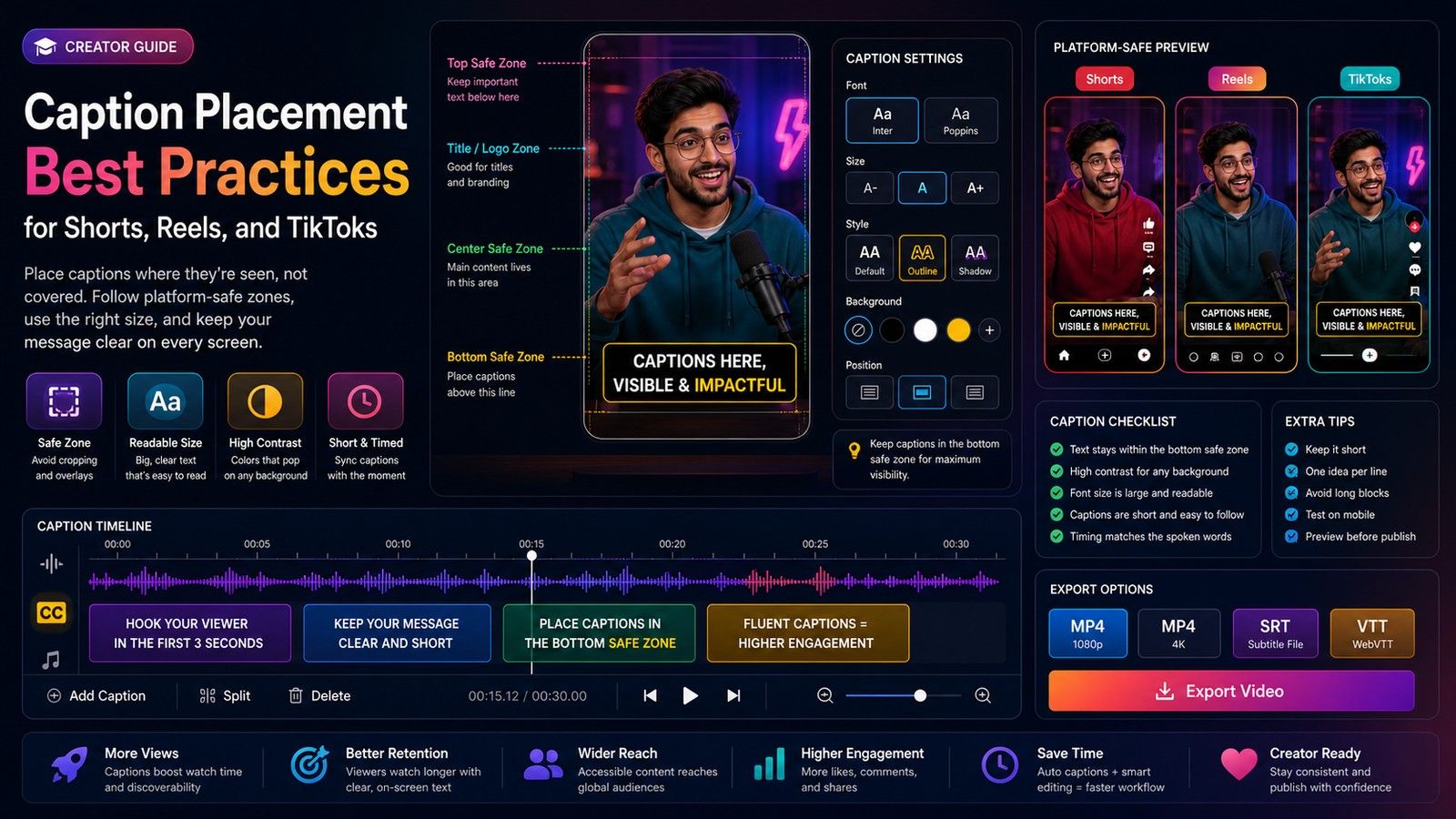
The per-platform zones are different enough to check separately: the Instagram Reels subtitle safe zone, the TikTok subtitle safe zone and the YouTube Shorts subtitle safe zone each overlay the interface on your frame. For where to put the block within the zone, see caption placement best practices for Shorts, Reels and TikToks.
How CapsAI sizes its captions
CapsAI measures in frame pixels on a 1080-wide frame, so the table applies directly. The Pop Out preset, which new projects open in, and the font-pack styles start at 56 px; the classic word styles such as Ice, Shine, Beast and the base style start at 70 px; Retro's cut-out letters start at 98 px and Color Blend at 150, because those two put one word on screen at a time. Pop Out uses a tight line height of 1.12 times the font size and wraps at 78 percent of the frame width, which is about three words a line at the default. The size control in the Captions panel changes it, and the vertical position runs from 50 to 90 percent of the frame height, which keeps the block inside the BBC band on vertical video. The caption styles page previews every preset at its default size.
If you take one number from this post: on a 1080x1920 frame, start at 75 px, two lines maximum, three to four words a line, placed between 60 and 80 percent of the height, then check it on a phone.
 By Aniket TeliPublished 26 Oct 2026