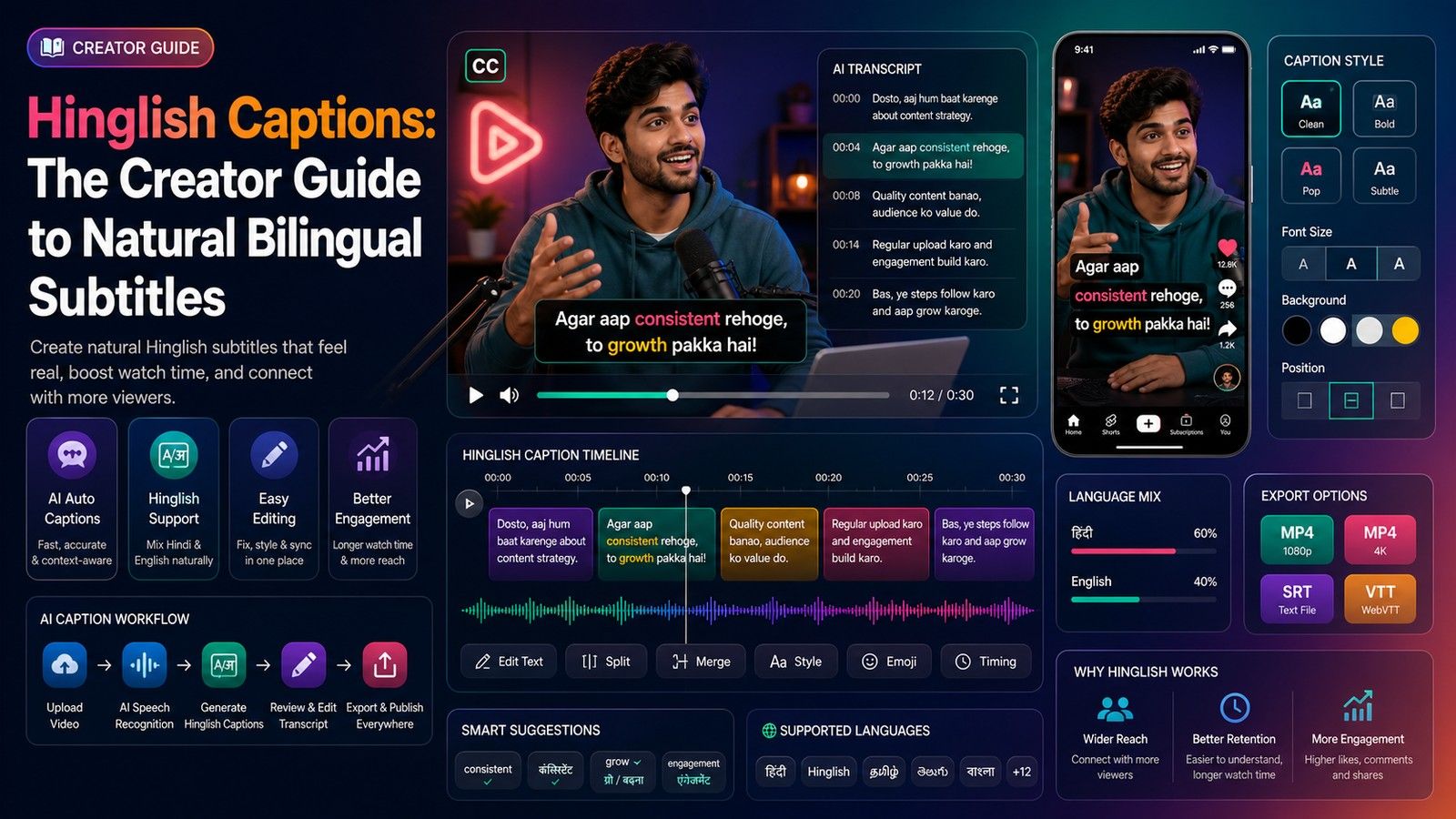
Pick Hinglish when your viewers type in Roman letters and your speech mixes Hindi and English. Pick Hindi (Devanagari) when the speech is Hindi through and through and your audience reads the script comfortably, which includes most older and small-town viewers and anyone who searches in Hindi. Pick English for viewers who do not understand Hindi at all. And pick one of the three per video: captions that switch script mid-way are wrong for everyone.
That is the short answer. The rest of this post explains each option, gives a decision table, quotes what Instagram's and YouTube's own help pages say about caption language as of 2 November 2026, and maps the choice onto a setting in CapsAI, where Hinglish and Hindi are separate languages and the one you pick sets the script for the whole video.
The three options, side by side
All three caption the same speech and none is a translation. The difference is the script the words appear in and, for English, the language.
| Option | What appears on screen | Example line | Suits |
|---|---|---|---|
| Hinglish | Hindi-English speech in Roman letters, English words as spoken | *Yeh wala setting on karo, phir export karo.* | Reels and Shorts for viewers who type and comment in Roman script |
| Hindi | Devanagari for everything, English words usually transliterated | *ये वाला सेटिंग ऑन करो, फिर एक्सपोर्ट करो।* | Hindi-only speech, Hindi-first audiences, Hindi search |
| English | English captions for English speech | *Turn this setting on, then export.* | Videos spoken in English, non-Hindi reach |
The example rows show why mixing is a trap: the same sentence looks like three different videos depending on the script.
Hinglish: the default for most Reels and Shorts creators
Hinglish is Hindi written in Roman letters with the English words left in English spelling. It is how most Hindi speakers under 35 type on WhatsApp and in comments, and Google's Gboard keyboard has had a Hinglish option since 2017 for people "who often switch back and forth between Hindi and English".
Choose Hinglish when:
- Your speech is mixed. If a typical sentence is *kal maine ek new phone order kiya*, Devanagari forces a decision for every English word (फ़ोन or phone?) and English captions require a translation. Roman script just writes what was said.
- Your comments are in Roman script. Open your last ten posts. If the comments read *bhai kya editing hai*, your viewers already read Hinglish fastest.
- You post Reels and Shorts. Roman-script Hindi is read at a glance and renders in any Latin font, so every caption style works.
The cost: Hinglish has no fixed spelling (*hai* or *h*, *kyun* or *kyu*), so you need a house style; the Hinglish spelling guide for captions gives one. Hinglish is also invisible to Hindi search: nobody types *फ़ोन* into YouTube and finds a caption that says *phone*. What is Hinglish and why your captions need it covers the language itself.
In CapsAI, select Hinglish on the Hinglish caption generator. The captions come out in Roman letters with English words as spoken, and you edit every word before export.
Hindi: when Devanagari is the right call
Devanagari is the script Hindi is taught and printed in, and for many viewers the comfortable one. Choose Hindi when:
- The speech is Hindi with few English words. Devotional content, storytelling, news explainers, farming and health videos, teaching videos for Hindi-medium students.
- Your audience skews older, rural or Hindi-medium. Viewers who read Hindi newspapers read Devanagari faster than Roman transliteration, and a Devanagari caption signals that the video is for them.
- You want Hindi search. YouTube's help page lists Hindi among its 67 automatic caption languages. A Hindi caption track and Devanagari text in the title and description sit in the same language as a Hindi search query; Roman-script Hinglish does not.
The cost: English brand names and technical terms usually come out transliterated (ज़ोमैटो, एक्सपोर्ट), which some viewers find odd in a tech or business video. You can retype those in Roman letters in the editor, but do it consistently. Fonts matter too: display fonts built for Latin text may lack Devanagari glyphs, so preview a line with conjuncts and matras before you commit to a style. Best fonts for Hindi subtitles lists ones that render well.
In CapsAI, select Hindi on the Hindi subtitle generator or the Hindi auto caption generator. The output is Devanagari for the whole video.
English: for reach beyond Hindi
English captions suit a video spoken in English, including Indian English with a few Hindi words thrown in. Choose English when:
- The speech is English. An English-speaking creator does not need Hinglish because a few *yaar* and *matlab* slip in. Keep English selected and type those words in the editor.
- You want viewers outside the Hindi belt. South Indian, Northeast and overseas viewers who do not read Hindi or Hinglish can follow English captions.
What English captions cannot do is caption Hindi speech. CapsAI does not translate, and neither do the automatic captions on Instagram or YouTube. If you speak Hindi and want English captions, that is a separate translation job; Hindi-English bilingual subtitles explains the options. For English speech, the English subtitle generator is the setting.
Why mixing scripts in one video reads badly
Switching between Roman and Devanagari inside one video, or one caption, costs the viewer three ways:
- Reading speed resets. Readers settle into a script within a few captions. A Devanagari line after six in Roman letters makes the eye stop and re-identify the writing system before it can read. On a Reel, that pause is most of the caption's time on screen.
- It looks like an error. Viewers assume a mid-video script change is a tool mistake, not a choice, and trust the rest of the captions less.
- Fonts break. A style that looks right in Latin letters may render Devanagari in a fallback font, or vice versa, so mixed lines look patched together.
The exception is a single English word inside a Devanagari video, or a single Hindi word inside an English one. Keep it in the script the viewer is already reading, or in its own script if that is how the audience would type it, and do it the same way every time.
The rule for a bilingual channel is one script per video, chosen from the audience, not one script per sentence. For two audiences, make two exports: one Hinglish, one Hindi. Only the language setting changes.
The decision table
| Audience | Speech type | Recommended caption language | CapsAI setting |
|---|---|---|---|
| Urban, under 35, comments in Roman script | Hindi-English mix | Hinglish | Hinglish |
| Older, rural, Hindi-medium, or Hindi search matters | Hindi with few English words | Hindi | Hindi |
| Hindi-first audience, tech or business topic with many English terms | Hindi-English mix | Hinglish, or Hindi with English terms retyped in Roman letters | Hinglish, or Hindi plus editing |
| Pan-India or overseas, does not read Hindi | English | English | English |
| Pan-India, speech in Hindi | Hindi | Hindi for one upload, and a separately translated English version if you need it | Hindi |
| Two audiences, one video | Any | Two exports, one script each | Two uploads |
If no row fits, the tie-breaker is the comments: caption in the script your viewers already type in.
What Instagram and YouTube do with caption language
Both platforms generate their own captions on top of whatever you burn in, and both decide the language for you.
Instagram. Its help page on reel and video captions, read on 2 November 2026, says Instagram "uses speech recognition technology to automatically create captions" and that "the default language for captions depends on the language settings for your device". Before sharing you tap Stickers, then Captions; after sharing, Options, Manage, Edit, Advanced settings, and a toggle for Enable closed captions. The page does not describe choosing a caption language or editing the text, and notes that captions "may not be available to everyone". So you cannot tell Instagram "this is Hinglish"; your only lever is on or off, and burned-in captions are how you control the script. How to create Hinglish subtitles for Instagram Reels and TikTok covers the burn-in route and the Instagram Reels caption generator the safe zone.
YouTube. The automatic captioning help page lists 67 languages, including Hindi, Bengali, Gujarati, Kannada, Malayalam, Marathi, Punjabi, Tamil and Telugu. Hinglish is not on the list, so YouTube's auto captions for a Hindi-English video will be Devanagari Hindi at best, or an English misreading. For Hinglish on YouTube, burn it in or upload your own caption track in Roman letters through YouTube Studio. YouTube Shorts in Hindi and Hinglish covers the Shorts specifics.
How the choice works in CapsAI
CapsAI treats Hinglish and Hindi as two separate language choices, alongside English and eight other Indian languages. You choose one per video before upload, and that choice decides the script for the whole video: Hinglish gives Roman letters with English words as spoken, Hindi gives Devanagari. There is no per-line script switch and no translation.
After that the two are edited the same way: every word editable, start and end times typed as numbers, 30 caption styles (3 free, 27 with any paid pack), and one MP4 export with the captions burned in, 1080p on Starter and up to 4K on Creator and Pro.
A new account has 3 free minutes. Run a clip with your usual Hindi-English mix once as Hinglish and once as Hindi, and read both drafts. The one your comments section would type is the one to keep. Packs are paid once, ₹49 for 20 minutes, ₹99 for 60 and ₹299 for 180 in India ($4, $9 and $19 elsewhere), with no subscription.
 By Aniket TeliPublished 2 Nov 2026