


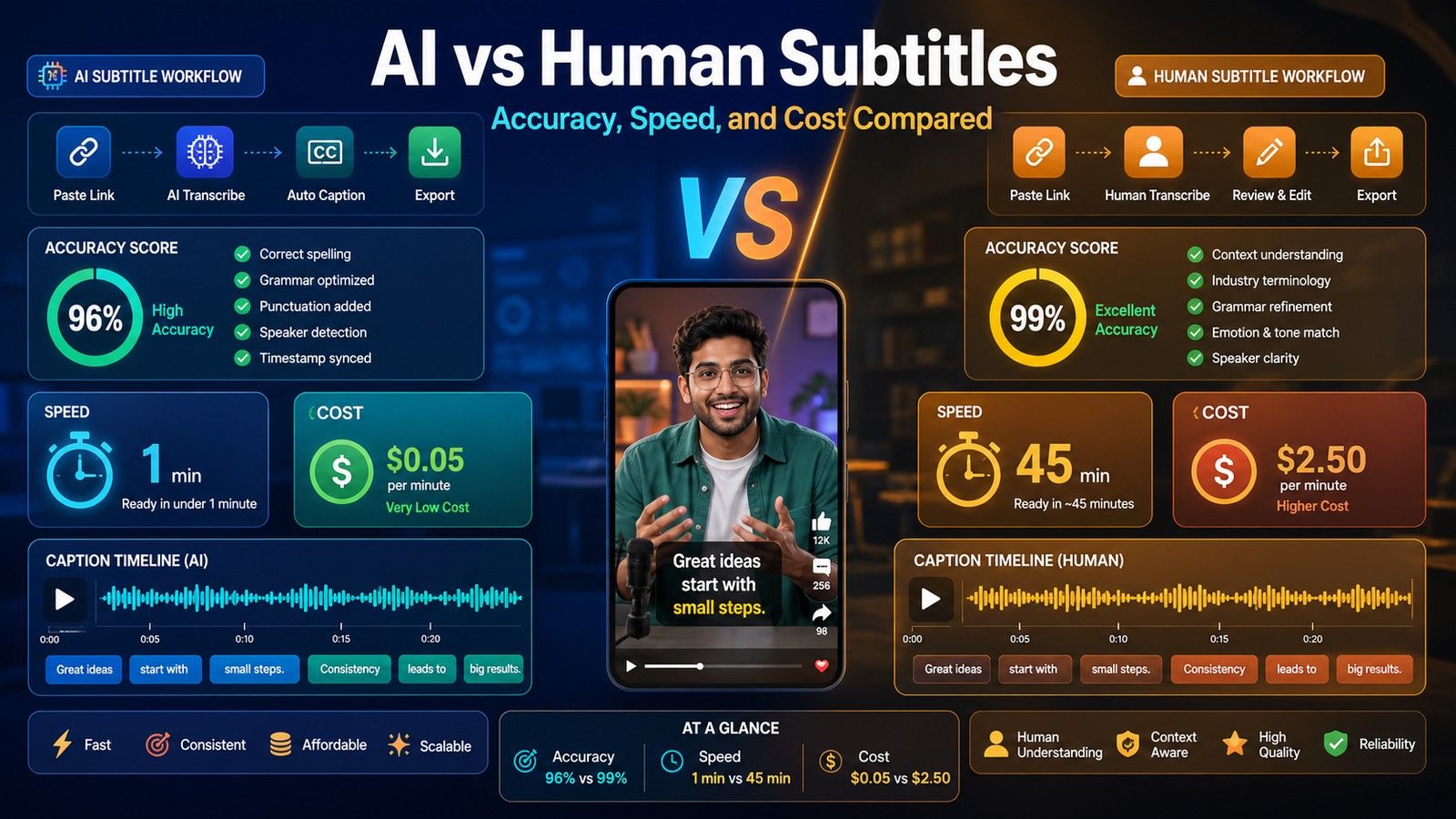
Use AI subtitles when you can check the draft yourself: clear audio, one or two speakers, a language you speak well, and a post where a missed word costs little. Pay a human when you cannot check the draft, when a law, client or platform sets the caption standard, or when your review time is worth more than the invoice. On 22 October 2026, human captions from the services below cost $1.58 to $4.26 a minute depending on speed and volume and arrive in hours to days. An AI draft costs little or nothing and arrives in minutes, but someone still has to read it.
Below: what four human captioning services charge and how fast they say they deliver, a worked cost example for one 10-minute video, the conditions that break AI drafts, and a review-and-correct workflow that gets an AI draft to publishable.
Human captioning prices and turnaround (22 October 2026)
Each row is from the service's own pricing page on that date. Accuracy figures are the vendors' claims, not measurements of ours.
| Service | What you order | Price as listed | Turnaround as stated | Accuracy claim |
|---|---|---|---|---|
| Rev | Human Captions, English and Spanish only | From $1.99 a minute | 12 hours or less | 99%+ |
| 3Play Media, Express plan | English captioning and transcription | $2.95 a minute; Spanish $4.50 | Not stated on the Express page | 99% minimum, 99.6% average |
| GoTranscript | Human captions, 140+ languages | $1.86 (5 days) to $4.26 (6 to 12 hours) under 2,500 minutes; from $1.58 at 10,000+ minutes | 5 days, 3 days, 1 day or 6 to 12 hours | 99%+ |
| Verbit | AI captioning with an optional human review layer | No rates published; contact sales | Not stated | Not stated on the pricing page |
| YouTube automatic captions | AI caption track on your own uploads | Free | May not be ready at upload | None; quality may vary |
A few details from the same pages. Rev's pricing page says its human captions are FCC and ADA compliant and that a subscription saves up to 15%. 3Play Media's pricing page quotes its Pro and Enterprise plans per customer, based on service, language, turnaround and the mix of AI and human review, and promises a quote within 24 hours. GoTranscript's captioning page lists the four delivery speeds and offers both closed captions and open (burned-in) captions; its 3-day and 1-day rates under 2,500 minutes are $2.17 and $2.48. Verbit lists its captioning plans with a contact-sales button and no figures.
On what those percentages mean: a vendor's 99% is a word-error measure it defines itself, and how accurate are AI subtitles explains how it is counted. The practical reading: if a 10-minute video has 1,500 spoken words, 99% still allows 15 wrong ones. 3Play's own page says its full-review option typically raises accuracy to 99.9%.
A worked example: one 10-minute video
- Rev: 10 minutes at $1.99 is $19.90, back within 12 hours.
- 3Play Media Express: $29.50 for English.
- GoTranscript: $18.60 at 5-day delivery, $42.60 for 6 to 12 hours, at the under-2,500-minute rates.
- AI draft: free on YouTube for your own upload. On CapsAI it uses 10 of the 20 minutes in the $4 Starter pack.
The real comparison is not $20 against $2. It is $20 and nothing to do, against $2 plus the time it takes you to read and fix the draft. If you post one short video a week in your own voice, the AI route plus your own review wins easily. If you have thirty lectures a month with guest speakers, or footage in a language nobody on the team speaks, the invoice is cheaper than the hours.
The deliverable differs too. Human services mainly return caption files for a player to display, with sound tags and speaker labels where needed; GoTranscript's FAQ describes closed captions as dialogue plus sound cues and speaker IDs. A Reel or Short with styled, word-by-word captions still needs those words burned into the video afterwards. A browser subtitle generator that burns the captions into an MP4 covers that last step.
When AI subtitles are enough
- Your own talking-head clips. One voice, a decent microphone, a quiet room.
- A language you speak fluently. You can only correct what you can understand.
- Social posts. A wrong word is embarrassing but rarely harmful, and the clip is short enough to check in full.
- Drafts and internal video. Meeting clips, rough cuts and team updates, where speed matters more than the last word.
- When you were going to review anyway. An AI draft gives you the timing for free; you edit instead of typing.
When to pay a human
- You cannot check the draft. If nobody on the team speaks the language, an AI draft is unverifiable. A native-speaking captioner is the only way to know it is right.
- Someone else sets the standard. The W3C's accessibility guidance, last updated 17 September 2024, says automatically generated captions do not meet accessibility requirements unless they are confirmed to be fully accurate, and that they usually need significant editing. Course video, public-sector video and broadcast work with a stated caption standard belong here.
- Crosstalk, music and specialist vocabulary. Panels, three-person podcasts, live performances, medical or legal terms.
- Volume. Per-minute pricing buys back the reviewer's hours. At thirty hours of video a month, that is the deciding number.
- You need full closed captions. Sound descriptions, speaker identification and placement are a captioner's job, and the big services sell them as standard.
There is also a middle option. 3Play says all its services combine AI with expert human review by default, adjustable from AI only to fully human-reviewed. Verbit offers AI captioning with an optional human quality-control layer. GoTranscript proofreads an existing AI transcript from $0.60 a minute, with a 6-hour rush option. That is the same work you do when you review an AI draft yourself; the only question is who spends the time.
What makes AI drafts fail
YouTube's automatic captions help page lists the conditions under which its own captions fail or come out wrong. They are the conditions that trip any speech recognizer.
- Overlapping speakers. YouTube names overlapping speech as a reason captions may not generate at all. When they do, two people get merged into one line or one voice disappears. Fix it at the recording stage with separate microphones, or send panels to a human.
- Music and noise under speech. YouTube names background noise and poor sound quality. Sung lyrics come back as guesses. Lower the music under the voice in your edit before you caption, and caption the speech, not the song.
- Names, brands and jargon. Speech recognition writes the nearest common word it knows. 3Play says it keeps one transcriptionist on a file from start to finish partly so they can identify proper nouns in context, which is exactly what a draft lacks. Make a list of the names before you review and check every occurrence.
- Code-switching. YouTube lists more than one language spoken at the same time as a failure condition. A Hindi-English conversation transcribed as plain Hindi or plain English comes back mangled. Use a tool with a mixed-language option (CapsAI offers Hinglish as its own language) or a captioner who speaks both.
- Accents, dialects and mispronunciation. YouTube says its captions may misrepresent speech for these reasons. Test one minute of the actual speaker before you commit a long project to any tool.
- Small words that flip the meaning. The W3C page warns that a single missing "not" can make a caption contradict the audio. Read for sense, not just spelling.
A review-and-correct workflow for AI captions
- Choose the spoken language before transcribing. Many tools, CapsAI included, transcribe in the language you select, and the wrong choice ruins the whole draft.
- Write a names list. People, places, brands, product names and any numbers you mention.
- Read the draft once without playing the video. Lines that make no sense stand out on paper. Mark them.
- Play it at normal speed with captions on. Stop at every marked line, every name and every number. Fix the words first, then the timing of any line that appears early or late.
- Check the line breaks. A correct caption split in the middle of a phrase still reads badly.
- Watch the export once on a phone with the sound off. If you can follow it without audio, it is ready.
For the full list of error types to check, see the checklist in how accurate are AI subtitles. For Hindi, how to proofread a Hindi AI transcript covers matra errors and sound-alike words, and AI vs human transcription for Indian languages covers the same decision for transcripts.
Where CapsAI fits
CapsAI is the AI-draft-plus-your-review route for captions that appear in the video. The AI subtitle generator takes an MP4 or MOV up to 10 minutes, transcribes it in the language you choose from 11 spoken languages, lets you correct every word and timing in the browser, and exports one MP4 with the captions burned in. It has no human captioning service, publishes no accuracy figure, does not export SRT or VTT files and does not translate. The 3 free minutes are there to run your own clip through it and time your own review before you decide. Packs are paid once: $4, $9 and $19 for 20, 60 and 180 minutes (₹49, ₹99 and ₹299 in India; €4, €9 and €19 in the euro area). For other AI tools side by side, see the best AI subtitle generators compared.
What to do next
Take one representative minute of your real footage, run it through an AI tool, and time how long your review takes. Multiply by your monthly minutes and compare that time with the per-minute prices in the table. If the review is quick and you speak the language, keep the AI draft. If the review is slow, the language is not yours, or someone else sets the standard, send it to a captioner.
