


- YouTube Autocomplete Suggestions
go to YouTube’s search bar and start typing your topic (for example “shorts cooking” or “fitness hacks”); note the autocomplete drop‑down suggestions - these are terms actual users are searching right now. - Google Trends with YouTube Search Filter
open Google Trends, switch the data source to “YouTube Search,” and enter keywords to compare interest over time, spot rising queries, and identify seasonal spikes for Shorts topics. - TubeBuddy Free Keyword Explorer
install the TubeBuddy browser extension, use its free Keyword Explorer for YouTube, and filter results by “YouTube Shorts” tag - analyze search volume, overall grade, and related keyword ideas without a paid plan. - vidIQ’s Free Chrome Extension
add vidIQ to Chrome, view real‑time keyword scores and “SEO” metrics directly on the YouTube search results page, and click on “Related Keywords” to uncover viral tag opportunities. - KeywordTool.io (Free YouTube Mode)
visit https://keywordtool.io/youtube, select “YouTube” as the search engine, type in your seed keyword, and browse up to 750 free keyword suggestions based on actual search queries, including long‑tail Shorts phrases. - AnswerThePublic (Free Tier)
go to https://answerthepublic.com, enter your topic, and review the question and preposition charts to find natural‑language queries you can address in your Shorts titles and descriptions. - VidLytics YouTube Trends Page
check YouTube’s official Trending page and filter for Shorts content - note the titles and captions of top‑performing Shorts to reverse‑engineer the keywords and phrasing they use. - Social Listening in Comments
scan the comments section of viral Shorts in your niche and note recurring words or questions viewers ask - these audience‑driven terms can become powerful keyword targets. - Regularly Update and Test
compile your keyword list in a simple spreadsheet, test different phrases in your Shorts titles and hashtags, and monitor performance in YouTube Analytics - refine your selection based on which terms drive the most views and engagement.
Creator Tips
How to Find Viral YouTube Shorts Keywords (Free Tools)
Learn find viral youtube shorts keywords (free tools) with our complete 2026 guide. Step-by-step tutorials, pro tips, and AI tools for creators.

Related CapsAI tools
Try CapsAI
Add captions to your videos
Upload a video, review the generated captions, and export. Start free.
Get started freeRelated articles

27 Jul 2025
SEO Tools to Discover Short Video Keywords

9 Jul 2025
How to Optimize YouTube Shorts for SEO : A Complete Guide

9 Jul 2025
Best Practices for YouTube Shorts Thumbnails and Titles
20 Jun 2026
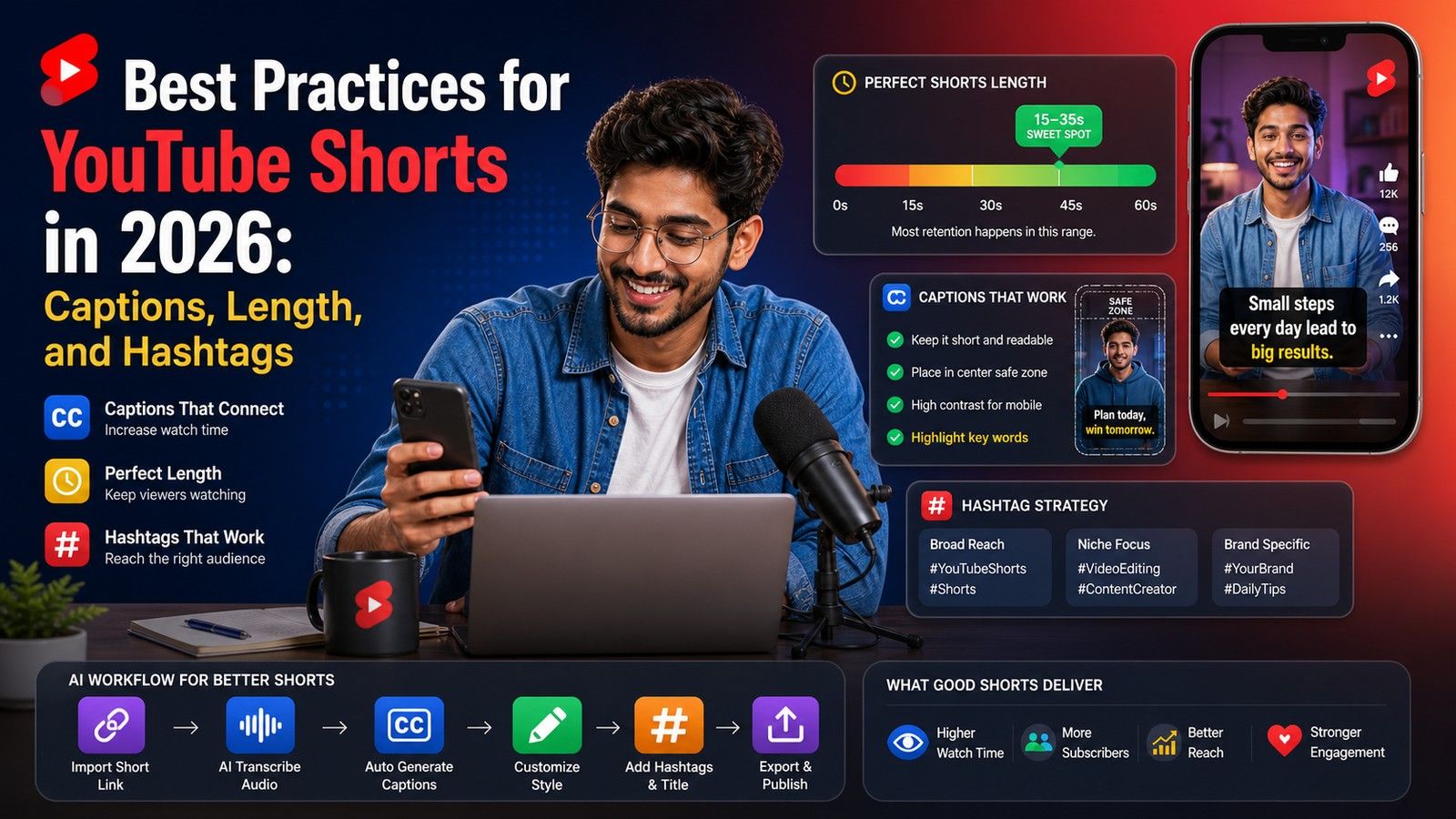
Best Practices for YouTube Shorts in 2026: Captions, Length, and Hashtags

9 Jul 2025
How to Optimize YouTube Shorts Titles and Descriptions for Views
9 Jul 2025