


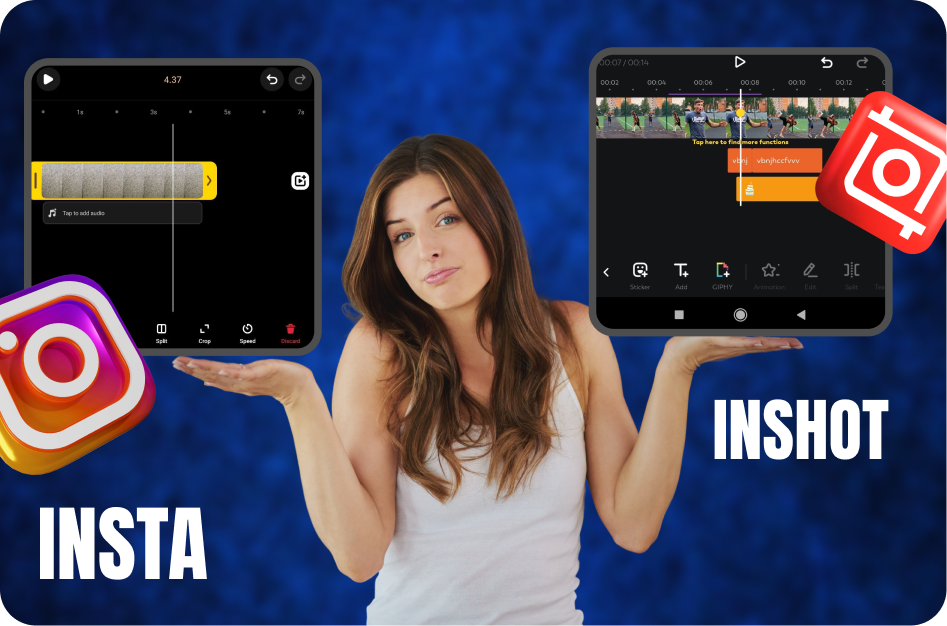
Creating the perfect Reel often comes down to two key tools: trim and crop. Whether you're cutting to the beat or fitting content into Instagram's preferred frame, the right app can make all the difference. But should you stick with Instagram’s native editor or level up with InShot? Let’s compare both and find out who wins the Reel war.
Instagram’s Built-In Trim & Crop Tools
Instagram’s native editor is sleek and streamlined - perfect for quick edits on the fly.
Here’s what it offers:
Intuitive Trimming: Just drag to cut the beginning or end of clips.
Auto Aspect Ratio: Keeps your content framed for vertical viewing.
Real-Time Preview: Instantly see how your trimmed clip fits into the flow.
No Learning Curve: Great for beginners and spontaneous posting.
Pros:
Fast and simple
Integrated directly with posting flow
Great for trending sounds and templates
Cons:
Limited precision
No timeline or keyframe control
No multi-layer or audio editing
InShot’s Editing Capabilities
InShot is a fan-favorite among creators for good reason. It turns your phone into a mini editing suite. Here’s what sets it apart:
Precision Trimming: Frame-by-frame cutting for perfect sync.
Manual Cropping & Resizing: Customize aspect ratios for any platform.
Video Zoom & Positioning: Move your video around the canvas.
Multiple Layers: Add overlays, stickers, text, and effects.
Audio Editing: Sync music, sound effects, and voiceovers.
Pros:
Pro-level control on mobile
Timeline-based editing
Supports transitions, filters, and speed adjustment
Cons:
Slight learning curve
Free version includes a watermark
The Verdict: Which One Wins for Reels?
If you're in a rush or posting directly to your story, Instagram’s built-in trim and crop tools get the job done - fast and friction-free. But if you're crafting content with an eye on quality, pacing, and polish, InShot clearly takes the win.
It’s more than just a trim tool - it’s a full-on content creation suite that empowers creators to make Reels that pop, engage, and perform.
Pro Tip: Use Instagram’s editor for quick drafts or templates, but finalize your masterpiece in InShot before uploading for max impact.
Ready to elevate your Reels? Explore InShot’s features and see how a few extra minutes of editing can skyrocket your views.
Creator Tips
Instagram’s Video Trim & Crop vs. InShot: Which App Wins for Reels?
Learn instagram’s video trim & crop vs. inshot: which app wins for reels? with our complete 2026 guide. Step-by-step tutorials, pro tips, and AI tools for creators.
Related CapsAI tools
Try CapsAI
Add captions to your videos
Upload a video, review the generated captions, and export. Start free.
Get started freeRelated articles
27 Jul 2025
Best Transition Techniques for Instagram Reels
27 Jul 2025
How to Add Multiple Clips to Instagram Reels Quickly
27 Jul 2025
Top Trending Effects and Filters for Instagram Reels
27 Jul 2025
Best Free Editing Apps to Make Instagram Reels Like a Pro
30 Jun 2025
5 Reels Editing Tips to Keep Viewers Watching Longer

25 May 2025