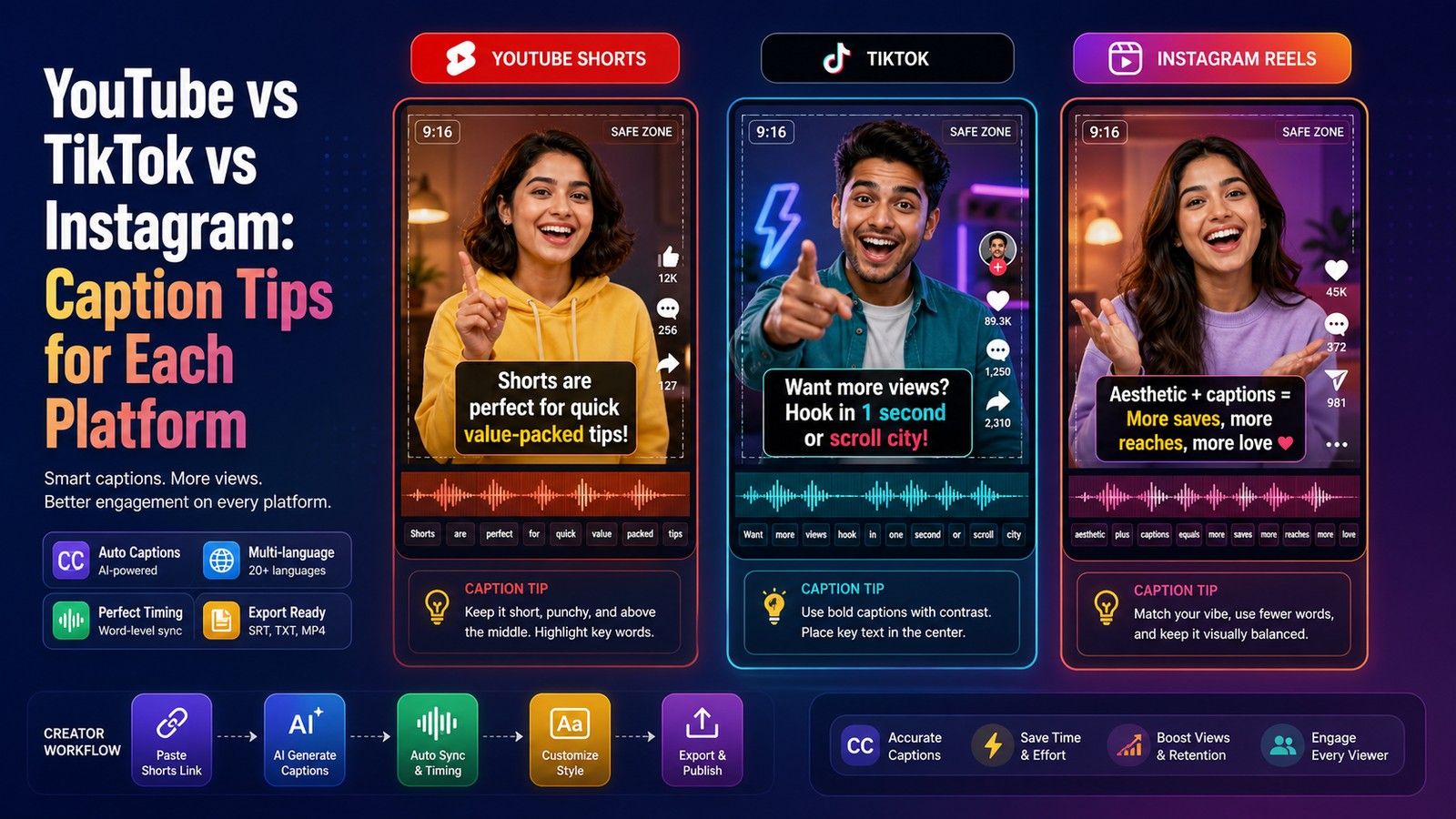
Every major platform now generates captions for you, and every one of them does it differently. YouTube and LinkedIn let you review and edit a caption track and upload your own SRT. Instagram and TikTok generate captions in the app with limited editing and no file upload. Facebook auto-generates only on Business Pages and otherwise wants an SRT. None of the platform captions travel with the file: download the video or repost it elsewhere and the captions are gone, because they are a separate track, not part of the picture.
This guide puts the five platforms in one table from their help pages as read on 18 October 2026, then gives a rule for when the platform's captions are enough and when to burn captions into the video before you upload.
The comparison
| Platform | Auto-captions | Languages as stated | Creator can edit | Styling | Stay on a downloaded or reposted file | SRT upload |
|---|---|---|---|---|---|---|
| YouTube | Yes, long-form and Shorts | 67 listed, incl. Hindi, Tamil, Telugu, Bengali, Marathi, Gujarati, Kannada, Punjabi | Yes, in YouTube Studio | Viewer-side; advanced upload formats carry position and style | No | Yes: .srt, .sbv, .vtt, .ttml, .scc and others |
| TikTok | Yes, on by default (third-party report, Apr 2024) | Not stated on the pages we could read | Yes, edit or delete after posting | Not verified | No | Not described |
| Yes, in-app on reels and videos when available | Not stated | Yes, sticker text, style, color, position | Sticker styles and colors | Sticker: yes; feed captions: no | No | |
| Yes, toggle at upload | 10: English, Spanish, Portuguese, French, German, Italian, Indonesian, Turkish, Arabic, Dutch | Yes, review before publishing and edit after | Not described | No | Yes, desktop, before posting | |
| Only for Business Page uploads on desktop | Not stated | Yes, in the Captions Editor | Viewer-side on computer | No | Yes, .srt with a language code in the filename |
Sources and dates are in each platform section below. Where a cell says "not stated" or "not verified", the platform's page did not say, or we could not reach it, and we would rather leave the cell honest than fill it from memory.
YouTube
YouTube's help page on automatic captioning, read on 18 October 2026, is the most detailed of the five. Automatic captions are generated for long-form videos and Shorts in 67 listed languages, which include Hindi, Bengali, Gujarati, Kannada, Marathi, Punjabi, Tamil and Telugu. Urdu is not on the list. If a video has more than one audio track, captions use the default one. English captions also include expressive elements such as capitalized text for intense speech.
The page is also candid about failure. Captions may be missing while complex audio is still processing, when the language is not supported, when the video is too long, when sound quality is poor, when there is a long silence at the start, and when speakers overlap or more than one language is spoken. It says that captions are generated by machine learning so quality may vary, that "automatic captions might misrepresent the spoken content", and it recommends adding professional captions first when possible.
Editing is in YouTube Studio under Subtitles: open the video, click More next to the automatic subtitles, and correct the text. A second help page (2734796) describes the alternatives: upload a caption file with or without timing, paste a transcript for auto-sync, or type captions while the video plays. The supported-formats page (2734698) accepts .srt, .sbv, .vtt, .ttml, .scc and several broadcast formats, and notes that the advanced formats carry styling and positioning. The YouTube subtitle generator page covers the burned-in route for the same video.
TikTok
TikTok's help center page on captions returned a server error on every attempt on 18 October 2026, and its newsroom announcement was also unreachable, so this section relies on a third-party report. Metricool's article of 29 April 2024 says TikTok turned captions on by default for every video in a supported language, that the old switch for enabling them no longer appears, that "creators will still be able to edit or delete captions after posting", and that viewers hide or show captions by long-pressing the video and choosing Captions. The article does not list the supported languages and does not describe styling or a caption file upload, so those cells in the table are marked accordingly. For a creator this matters in one way: the platform caption is a viewer toggle, so a viewer who turned it off once sees nothing on your video. The TikTok caption generator page describes burning captions in so that the choice is not the viewer's.
Instagram's own help page loaded as an empty shell when fetched on 18 October 2026, so this section uses the RNID guide "How to use video captions on Instagram", last updated 16 June 2026. There are two systems. Automated captions appear on reels and videos in the feed when available, in the mobile app only, and viewers turn them on or off in settings. Separately, when creating a Story or Reel, the Captions sticker transcribes the audio ("Transcribing audio" appears while it works) and places the text on the video; you can edit the words, pick a style and color, and drag the captions to a new position. RNID states that "Instagram doesn't currently have tools to add a pre-made caption file", so there is no SRT upload.
Two consequences. The sticker is part of the posted video, so it survives in a way the feed captions do not, but its styling options are the sticker's. And if you upload a video with captions already burned in, RNID warns that the automated captions "will overlap with them", so turn the automated ones off for that post. The Instagram Reels caption generator page covers placement inside the Reels safe area for the burned-in route.
LinkedIn has two help pages, both read on 18 October 2026. The auto-captions page (a1327025) describes a toggle at upload labeled "Add auto captions", a second toggle to "Review captions before viewers can see them", and editing after posting through the More menu and Edit captions, where individual captions can be edited or removed. Supported languages are English, Spanish, Portuguese, French, German, Italian, Indonesian, Turkish, Arabic and Dutch, with the note that captions for other languages "may not always be available". Hindi and other Indian languages are not on the list.
The older page (93997, marked as last updated five years ago) covers attaching your own file: an SRT must be attached to the video via the desktop experience before posting, for personal accounts and Pages alike. Neither page describes caption styling. For a video in Hindi or Hinglish, or for a presenter who wants the captions visible without a toggle, the LinkedIn video caption generator page describes the burned-in route.
Facebook's help page "Add or remove captions on your video", read on 18 October 2026, describes uploading a SubRip .srt file through Edit post and Add captions, for videos on a profile or a Page, with desktop steps only. It does not mention automatic captions. The RNID guide for Facebook, last updated 16 June 2026, fills the gap: automatic captions are generated only for videos uploaded to a Facebook Business Page, not for personal profiles or feed posts, and "do not currently work on Facebook Reels". The SRT filename must end with the language code, for example .en_GB.srt, and each extra language is a separate upload. Illinois State University's accessibility help, last modified 18 February 2022, adds that auto-generation "is currently not available for mobile video uploads" and that corrections are made in a Captions Editor before publishing. On a computer, viewers can set the caption background color, opacity, text color and size in the video settings; the creator does not control the look. The Facebook subtitle generator page covers the burned-in alternative for Pages and profiles alike.
When the platform's captions are enough
- You post to one platform and the video stays there. A YouTube lecture, a LinkedIn update, a Facebook Page video. The platform track is toggleable, resizable and searchable where the player supports it, which is better for accessibility than burned-in text.
- Your language is on the platform's list. YouTube's 67 languages cover most Indian languages; LinkedIn's 10 do not include any.
- You will edit the track. Every platform that lets you edit says you should. Ten minutes in YouTube Studio or LinkedIn's Edit captions fixes the names and numbers.
- You can upload an SRT. On YouTube, LinkedIn and Facebook, a corrected SRT is the most reliable caption track. CapsAI does not export SRT; the platform's own editor or the TXT to SRT generator from a transcript you have corrected are the routes.
When to burn captions in
- The same clip goes to more than one platform. One MP4 with the captions in the picture is identical on Reels, Shorts, TikTok, LinkedIn, Facebook and WhatsApp. Platform captions have to be generated and edited five times.
- The viewer can turn the platform captions off, and you need them on. TikTok, Instagram and Facebook captions are viewer toggles. A sound-off hook that depends on the text cannot depend on a toggle.
- The language is not supported. Hinglish is on no platform's list. Urdu is not on YouTube's, so Urdu captions have to come from outside the platform. Indian languages are not on LinkedIn's.
- You want the font, color and position. Platform tracks are styled by the viewer's player or the sticker. Burned-in captions are styled by you and look the same everywhere.
- The file will be downloaded, forwarded or re-uploaded. A caption track does not travel. Burned-in captions do.
The trade-off is real: burned-in captions cannot be switched off, resized or read by a screen reader. For an accessibility-first use such as a university course, the right answer is often both: burn captions into the distributed file and add a track on the platform. Burned-in captions vs closed captions covers that decision in full.
What to do next
If your clip goes to more than one platform, or is in Hinglish or an Indian language that the platform does not list, caption it once before upload. The YouTube subtitle generator page is the starting point for long-form video; the platform pages linked above cover Reels, TikTok, LinkedIn and Facebook with their safe areas. Upload the MP4 or MOV, up to 10 minutes, edit every word and timing in the browser, choose a style and export one MP4 with the captions burned in. A new account has 3 free minutes to start, one-time packs start from $4 (₹49 in India, €4 in the euro area), and watermark-free export comes with every paid pack.