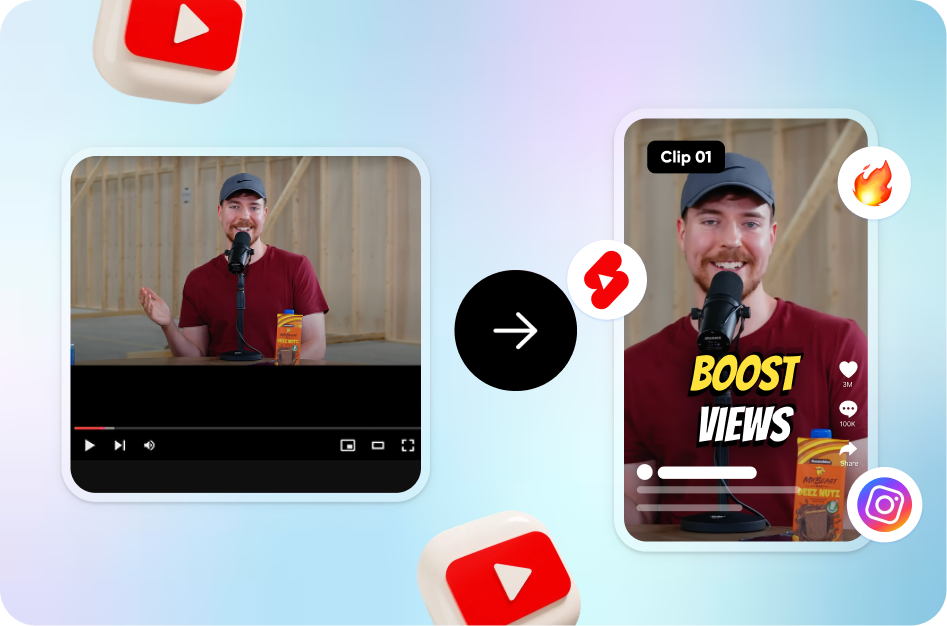
To get subscribers with YouTube Shorts, give viewers a reason to expect more of the same thing, then give them somewhere to go next. In practice that means a recurring format instead of one-off topics, a channel page that matches the Shorts, a related video on every Short, and a posting rhythm you can keep. As of 22 October 2026, YouTube's own tools for this are the related video link under a Short, channel profile links, the new Shorts series, and the Subs tab, which shows subscribers your latest Shorts.
Views and subscribers are different results. A YouTube Official Blog post from July 2026 says it directly: "views don't automatically equal fans." Below is what YouTube itself says about Shorts and subscribers, how to set up the channel, how to link and sequence Shorts, and which numbers show whether it is working. Every YouTube fact was read on YouTube Help or the YouTube Official Blog on 22 October 2026.
What YouTube says about Shorts and subscribers
- Subscribers see your new Shorts. YouTube Help's Shorts Search & discovery tips say the Subs tab "Displays most recently uploaded Shorts by the channels that a viewer is subscribed to."
- Shorts do not hurt long-form. The same page says "Shorts performance doesn't negatively impact long form Video recommendations" and "Shorts can help with audience discovery but can't hurt your Video performance."
- There is no required cadence. Also from that page: "There is no minimum posting cadence required for your videos to perform well."
- A Short can send viewers on. YouTube Help's related video page says "Viewers will see a clickable link below your channel handle."
- Mixing formats has been linked to subscriber growth. In June 2022, Robert Kyncl, named on the Official Blog as YouTube's Chief Business Officer, said "Multi-format creators uploading both Shorts and long-form videos are seeing better overall watch time and subscriber growth relative to those only uploading long-form content." He gave no figures.
What YouTube does not say is how many Shorts to post, how long they should be, or what share of viewers should subscribe. An article that names an exact "best frequency" is guessing.
Why a Short gets views but no subscribers
Check these before you change anything else.
- Every Short is a different topic. A viewer who liked your cooking Short and finds a gaming Short next has no reason to subscribe.
- The format is not recognizable. If a viewer cannot tell within a second that this is "that channel's thing", the second Short does not build on the first.
- The channel page does not match. A viewer who taps your handle and finds unrelated videos, or a bare page, leaves.
- There is no next step. A Short that ends without pointing anywhere leaves the viewer one action: swipe.
- The hook overpromised. A viewer who feels tricked does not subscribe. The method for honest hooks is in how to write YouTube Shorts hooks.
Set up the channel for a Short viewer
Many viewers decide on the channel page, so make it answer one question: what do I get if I subscribe?
- State the promise. The channel name, handle, banner and description should all describe the same subject. "Excel in 60 seconds" tells a visitor more than a personal name alone.
- Add a channel trailer for non-subscribers. YouTube Help says the trailer "offers a preview of your channel so viewers can learn more and subscribe". Set it in YouTube Studio under Customization, Home tab, Layout. Once a viewer has watched it, it is not shown to them again.
- Arrange the sections. The Home tab takes up to 12 custom sections and starts with Short videos, Uploads, Created playlists and public subscriptions. Put your strongest format first.
- Use channel profile links. YouTube Help says "To reduce spam and scam attempts, URLs placed in YouTube Shorts comments and Shorts descriptions are non-clickable." Your channel page can "showcase up to 14 links" instead, so that is where a newsletter, shop or long video link belongs.
Turn your best format into a series
A series gives a new viewer a concrete reason to subscribe: there is a next episode. Pick the Short format that works best for you and make it recurring, with the same opening, the same on-screen title pattern and an episode number. The Shorts title and thumbnail text post has formulas for wording that repeats cleanly across episodes. For example:
- "One Excel shortcut a day, #47: Flash Fill"
- "Rating every airport lounge I visit: Singapore, Terminal 3"
- "Fixing a viewer's resume: the objective line"
Since 23 September 2026, YouTube has a feature built for this. The Official Blog announced Shorts series, saying "creators can now structure their Shorts into seasons and episodes", rolling out on web, mobile and TV. YouTube Help's Create shows from your videos gives the rules:
- In YouTube Studio choose Create, then New show, or add show features to an existing playlist.
- For a Shorts series, "the playlist must only contain Shorts", and each video must be portrait or square and no longer than 180 seconds.
- A serial show lists episodes oldest to newest; a non-serial show lists them newest to oldest.
- Viewers who meet an episode in their feed see a "watch series" button that opens a series feed, and you can upload a custom thumbnail for each Short in the series.
Give every Short a next step
Add a related video. In YouTube Studio, open Content, click the Short, select a Related Video from your channel and save. YouTube Help says this needs advanced feature access, which comes with enough channel history or with ID or video verification, and the target has to be public or unlisted. Match the intent: YouTube's July 2026 guide to related videos suggests linking a quick hack to the full tutorial, and a spoken call to action in the last 5 seconds that points to the link. It adds that "The first 5 to 10 seconds of your long video should directly address the topic, question, or hook promised in the Short."
Shorts you make from your own long videos with YouTube's Remix tool are "linked back to your original video", per YouTube Help; the steps are in how to turn a YouTube video into a Short.
Reply to comments with Shorts. From a comment, tap Reply, then the Shorts icon, and the comment appears as a sticker in the Shorts camera. YouTube Help says these replies "will let the commenter know", and the July 2026 Official Blog post on growing with Shorts says the reply shows "right inside the comment feed for everyone else to see." Each reply is a new episode with an audience already waiting.
Ask for the subscribe the right way
Ask after the payoff, not before it, and give a reason that matches the series. "Subscribe for tomorrow's shortcut" tells the viewer what they get; "like and subscribe" does not. YouTube's April 2025 post on turning long videos into Shorts suggests you "Encourage viewers to watch the full video, subscribe to your channel, or leave a comment." That is three different asks; use one per Short.
The same post says "Shorts are often watched without sound, so captions are essential." A muted viewer never hears a spoken call to action, so put the promise and the closing line on screen as well. CapsAI's YouTube Shorts caption generator burns captions into an MP4 or MOV of up to 10 minutes, with every word editable before export and 37 styles, so each episode of a series can look the same. There are 3 free minutes to start.
Posting consistency without a magic number
YouTube says there is no minimum posting cadence. Its January 2024 channel-growth post notes that "posting three videos every single week sounds like a great goal on paper" but that "there's a fine balance to be found between consistency and sustainability", and recommends batch filming, planning topics ahead and scheduling uploads.
So set the cadence from your production time, not from a chart. Count how many finished Shorts you make in a normal week, post slightly fewer than that, and hold the rhythm for three months before you judge it. Because the Subs tab shows subscribers your most recent Shorts, a steady rhythm keeps you in front of the people who already said yes. If editing is the bottleneck, the Shorts editing workflow shows how to batch it.
Measure what converts
- Shorts key metrics. In YouTube Studio, open Analytics, then Content, then the Shorts tab; the Key metrics card gives "a visual overview of your views, likes, and subscribers."
- Subscribers per Short. YouTube's Shorts analytics tips describe the Subscribers figure as "Change in subscribers compared to your typical performance", which helps you "understand what types of shorts lead viewers to subscribe".
- Where people subscribed. In Analytics, choose See more on any card and pick the subscription source option. YouTube Help says you can also break subscribers down by "your videos, Shorts, live streams, posts, and others".
- Your own ratio. For each format, divide subscribers gained by engaged views. YouTube publishes no benchmark; the point is to compare your formats with each other.
For milestones, YouTube Help lists two ways into the YouTube Partner Program, both needing 1,000 subscribers: one with "10 million qualified Shorts views in the last 90 days", the other with 4,000 qualified watch hours in the last 12 months. In countries with the expanded Partner Program, India among them, an earlier tier opens fan funding and Shopping at 500 subscribers with 3 public uploads in the last 90 days, plus 3 million qualified Shorts views in 90 days or 3,000 watch hours in 12 months.
A plan for your first subscribers
- Weeks 1 and 2. Post three formats on one subject and log subscribers per engaged view for each.
- Week 3. Keep the format with the best ratio and turn it into a numbered series.
- Week 4. Set up the trailer, Home sections and profile links, and add a related video to every Short.
- After that. Hold your cadence, reply to comments with Shorts, and retire formats that bring views but no subscribers.
What to do next
Pick your strongest format, give it an episode number, and add a related video to the last ten Shorts you posted. Then check the subscription source report in a month.