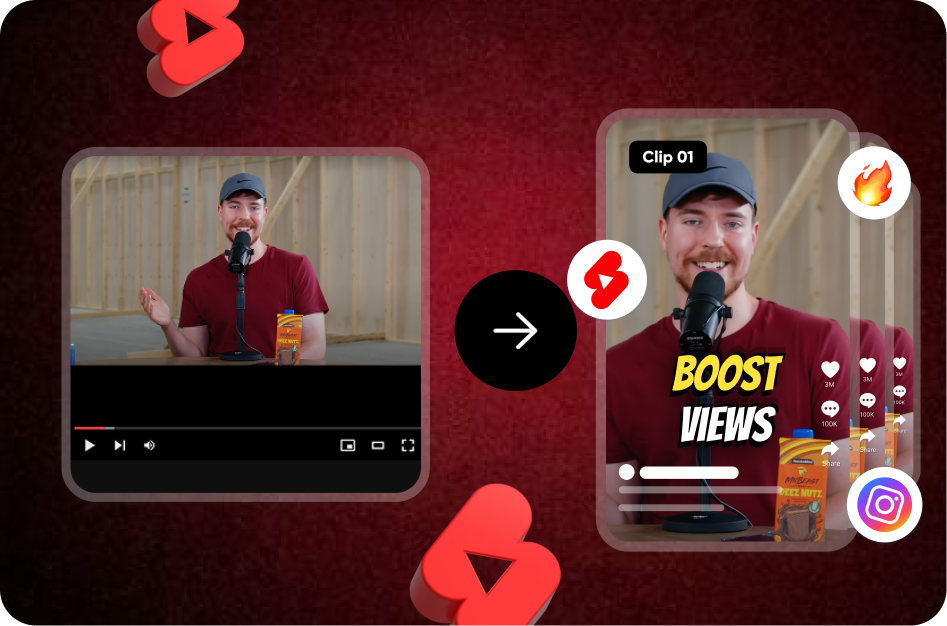
Pick Opus Clip if your starting point is a long recording and the job is to find the clips. As of 20 October 2026, its pricing page lists a free plan with 60 credits a month, and the cheapest plan without a watermark is Starter at $15 a month for 150 credits, where one credit is one minute of source video. Pick Submagic if you mostly edit short videos and want B-roll, zooms, silence removal and publishing in one editor, with clipping as a side job: its clip tool, Magic Clips, is an add-on that its help center prices at $19 a month for 10 video uploads, on top of a plan that starts at $19 a month.
The two tools are priced on different units. Opus Clip charges per minute of long video you feed in; Submagic charges per short video you finish, with a cap on each one's length. That difference decides most of the comparison below, which uses only what each company's pages said on 20 October 2026. If you do not want a subscription at all, the last section covers a pay-once route.
Opus Clip vs Submagic side by side (20 October 2026)
| Question | Opus Clip | Submagic |
|---|---|---|
| Free plan | Yes: $0, 60 credits a month, watermark, no editing, exports expire after 3 days | No $0 plan; a free trial of 3 short videos, with clean downloads tied to a subscription |
| Price per month, billed monthly | Starter $15 (monthly only); Pro $29 | Starter $19; Pro $39; Business $69, per member |
| Price per month, billed yearly | Pro $14.50, billed $174 a year; Starter has no yearly option | Starter $12; Pro $23; Business $41 |
| What a credit buys | 1 credit = 1 minute of the source video you import | 3 credits = 1 video: 15 videos a month on Starter, 40 on Pro, 100 on Business |
| Long-to-short tool | Included on every plan; the virality score needs Starter or Pro | Magic Clips, an add-on subscription: $19 a month for 10 uploads per the help center |
| Longest video | Local files up to 10 GB and 10 hours; clips of up to 15 minutes | 2 minutes per video on Starter, 5 on Pro, 30 on Business; Magic Clips source length not stated |
| Captions and styles | Animated caption templates with emoji and keyword highlights; 20+ languages; custom fonts on Pro | AI captions, hook titles and caption translation; 123 languages on the homepage, 48+ in the help center; custom templates on Pro and Business |
| Reframe and B-roll | 9:16 on Free and Starter; 9:16, 1:1 and 16:9 on Pro; stock and AI-image B-roll from Starter, with caps | Free B-roll on Starter, Storyblocks B-roll on Pro and Business; auto zoom on Pro and Business |
| Export quality and watermark | Free up to 1080p with a watermark; no watermark from Starter; 4K download on Business | 1080p at 30 fps on Starter; 2K on Pro per the help center; 4K at 60 fps on Business; no watermark on any paid plan |
| Publishing | Starter posts to YouTube Shorts, TikTok and Instagram; Pro adds six more platforms and a scheduler | Publishing and analytics from Pro, 1 profile per platform; 3 on Business |
Prices are in US dollars; Submagic's page also lists €19, €39 and €69 monthly. OpusClip's yearly prices appear only after switching the toggle on its pricing page.
Clipping: what each tool says it does
This section repeats each company's own description rather than judging the results.
OpusClip's ClipAnything page says the model "analyzes each frame through visual, audio, and sentiment cues" and that "each scene is then rated based on its virality potential". The virality score article explains the rating: 0 to 99, built from hook, flow, value and trend, with clips sorted by score by default; it shows on Starter and Pro, not on Free. The pricing page splits the clipping modes by plan: Free and Starter clip on spoken words; Pro adds visual objects, sound and emotion, plus "Prompt to clip" and topic search. Sources widen with the plan: local files and YouTube on Free, Google Drive, Vimeo, Zoom, Rumble and StreamYard from Starter, and a public MP4 URL on Pro.
Submagic's Magic Clips page says it will "find key moments and auto generate viral video clips" and "generate 20+ high quality videos in minutes", picking "key moments with high virality score". It does not describe the score or how clips are ranked. The help center's step-by-step guide adds the practical details: paste a YouTube URL, upload a file or use a public Google Drive link; processing takes 10 to 25 minutes; you can edit caption wording, colours and emojis, generate a hook title, trim on the timeline and add B-roll; the clip exports at 1080p or 4K. No Submagic page states a maximum source length for Magic Clips.
The structural difference is the add-on. Clipping is in every Opus Clip plan. Submagic's guide calls Magic Clips "an addon subscription", the pricing page mentions it only under the custom plan, and the cost article prices it at $19 a month for 10 uploads. If you want Submagic mainly for long-to-short, budget for a plan plus the add-on.
Captions on the clips
Opus Clip's Starter card promises "AI animated captions in 20+ languages", with emoji and keyword highlights on every plan, including Free, where the caption templates carry the watermark. The help center's language list names 25 languages, 20 of them marked beta; English, German, Spanish, French and Portuguese are not. Custom fonts, up to two, need Pro.
Submagic leads with captions. Its homepage says 123 languages while its help center says "48+ languages", so treat the smaller figure as the safe one. Pro and Business add hook titles, caption translation, clean audio and the removal of silences and bad takes; Business adds a custom words dictionary. Both tools let you edit the words. Neither company's accuracy claim is repeated here, because neither publishes a method for it. For the free-plan details on each tool, see is Opus Clip free and is Submagic free.
Price per minute of source video
Because Opus Clip's credit rules set one credit per minute of the original video, its plans convert into a cost per minute of recording. Starter is $15 for 150 minutes, or 10 cents a minute. Pro is $29 for 300 minutes, about 9.7 cents a minute, or $174 a year for 3,600 minutes, about 4.8 cents. Videos under a minute cost one credit, partial minutes round down, and a "processing timeframe" slider lets you pay only for the stretch you want. Unused credits on a monthly plan expire after 60 days, so a quiet month costs more per minute than the headline.
Submagic has no per-minute figure for clipping. The Magic Clips add-on is $19 for 10 uploads, or $1.90 per source video whatever its length, plus the plan it sits on. For the main plans the unit is a finished video: about $1.27 each on Starter, 98 cents on Pro and 69 cents on Business. At each plan's length cap that is about 63 cents a minute on Starter, 20 cents on Pro and a little over 2 cents on Business, maximums you only reach by filling every slot with a video at the cap.
A worked example: a weekly one-hour podcast, four or five episodes a month, is 240 to 300 minutes of source. On Opus Clip that is more than Starter's 150 credits and exactly Pro's 300 in a five-episode month. On Submagic it is four or five of the add-on's ten uploads, so Starter plus the add-on, $38 a month, covers it.
Two expiry details sit outside the table. Opus Clip's Starter exports have a 30-day window and its media expires after 29 days; Pro has no export limit. Submagic's refund article says it does not offer refunds, so its trial of 3 short videos is the time to decide.
Is Opus Clip worth it, and is anything better?
Opus Clip is worth paying for when you have long recordings every month and want the clip finder, reframe, captions and posting in one place. Starter at $15 a month covers 2.5 hours of source video without a watermark. It is poor value when your videos are already short: a monthly plan to caption a 60-second clip pays for clipping you never use.
"Better" depends on the gap. Submagic is better if the editing matters more than the clipping, since its plans bundle B-roll, zooms, audio clean-up and publishing. Vizard is a third subscription option with its own clip finder; the Vizard alternative page covers it. If the gap is the subscription itself, the next section is the answer. For switching guides, see the Opus Clip alternative and Submagic alternative pages.
When neither fits: Smart-Clips, with captions paid once
Both tools above bill monthly. If you clip a recording now and then, CapsAI's Smart-Clips is the pay-as-you-go route. You upload an MP4 or MOV of up to 120 minutes, pick a clip length (Auto for 15 to 90 seconds, or 15, 30, 45 or 60 seconds) and, if you like, type what to look for in up to 500 characters. It finds moments, scores each one with written reasons such as hook, payoff and clarity, reframes them to vertical 9:16 and burns in simple white captions. Smart-Clips uses its own minute balance, shown in your workspace and deducted for the full length of the recording.
Styled captions are a separate, pay-once purchase. Open a clip in the caption editor and choose one of 37 caption styles, 8 free and 29 included with any pack; packs are $4 for 20 minutes, $9 for 60 and $19 for 180 (₹49, ₹99 and ₹299 in India; €4, €9 and €19 in the euro area), paid once, with 3 free minutes to start and watermark-free export on every paid pack. Captions come in 11 spoken languages, English and 10 Indian languages, with no translation and no SRT download.
What you give up: no YouTube or link import, so you upload the file; no posting or scheduler; no B-roll, zooms or silence removal; 9:16 output only. The long video to short video page walks through the workflow and the podcast clip caption generator page covers captioning the clips afterwards.
How to check both tools yourself
- Process the same 30-minute recording on Opus Clip's free plan and Submagic's trial.
- On Opus Clip, note the credits used against the video's length; on Submagic, check whether Magic Clips is active or needs the add-on.
- Export one clip from each and look for the watermark and the resolution.
- Open both pricing pages with the yearly toggle on and off and confirm the numbers above.
What to do next
If long recordings are your raw material, start on Opus Clip's free plan and move to Starter when the picks earn it. If you spend most of your time polishing short videos, Submagic's trial shows you the editor, and Magic Clips is a separate line on the bill. If you want nothing renewing, run a recording through Smart-Clips and restyle the keepers with a pack from the pricing page.