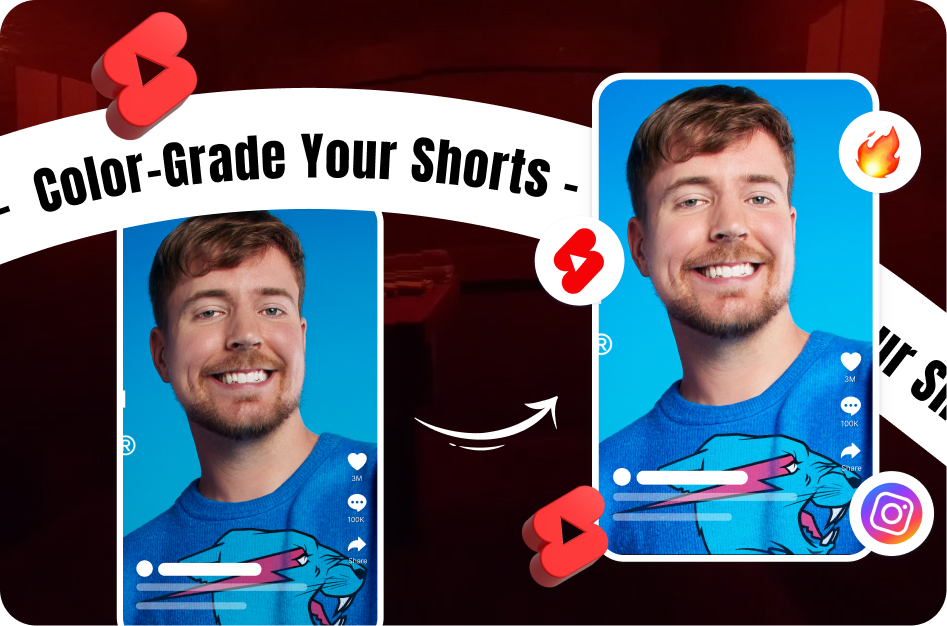
Color filters aren't just visual effects - they’re powerful branding tools. When used right, filters can make your Shorts instantly recognizable, highlight mood, and improve viewer retention. This guide will show you how to strategically apply filters to increase clicks and keep viewers watching.
Why Color Filters Matter in Shorts
Using color filters in your Shorts can:
- Improve visual appeal and help your content pop in crowded feeds
- Set a consistent brand tone
- Evoke emotion or match your niche’s aesthetic
- Highlight specific moments in meme or reaction content
Avoid overusing dramatic filters unless it’s part of a meme or punchline. Instead, aim for subtle enhancements that blend well with your overall theme.
Choosing and Applying Filters for YouTube Shorts
1. Stick to a Signature Style
Choose 1-2 signature looks that reflect your brand personality:
- Teal and orange for cinematic style
- Vintage sepia for nostalgic, storytelling content
- Bright pastel tones for fashion, lifestyle, or food
Consistency in filter usage builds visual familiarity. When viewers recognize your color tone, they're more likely to remember and revisit your channel.
2. Match Filter to Mood and Niche
Use color psychology to connect emotionally:
- Warm tones (red, orange, yellow) → Happy, energetic, cozy content (e.g., travel, dance, lifestyle)
- Cool tones (blue, teal, purple) → Tech, calm, or serious content (e.g., tutorials, reviews)
- Desaturated or black-and-white → Dramatic storytelling, emotional impact, or humor contrast
3. Use the Right Tools
You can apply filters using both mobile and desktop apps:
- CapCut - Offers precise control, color grading tools, and trending templates
- Lightroom Mobile - Ideal for tone matching and custom LUTs (Look-Up Tables)
- YouTube’s Shorts camera - Includes basic filters, but limited customization
- Snapchat/Instagram filters - Good for on-the-fly edits and style experimentation
4. Test and Optimize
A/B testing your filtered Shorts helps discover what works:
- Record a 15s clip with 2-3 different filter styles
- Upload variations privately or as unlisted
- Use YouTube Studio’s "Test & Compare" tool to measure clicks, views, and watch time
Let audience behavior guide your visual decisions.
Boost SEO with Filter Keywords
To increase discoverability, optimize your video’s metadata with filter-related long-tail keywords:
- In the title: “How I Shot This Cinematic Shorts Using a Teal Filter”
- In the description: “Edited using CapCut vibrant filter effect to enhance mood.”
- In hashtags: #cinematicshorts #vibrantfilter #colorgrading
Google and YouTube will associate your content with visual style trends - bringing in more search traffic.
Final Tip:
Combine good lighting, storytelling, and subtle filters for the best impact. Don’t rely on color alone - use it as a strategic layer to support your content. Tools like CapsAI.co can further enhance your Shorts by generating subtitles that match your tone and brand style.