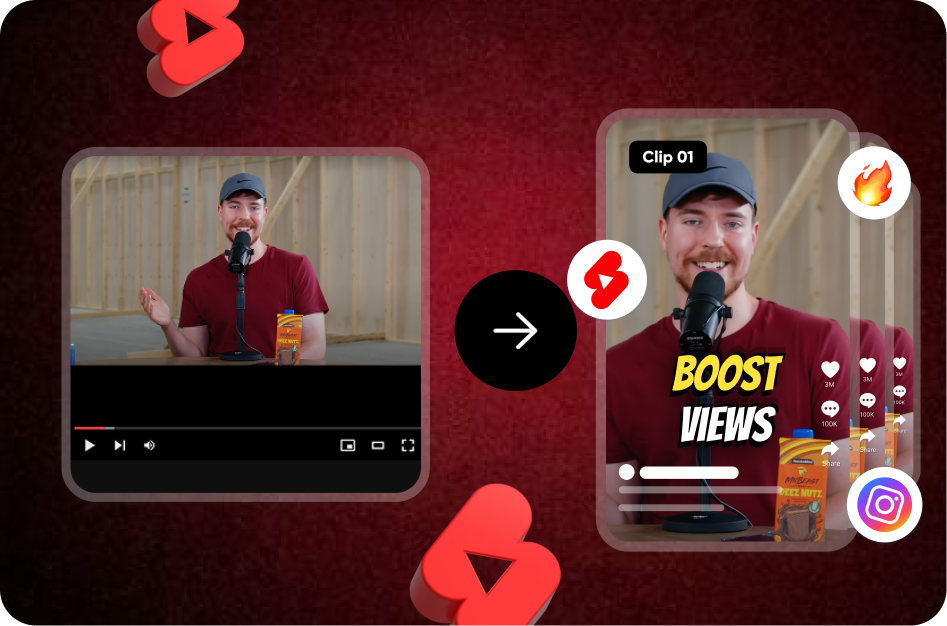
Creating viral YouTube Shorts used to mean hours of editing, captioning, and formatting. But thanks to the rise of AI-powered tools, that grind is over. Whether you're a solo creator or a social media team managing dozens of videos, AI can help you go from raw footage to scroll-stopping Shorts in minutes.
This guide will show you how to use Capsai.co, an AI-first subtitle and editing tool built for creators, to speed up your workflow and post Shorts faster than ever.
Why Speed Matters for YouTube Shorts
YouTube Shorts are all about timing. If you can catch a trend early and post quickly, you win views. But traditional editing tools slow you down:
- Manual captioning takes forever
- Editing on mobile is frustrating
- Adding effects and transitions takes hours
Capsai.co solves all of this with an AI-powered workflow that’s designed for short-form creators.
Step 1: Upload Your Raw Video
Start by uploading your horizontal or vertical video to Capsai.co. It works with:
- YouTube clips
- Instagram Reels
- Zoom recordings
- Any MP4 or MOV format
Within seconds, Capsai will process your video and prepare it for subtitle generation.
Step 2: Auto-Generate Captions (in Any Language)
Capsai’s AI instantly transcribes your video with high accuracy. Even better:
- Supports Hindi, English, Hinglish, and 20+ other languages
- Captures filler words, slang, and natural speech
- Automatically breaks sentences into readable subtitle chunks
These aren’t just static captions - they’re built to engage.
Step 3: Style with AI-Powered Templates
Choose from dozens of subtitle animation templates that top creators use:
- Karaoke-style word highlights
- Bold, emoji-rich fonts
- Attention-grabbing color palettes
This lets you match your caption style with your brand or niche - whether it’s finance, comedy, fashion, or tech.
Step 4: Add Emojis, Sound Effects & Motion Graphics
Want to make your video pop? Capsai lets you:
- Auto-insert emojis where they match your voice tone
- Add custom sounds (whoosh, pop, ding!)
- Animate key words to create momentum and energy
No need for complex software like After Effects or Final Cut.
Step 5: Export in One Click
Once your Short is styled, just hit export.
- Optimized for YouTube Shorts format (9:16, 1080x1920)
- No watermarks
- Lightning-fast rendering via cloud
You now have a fully captioned, styled, and optimized Short ready to post.
Bonus: AI-Powered Thumbnails & Hooks (Coming Soon)
Capsai is also building tools to help you auto-generate:
- Scroll-stopping thumbnail frames
- First 3-second hooks based on viral patterns
- Title suggestions and SEO tags
This means you won’t just edit fast - you’ll publish smarter.
Why Creators Love Capsai.co
- Free to start: Try it out without a credit card
- Built for India: Supports regional languages, low bandwidth upload, Hinglish recognition
- Made for Shorts: Every feature is optimized for 60-second storytelling
Final Thoughts: Edit Less. Post More.
In 2026, speed is everything. If you want to grow on YouTube Shorts, you can’t afford to spend 3 hours on each video. AI tools like Capsai.co let you cut that down to minutes - without losing creativity or quality.
The future of content creation is here, and it's automated. Don’t get left behind.
👉 Try Capsai.co today and turn your raw clips into viral Shorts - faster than ever.