


- Identify the Right Content to Remix
Look for Reels with clear hooks and strong viewer retention. Focus on tutorials, challenges or viral audio - for example, how‑to snippets or dance trends that align with your brand. - Add Your Unique Twist
Rather than just copying, overlay your own reaction, tips or commentary. Use Capsai’s auto‑caption tool to add Hinglish or English subtitles that explain your spin, ensuring viewers understand your value add. - Sync with Trending Audio
If the original Reel uses a trending sound, keep it. Otherwise, layer in a current hit from Instagram’s library. Remixes with popular audio have a higher chance of surfacing on Explore. - Hook Viewers Immediately
In the first 2 seconds, show what’s changing. Use Capsai‑generated on‑screen text like “Watch me flip this hack!” timed to the beat or key visual moment. - Use Remix-Specific Hashtags
Include #Remix, #ReelsRemix, plus 3-5 niche tags. Capsai’s hashtag suggestion feature helps you pick relevant, high‑reach tags tailored to remix content.
Link: capsai.co - Tag and Credit the Original Creator
In your caption, mention the original @username and add “#Remix” to respect creator rights and tap into the original video’s network. - Encourage Engagement with CTAs
Prompt viewers: “Comment your favorite part” or “Save this to try later.” Including CTAs both in subtitles and caption boosts early engagement signals for the algorithm. - Cross‑Promote in Stories
Share your remix to Stories with a “New Remix” sticker. Tag the original creator to foster collaboration and reach both audiences. - Analyze Remix Performance
Use Instagram Insights and Capsai Analytics to compare reach, watch time and engagement against your standard Reels. Identify which remix formats and hooks drive the biggest uplift and iterate on future remixes.
Creator Tips
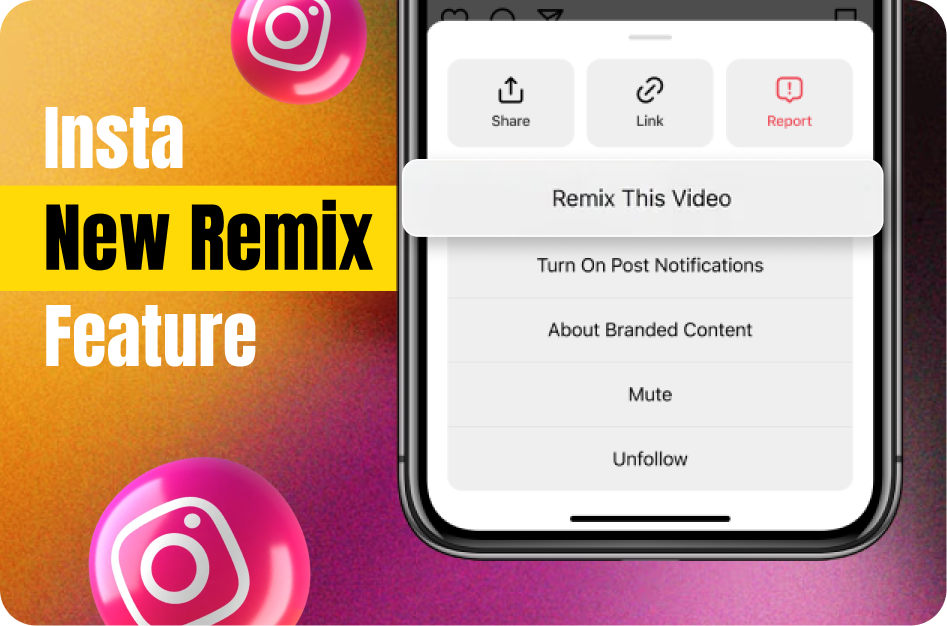
Instagram’s New Remix Feature: How to Leverage It
Learn instagram’s new remix feature: how to leverage it with our complete 2026 guide. Step-by-step tutorials, pro tips, and AI tools for creators.
Related CapsAI tools
Try CapsAI
Add captions to your videos
Upload a video, review the generated captions, and export. Start free.
Get started freeRelated articles

25 Apr 2025
Instagram’s New ‘Edits’ App Feature: Is It Enough to Challenge CapCut?

27 Jul 2025
Best Transition Techniques for Instagram Reels

25 Apr 2025
5 Key Benefits of Using Instagram Edits

25 Apr 2025
Capsai Subtitles vs Instagram Edits

26 Apr 2025
Best Instagram Video Editing Tools in 2026: Create Scroll-Stopping Videos Now

27 Jul 2025