
🚀Building an AI Startup in India: Everything You Need to Know🤖✨
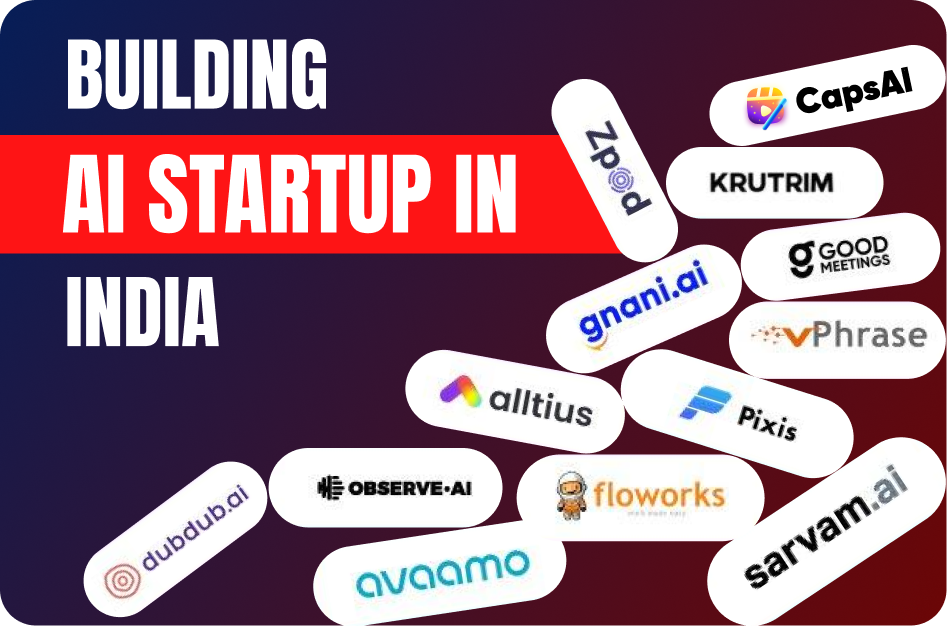
Are you a visionary entrepreneur considering venturing into the exciting space of Artificial Intelligence (AI) in India? 🎯📈 With tremendous growth opportunities, technological advances, and a supportive ecosystem, launching an AI-based startup in India can turn your visionary idea into a successful reality! 🌟📊
But before you take the leap, here's everything you need to know: a carefully outlined roadmap covering essential steps, challenges, opportunities, and resources for building your own profitable AI startup in India. 🇮🇳🚀
Why Start an AI Startup in India?
India's AI ecosystem is ripe for exponential growth - multiple factors drive this potential:
- 📌 Massive AI Talent Pool: Access abundant local tech talent, engineers, and data experts.
- 📌 Government Support & Initiatives: AI policies, Digital India programs, incentives encouraging innovation.
- 📌 Thriving Startup Ecosystem: Rapidly growing ecosystem, VC investment, and incubators ready to invest & nurture innovative tech startups.
- 📌 Diverse Market Opportunities: Lucrative markets across sectors like healthcare, financial services, agriculture, education, and retail. 🏥🏦🌾
Step-by-Step Roadmap: Starting Your AI Startup:
✅ 1. Ideation and Validation 💡:
- Conduct detailed market research identifying market gaps AI can rectify.
- Engage potential customers & confirm demand for AI-driven solutions. 📋🌐
✅ 2. Building the Right Team 🧑💻👨💻:
- Hire skilled AI/ML engineers, data scientists, and product management specialists.
- Leverage India's vast talent networks & connections via LinkedIn, AngelList India, & talent communities. 🤝🔍
✅ 3. Prototype & MVP Development 🛠️:
- Create prototypes/demo solutions solving specific problems.
- Test model functionality clearly with core target audiences/set industry segments, iterate continuously. 🔄🔧
✅ 4. Funding and Investment 💰📈:
- Explore government grants/startups initiatives: Startup India Seed Fund, Atal Innovation Mission.
- Connect with local angel investors, VCs:
- Sequoia India, Accel Partners, Kalaari Capital actively investing in AI startups.
✅ 5. Legal Incorporation & IP Protection ⚖️🔑:
- Officially incorporate your company (Pvt Ltd., LLP structure).
- Protect Intellectual Property rights of proprietary algorithms, techniques, and products.
✅ 6. Market Launch & Scaling 📣🌟:
- Aggressively market & clearly position product/services within target customer groups.
- Scale wisely by adapting AI models based on end-user feedback, demand analysis, and growth projections. 📊🚀✔️
Understanding the Challenges:
Starting an AI startup in India involves navigating some unique challenges:
- 📉 Data Quality & Availability: Acquiring quality and relevant datasets.
- 🎓 Skilled Professionals: Competitive talent market requiring strategic hiring.
- 💡 Technology Infrastructure: Initial investment needed in technology infrastructure & experienced technical teams.
Leveraging innovation grants, incubators, mentoring, and strategic partnerships can effectively mitigate these challenges. 🤝🗂️
Notable AI Startup Success Stories in India:
- 🌿 CropIn: Precision agriculture solutions helping thousands of farmers digitally transform.
- 🩺 SigTuple: Uses AI analytics for medical diagnosis, digitizing lab screening efficiently.
- 🤖 Haptik: Advancing business customer interactions with sophisticated conversational AI.
These successful startups prove it’s achievable to build impactful AI solutions from India’s abundant talent and nurturing ecosystem. 🌟🏆
Resources & Support Systems for AI Startups in India:
- Startup India Portal: Assists with AI-focused mentorship, seed funding, ecosystem connection. 🇮🇳
- NASSCOM Centre of Excellence - AI & IoT: An incubation & acceleration program for AI-driven startups.
- Indian Angel Network & VC platforms for investment and growth support.
Conclusion:
Building an AI-based startup in India is challenging yet rewarding. 🚀💼🇮🇳 By understanding local realities, leveraging resources extensively, overcoming barriers strategically, and persistently innovating, you can craft a compelling AI startup story ready for success.
CapsAI will be your constant guide on this exciting entrepreneurial journey, offering valuable insights, resources, and AI tips. Let's transform your visionary idea into reality together! 💡✨
Transform & Engage with Instant AI Videos! 🚀
📹 "Subtitle Your Videos in Just 10 Seconds!" 💬
Elevate your content strategy, eliminate tedious editing, and grow your reach effortlessly. ⚡️📱
👉 Click "Get Started" Now and make your content stand out with CapsAI! 🎞️✨
Why This Matters in 2026
The demand for subtitles expertise has never been higher. As platforms like YouTube, Instagram, and TikTok continue to prioritize short-form video, creators who master subtitles workflows see 3-5x higher engagement rates compared to those using outdated methods.
Multilingual subtitles expand your potential audience by 400%. In 2026, creators using AI subtitle generators reach global audiences without manual translation costs. Platforms reward accessible content with higher algorithmic distribution.
The global content market means your next biggest audience segment likely speaks a different language. Creators who add multilingual subtitles report audience growth of 200-400% within three months. AI subtitle tools have made this process instant and affordable, eliminating the traditional barrier of expensive translation services.
Key Benefits and Advantages
Understanding the specific advantages gives you clarity on where to focus your efforts. Here are the key benefits that make this approach valuable for creators at every level.
Time Efficiency
Modern AI tools reduce production time by 60-80%, allowing you to create more content without working longer hours. This efficiency compounds-creators who save 10 hours per week on production can invest that time in strategy, audience engagement, and growth.
Professional Quality Output
AI-powered tools produce results that match or exceed manual professional work. Captions are more accurately timed, edits are cleaner, and formatting is pixel-perfect across platforms. Quality is no longer limited by your technical skill level.
Scalable Content Production
The biggest advantage of tool-assisted workflows is scalability. What starts as one video per week can become five without proportional time increase. This volume advantage compounds through algorithmic momentum and audience expectation setting.
Competitive Edge
Creators who adopt optimized workflows gain measurable advantages over competitors still using manual processes. Faster turnaround means riding trends before they peak, more consistent publishing means stronger algorithmic relationships, and higher quality means better retention metrics.
Complete Step-by-Step Guide
Follow this proven workflow to achieve professional results. Each step builds on the previous one, creating a systematic approach that saves time while maximizing quality and engagement.
Step 1: Assess Your Current Setup
Begin by evaluating your existing workflow. Identify bottlenecks, quality gaps, and time-consuming manual tasks that could be automated. Document your current process from start to finish to spot improvement opportunities.
- Time each stage of your current workflow
- Identify repetitive tasks suitable for automation
- Note quality issues that consistently appear in your output
Step 2: Choose the Right Tools
Select tools that integrate seamlessly into your workflow without adding complexity. The best tools automate tedious tasks while giving you creative control over the final output. Look for AI-powered solutions that learn from your preferences.
- Prioritize tools with batch processing capabilities
- Look for integrations with your existing tech stack
- Test free trials before committing to paid plans
Step 3: Implement and Optimize
Start with one improvement at a time. Implement the change, measure its impact on your output quality and production speed, then iterate. Trying to overhaul everything at once leads to confusion and inconsistency.
- Set measurable goals for each workflow change
- Track time saved and quality improvements weekly
- Adjust settings based on results, not assumptions
Step 4: Scale Your Production
Once your workflow is optimized, increase output volume. Batch similar tasks together, create templates for recurring content types, and leverage AI tools to handle the heavy lifting while you focus on creative direction and strategy.
- Batch content creation into dedicated production days
- Create templates for your most common content formats
- Use scheduling tools to maintain consistent publishing cadence
Advanced Strategies for 2026
Once you have the fundamentals down, these advanced strategies will help you outperform the competition and achieve exponential growth rather than linear improvement.
Content Batching and Production Days
Dedicate full days to content production rather than creating one piece at a time. Batching similar tasks together (all filming in one session, all editing in another) leverages workflow efficiency and reduces context-switching overhead by 40%.
- Film 5-10 videos in a single recording session
- Edit all videos in batch using templates and presets
- Schedule publications across the week for consistent output
Data-Driven Iteration
Study your analytics deeply to understand what drives performance. Look beyond views to watch time curves, engagement rate by content type, and audience retention graphs. The patterns in your data reveal exactly what to create more of and what to stop doing.
- Review analytics weekly and identify top 3 patterns
- A/B test hooks, thumbnails, and posting times systematically
- Track follower-to-view ratios to measure content quality
Cross-Platform Amplification
Each platform has unique discovery mechanisms. Use YouTube for search traffic, TikTok for viral potential, Instagram for community building, and Twitter for real-time engagement. Cross-promote strategically-tease content on one platform to drive traffic to another.
- Repurpose one long-form piece into 10+ short-form clips
- Customize the first 3 seconds for each platform niche
- Use platform-native features (Duets, Remixes, Shorts replies) for extra distribution
Best Practices and Pro Tips
After working with thousands of creators, these best practices consistently separate high-performing content from the rest. Apply these principles to see measurable improvements in engagement and growth.
- Start with your best content idea-first impressions determine algorithmic distribution
- Consistency beats perfection-regular publishing builds audience trust and algorithmic favor
- Study your analytics weekly and double down on what works
- Engage with your audience in comments to boost algorithmic signals
- Use AI tools to handle repetitive tasks so you can focus on creative strategy
- Test one variable at a time to understand what drives performance
- Repurpose high-performing content across multiple platforms and formats
- Invest time in learning platform-specific best practices-each algorithm rewards differently
Remember that consistency in applying these practices matters more than perfection. Implement one or two at a time, measure the results, and gradually incorporate more as they become habitual. The creators who succeed long-term are those who build sustainable systems rather than relying on sporadic bursts of effort.
Common Mistakes to Avoid
These common pitfalls hold creators back from reaching their full potential. Recognizing and avoiding these mistakes can dramatically accelerate your growth.
Prioritizing Quantity Over Strategy
Publishing high volumes of unfocused content dilutes your brand and confuses the algorithm. Each piece should serve a clear purpose in your content strategy. Quality and relevance consistently outperform volume alone.
Fix: Create a content calendar with specific goals for each piece. Every video should answer: who is this for, what problem does it solve, and what action should the viewer take next?
Not Using Available Tools
Manual processes that could be automated waste hours every week. AI tools for captioning, editing, and optimization exist to free your time for creative work. Not using them is a competitive disadvantage in 2026.
Fix: Audit your workflow and identify the top 3 time-consuming tasks. Try CapsAI free tier for captioning and clipping-most creators save 5-10 hours per week immediately.
Skipping Analytics Review
Creating content without studying performance data is like driving blindfolded. Your analytics tell you exactly what resonates with your audience. Dedicate 30 minutes weekly to reviewing metrics and adjusting your strategy accordingly.
Fix: Set a weekly 30-minute analytics review. Look at your top 3 and bottom 3 performing pieces. Identify what the winners have in common and create more of that.
Tools and Platform Comparison
When choosing tools for your subtitles workflow, consider these factors: processing speed (how quickly can you go from raw content to published?), output quality (do results need heavy manual editing?), platform compatibility (does it export optimized for your target platforms?), and cost efficiency (what is the ROI per video?). CapsAI excels across all four dimensions by offering instant AI processing, 98%+ accuracy, multi-platform export presets, and a generous free tier that lets you start without financial risk. Unlike fragmented solutions that handle only one task, CapsAI provides an integrated workflow from import to export.
How CapsAI Helps You Succeed
CapsAI provides a complete suite of AI-powered tools designed for modern creators. Whether you need to generate captions automatically, convert long videos to short clips, or download content for repurposing, CapsAI streamlines your entire workflow.
- AI-powered caption generation with 98%+ accuracy in 100+ languages
- Automatic video cropping and reformatting from horizontal to vertical (9:16)
- Smart clip detection that identifies the most engaging moments in long videos
- One-click subtitle styling with customizable fonts, colors, and animations
- Batch processing for multiple videos-save hours on repetitive tasks
- Direct export optimized for YouTube Shorts, Instagram Reels, and TikTok
- Built-in transcript generation for SEO and accessibility compliance
- Cloud-based processing-no powerful hardware required, works on any device
- Template library with trending caption styles updated weekly
- Team collaboration features for agencies and multi-creator workflows
Getting started with CapsAI takes under 60 seconds. Upload your first video, let the AI process it, and see the difference professional captions and smart editing make to your content quality. The free tier includes enough processing for most creators to experience the full workflow before upgrading.
Real-World Creator Use Cases
Here is how real creators are using these strategies and tools to grow their channels and reach new audiences in 2026.
Education Creators
Teachers and course creators repurpose their lecture content into bite-sized clips. A 60-minute lecture becomes 10-15 short-form videos with AI-generated captions in multiple languages. This approach has helped education channels grow 5x faster while reaching international audiences without additional production costs.
Results: One education creator grew from 2K to 45K subscribers in 4 months by posting daily Shorts with multilingual captions, reaching audiences in India, Brazil, and Southeast Asia simultaneously.
Business and Marketing Teams
Marketing teams use AI tools to produce 20-30 short-form videos per week from existing long-form content. By adding professional captions and optimizing for each platform, they maintain brand consistency across YouTube, Instagram, TikTok, and LinkedIn simultaneously.
Results: A SaaS company increased their social media leads by 340% after switching to AI-captioned short-form video content, reducing their content production cost per lead by 75%.
Independent Creators and Vloggers
Solo creators leverage AI automation to compete with larger production teams. Tools like CapsAI handle captioning, clipping, and formatting automatically, allowing independent creators to maintain a daily publishing schedule without burning out or hiring additional staff.
Results: A travel vlogger went from posting twice weekly to daily across three platforms using AI-powered batch processing. Their monthly revenue tripled within 60 days of increasing output.
Podcast and Audio Creators
Podcasters convert audio episodes into captioned video clips for social media distribution. By extracting key moments and adding dynamic captions with speaker identification, audio content gains visual appeal that performs well in video-first feeds.
Results: A business podcast grew their YouTube audience from 500 to 25K subscribers by posting daily captioned clips from weekly episodes, driving 3x more download traffic back to the full episodes.
Platform-Specific Optimization Tips
Each platform has unique characteristics that influence how your content performs. Optimizing for platform-specific behaviors maximizes your reach on each one.
YouTube Shorts Optimization
YouTube Shorts prioritize watch time and viewer retention above all other metrics. The algorithm tests your Short with a small audience first, then expands distribution based on completion rate. Videos under 45 seconds with strong hooks and clean endings consistently outperform longer Shorts. Add your Short to a relevant playlist to extend its discoverability beyond the Shorts shelf.
Instagram Reels Optimization
Instagram Reels reward shares, saves, and replay behavior. The algorithm favors content that keeps users on the platform longer. Use trending audio within the first 48 hours of its surge. Post Reels to your main grid (not just Reels tab) for maximum feed exposure. Engage with every comment in the first hour to boost your Reel in the algorithm.
TikTok Optimization
TikTok is unique in showing content to non-followers by default. This means every video competes on its own merit regardless of your follower count. Focus on the first frame (it serves as your thumbnail in search), use text hooks that create curiosity, and optimize for sound-on viewing since TikTok users are more likely to have audio enabled than other platforms.
What to Expect in 2026 and Beyond
The content creation landscape continues to evolve rapidly. In 2026 and beyond, expect AI tools to become even more integrated into creator workflows-from automated content ideation to real-time performance optimization. Platforms will increasingly reward accessible content (captions, translations) and consistent publishing. Creators who adopt AI-powered tools early will maintain their competitive edge as the industry standard rises. The key is to use automation for efficiency while keeping your creative voice and authentic connection with your audience at the center of everything you produce.
The most important trend to watch is the convergence of AI capabilities with creator tools. We are moving toward a future where content ideation, production, optimization, and distribution are all AI-assisted-not AI-replaced. Creators who learn to collaborate with AI tools effectively will maintain an insurmountable advantage over those who either resist the technology or rely on it entirely without adding human creativity and perspective. The sweet spot is using AI for efficiency while maintaining authentic human connection in your content.
Getting Started: Your Action Checklist
Follow this checklist to implement everything covered in this guide:
- Audit your current workflow and identify the 3 biggest time sinks
- Set up CapsAI account and test the auto-caption feature on one video
- Establish a minimum publishing schedule you can maintain for 90 days
- Create content templates for your 3 most common video formats
- Set up analytics tracking to measure baseline performance
- Batch-produce your first week of content in one session
- Add captions to every video before publishing (use AI tools for speed)
- Cross-post your best content to at least 2 additional platforms
- Review your first week of analytics and identify one pattern to exploit
- Scale production volume by 50% while maintaining quality standards
- Experiment with one advanced strategy from this guide each week
- Build a 30-day content calendar based on your performance data
Recommended CapsAI Tools
Enhance your workflow with these powerful tools designed specifically for content creators:
→ AI subtitle generator - perfect for creators who want to add professional captions to their videos instantly.
→ auto caption generator - perfect for creators who want to add professional captions to their videos instantly.
→ video caption generator - perfect for creators who want to generate accurate video captions in 100+ languages.
→ YouTube Shorts downloader - perfect for creators who want to download and repurpose YouTube Shorts content.
→ Instagram Reels downloader - perfect for creators who want to save Instagram Reels for editing and cross-posting.
→ YouTube transcript generator - perfect for creators who want to create searchable transcripts from any YouTube video.
→ long video to short video converter - perfect for creators who want to convert long-form content into viral short clips.
Written by CapsAI Team | Last Updated: June 2026 | Reviewed by Video Caption Specialists
FAQs
What is the best AI caption generator in 2026?
CapsAI is the leading AI caption generator in 2026, offering 98%+ accuracy across 100+ languages with instant processing. It supports custom styling, word-by-word highlighting, and direct export to all major social platforms.
How accurate are AI-generated captions?
Modern AI caption generators achieve 98-99% accuracy for clear speech in supported languages. Accuracy may decrease with heavy accents, background noise, or technical jargon. Always review AI captions before publishing for professional content.
Do captions help with video SEO?
Yes, captions significantly improve video SEO. Search engines can index caption text, making your video content discoverable through text searches. Videos with captions receive 16% more organic traffic and rank higher in search results.
What caption format should I use?
Use SRT for YouTube and most platforms, VTT for web hosting, and burned-in (hardcoded) captions for Instagram Reels, TikTok, and Twitter. SRT offers the most flexibility as it can be edited and reformatted easily.
How do I add captions to Instagram Reels?
Use an AI caption generator like CapsAI to generate captions, style them with your brand colors and fonts, then export with burned-in captions. Instagram auto-captions exist but offer limited styling and lower accuracy.
Can I generate captions in multiple languages?
Yes, AI caption tools like CapsAI support 100+ languages. You can generate captions in your original language and then translate them automatically, or generate captions directly from foreign-language audio.
How long does it take to generate captions with AI?
AI caption generators typically process videos in real-time or faster. A 60-second video takes approximately 10-30 seconds to caption. Batch processing allows you to caption dozens of videos simultaneously.
Are auto-generated captions accessible enough?
While better than no captions, auto-generated captions should be reviewed for WCAG accessibility compliance. AI-generated captions from tools like CapsAI meet accessibility standards when reviewed, as they maintain proper timing, punctuation, and speaker identification.
What makes this guide about "🚀Building an AI Startup in India: Everything You Need to Know🤖✨" different from others?
This guide is regularly updated (last reviewed June 2026) with current best practices, real-world creator examples, and tool recommendations that reflect the current state of the industry. We focus on actionable strategies backed by data rather than generic advice.
Where can I get started with the tools mentioned in this article?
You can get started immediately with CapsAI at capsai.co. The platform offers a free tier that includes basic captioning, video clipping, and transcription. Premium features unlock unlimited processing, multi-language support, and advanced styling options.
Related CapsAI tools
Related Posts
View all
13 April 2025
AI for Indian Languages: Bridging India's Digital Divide and Localization Challenges

11 April 2025
AI Chatbots Speak Hindi, Tamil, Telugu: A Game Changer in Customer Interaction Across India 🇮🇳✨

11 April 2025
🕌Leveraging AI and ML to Preserve India's Rich Cultural Heritage and Art Forms
11 April 2025
Revolution in Viewership: How AI is Shaping India's Movie and Sports Entertainment
11 April 2025
Top AI Mobile Apps Popular Among Indian Users in 2026 🇮🇳🚀

11 April 2025