
Reels vs. TikTok: Which Platform to Prioritize in 2026?
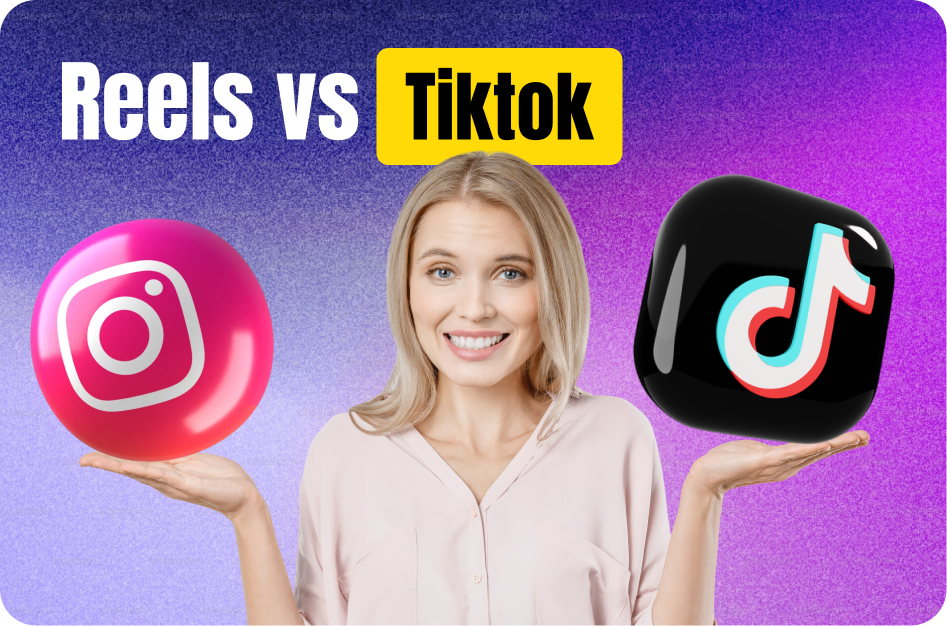
If you're a creator or brand focused on short-form content in 2026, choosing where to invest your time - Instagram Reels or TikTok - can significantly impact your reach, monetization, and growth. Here's a detailed comparison to help you decide.
1. Audience Demographics & Reach
Instagram Reels
- Stronger in India, the Middle East, and among millennials
- Integrated with Instagram’s existing audience and features (DMs, Stories, Shop)
- Reels now account for over 35% of all content consumed on Instagram
TikTok
- Dominates Gen Z globally
- Massive organic reach potential, especially for viral challenges
- Banned or restricted in some regions, including ongoing scrutiny in India
✅ Verdict: Prioritize Reels if your audience is India‑focused or if Instagram is already your main platform.
2. Monetization Options (2025)
Reels
- Bonuses via Reels Play (select markets)
- Brand partnerships and affiliate tools
- Instagram Shop integration with product tagging
- Creator Subscriptions and Paid Partnerships features
TikTok
- Creator Fund 2.0 offers better revenue than before
- In-app shopping and live gifts
- Strong brand collaboration ecosystem via TikTok Creator Marketplace
✅ Verdict: TikTok may offer better direct monetization, but Reels is catching up fast - especially for Indian creators using Instagram Shopping and affiliate links.
3. Discovery & Algorithm
Reels
- Based on engagement, profile consistency, and recent interactions
- Explore page and hashtag ranking still matter
- Cross-over from Stories and Feed boosts visibility
TikTok
- For You Page (FYP) uses deep behavioral learning
- Even new accounts can go viral
- Prioritizes watch time, completion, and replays
✅ Verdict: TikTok has a stronger viral engine. But Reels wins in nurturing community and brand loyalty over time.
4. Editing & Features
Reels
- Simple interface
- Strong integration with Meta tools
- Capsai-friendly platform: auto-captions, voiceovers, and hashtags enhance your content efficiently
🔗 https://capsai.co/auto-subtitle-generator
TikTok
- Advanced filters, effects, green screen, duets, and sound editing
- In-app editing is richer and trend-oriented
✅ Verdict: TikTok is ahead in creative flexibility, but Reels is more brand and utility-friendly - especially with help from tools like Capsai.
5. Analytics & Growth Tools
Reels
- Instagram Insights provides retention, reach, and saves
- Great for tracking multi-format engagement (Stories, Feed + Reels)
- Bonus: Meta Creator Studio & Capsai Analytics
TikTok
- Deep insights on follower behavior, trends, sound use
- Daily reach and FYP performance tracking
✅ Verdict: TikTok offers deeper content-level data, but Reels is better for integrated brand strategy.
Final Verdict:
Prioritize Instagram Reels in 2026 if you are:
- Based in India or targeting Indian/global Instagram users
- Focused on monetization via brand deals and e-commerce
- Already building on the Instagram ecosystem
Double down on TikTok if you are:
- Targeting Gen Z or US/global youth audiences
- Focused on viral growth and top-of-funnel content
- Looking to create highly visual, trend-driven content
👉 Pro Tip: Use Capsai to streamline your content for both platforms-add subtitles, voiceovers, and region-specific hashtags in seconds.
Start here: https://capsai.co
Why This Matters in 2026
In 2026, instagram reels represents one of the fastest-growing segments of content creation. Platform algorithms now heavily favor creators who optimize their instagram reels workflow with professional-grade tools and strategies. The difference between a viral video and one that gets buried often comes down to technical execution.
Instagram Reels account for 30% of total time spent on Instagram in 2026. Reels with captions receive 55% more engagement, and those optimized with AI tools see an average 3x increase in reach compared to unoptimized content.
Instagram has made Reels the centerpiece of its growth strategy, allocating more feed real estate and discovery features to Reel content than any other format. Brands report that Reels generate 67% more engagement than standard feed posts and 300% more reach than Stories. For creators and businesses alike, mastering Reels is now the fastest path to Instagram growth.
Key Benefits and Advantages
Understanding the specific advantages gives you clarity on where to focus your efforts. Here are the key benefits that make this approach valuable for creators at every level.
Maximum Algorithmic Reach
Instagram prioritizes Reels in every discovery surface-Explore, hashtag pages, the Reels tab, and even the main feed. A single viral Reel can expose your profile to millions of potential followers, making it the fastest organic growth mechanism on the platform.
Brand Building Through Personality
Reels allow you to showcase personality, behind-the-scenes content, and authentic moments that static posts cannot capture. This builds deeper audience connections and brand loyalty, translating to higher engagement rates across all your content.
E-Commerce Integration
Instagram Reels now support product tags, shopping links, and direct checkout. For creators and businesses selling products, Reels serve as dynamic storefronts that convert viewers into customers without leaving the app.
Content Longevity
Unlike Stories that disappear in 24 hours, Reels live permanently on your profile and continue generating views, engagement, and followers for months or even years after posting. A well-optimized Reel is an evergreen growth asset.
Complete Step-by-Step Guide
Follow this proven workflow to achieve professional results. Each step builds on the previous one, creating a systematic approach that saves time while maximizing quality and engagement.
Step 1: Identify Trending Audio and Formats
Browse the Reels tab to spot emerging trends before they peak. Use trending audio clips within the first 48 hours of their surge for maximum algorithmic boost. Adapt popular formats to your niche rather than copying them directly.
- Check the Reels audio library daily for new trending sounds
- Save trending audio before using it-allows time to plan content
- Adapt trends to your niche for authentic engagement
Step 2: Create Thumb-Stopping Content
The first frame is your thumbnail. Make it visually striking. Use text overlays, bright colors, or unexpected visuals to stop the scroll. Your hook should create curiosity or promise a clear benefit within 1.5 seconds.
- Design your first frame as a mini-thumbnail
- Use contrasting colors that pop on mobile screens
- Start with movement-static openings get skipped
Step 3: Add Professional Captions and Effects
Use AI caption generators to add accurate, styled subtitles that match your brand. Layer effects strategically-too many distract, too few bore. Include text callouts for key points that viewers can screenshot and share.
- Style captions to match your brand colors and fonts
- Add 1-2 effects per Reel, no more
- Use countdown timers or progress bars for list-style content
Step 4: Optimize Hashtags and Description
Use a mix of 5-10 hashtags: 3 broad (1M+ posts), 4 medium (100K-1M), and 3 niche (10K-100K). Write descriptions that encourage saves and shares. Include a clear CTA-tell viewers exactly what to do next.
- Research hashtag reach using Instagram Insights
- Write descriptions that ask questions to boost comments
- End with a CTA: follow, save, share, or link in bio
Advanced Strategies for 2026
Once you have the fundamentals down, these advanced strategies will help you outperform the competition and achieve exponential growth rather than linear improvement.
The DM Share Strategy
Instagram heavily rewards Reels that get shared via Direct Message. Create content specifically designed to be sent to a friend-relatable humor, surprising facts, or "tag someone who..." formats. DM shares are the strongest signal for viral distribution on Instagram.
- Create "send this to your..." content that targets specific relationships
- Use surprising or counterintuitive information people want to share
- Design content that sparks conversation between friends
Save-Worthy Educational Content
Saves are the second most powerful engagement signal on Instagram. Create Reels that viewers want to reference later-tutorials, checklists, tips compilations. Educational Reels accumulate saves over time, providing evergreen reach.
- Include actionable tips viewers will want to revisit
- Use numbered lists or step-by-step formats
- Pack maximum value into minimum time
Collaborative Reels and Remixes
Use Instagram Collab features and Remix to tap into other creators audiences. Collaborative content appears on both profiles, doubling your reach. Strategic partnerships with creators in adjacent niches introduce you to pre-qualified audiences.
- Reach out to creators with similar audience size for mutual benefit
- Remix popular Reels with your unique perspective
- Create duets that add value to the original content
Best Practices and Pro Tips
After working with thousands of creators, these best practices consistently separate high-performing content from the rest. Apply these principles to see measurable improvements in engagement and growth.
- Post Reels during your audience active hours-check Instagram Insights for optimal timing
- Use trending audio within 48 hours of its surge for maximum algorithmic boost
- Create shareable content-Reels that get sent via DM receive massive reach boosts
- Write captions that encourage saves-saveable content gets pushed to Explore
- Collaborate with creators in adjacent niches to tap new audiences
- Use carousel-style Reels (numbered tips) for higher completion rates
- Reply to comments with new Reels to boost engagement on both posts
- Test posting at unconventional times when competition is lower
Remember that consistency in applying these practices matters more than perfection. Implement one or two at a time, measure the results, and gradually incorporate more as they become habitual. The creators who succeed long-term are those who build sustainable systems rather than relying on sporadic bursts of effort.
Common Mistakes to Avoid
These common pitfalls hold creators back from reaching their full potential. Recognizing and avoiding these mistakes can dramatically accelerate your growth.
Over-Editing and Over-Producing
Instagram audiences respond to authenticity. Over-produced Reels often perform worse than raw, genuine content. Focus on clear value delivery and relatable presentation rather than cinematic production quality.
Ignoring Reel Insights
Many creators post and forget. Your Reel analytics reveal exactly what works-watch time curves show where viewers drop off, and reach metrics show which content types the algorithm promotes. Check insights for every Reel.
Using Only Broad Hashtags
Hashtags like #viral or #trending are too competitive. Mix in niche-specific hashtags where your content can rank. A Reel that dominates a smaller hashtag outperforms one lost in a sea of millions.
Tools and Platform Comparison
When choosing tools for your instagram reels workflow, consider these factors: processing speed (how quickly can you go from raw content to published?), output quality (do results need heavy manual editing?), platform compatibility (does it export optimized for your target platforms?), and cost efficiency (what is the ROI per video?). CapsAI excels across all four dimensions by offering instant AI processing, 98%+ accuracy, multi-platform export presets, and a generous free tier that lets you start without financial risk. Unlike fragmented solutions that handle only one task, CapsAI provides an integrated workflow from import to export.
How CapsAI Helps You Succeed
CapsAI provides a complete suite of AI-powered tools designed for modern creators. Whether you need to generate captions automatically, convert long videos to short clips, or download content for repurposing, CapsAI streamlines your entire workflow.
- AI-powered caption generation with 98%+ accuracy in 100+ languages
- Automatic video cropping and reformatting from horizontal to vertical (9:16)
- Smart clip detection that identifies the most engaging moments in long videos
- One-click subtitle styling with customizable fonts, colors, and animations
- Batch processing for multiple videos-save hours on repetitive tasks
- Direct export optimized for YouTube Shorts, Instagram Reels, and TikTok
- Built-in transcript generation for SEO and accessibility compliance
- Cloud-based processing-no powerful hardware required, works on any device
- Template library with trending caption styles updated weekly
- Team collaboration features for agencies and multi-creator workflows
Getting started with CapsAI takes under 60 seconds. Upload your first video, let the AI process it, and see the difference professional captions and smart editing make to your content quality. The free tier includes enough processing for most creators to experience the full workflow before upgrading.
Real-World Creator Use Cases
Here is how real creators are using these strategies and tools to grow their channels and reach new audiences in 2026.
Education Creators
Teachers and course creators repurpose their lecture content into bite-sized clips. A 60-minute lecture becomes 10-15 short-form videos with AI-generated captions in multiple languages. This approach has helped education channels grow 5x faster while reaching international audiences without additional production costs.
Results: One education creator grew from 2K to 45K subscribers in 4 months by posting daily Shorts with multilingual captions, reaching audiences in India, Brazil, and Southeast Asia simultaneously.
Business and Marketing Teams
Marketing teams use AI tools to produce 20-30 short-form videos per week from existing long-form content. By adding professional captions and optimizing for each platform, they maintain brand consistency across YouTube, Instagram, TikTok, and LinkedIn simultaneously.
Results: A SaaS company increased their social media leads by 340% after switching to AI-captioned short-form video content, reducing their content production cost per lead by 75%.
Independent Creators and Vloggers
Solo creators leverage AI automation to compete with larger production teams. Tools like CapsAI handle captioning, clipping, and formatting automatically, allowing independent creators to maintain a daily publishing schedule without burning out or hiring additional staff.
Results: A travel vlogger went from posting twice weekly to daily across three platforms using AI-powered batch processing. Their monthly revenue tripled within 60 days of increasing output.
Podcast and Audio Creators
Podcasters convert audio episodes into captioned video clips for social media distribution. By extracting key moments and adding dynamic captions with speaker identification, audio content gains visual appeal that performs well in video-first feeds.
Results: A business podcast grew their YouTube audience from 500 to 25K subscribers by posting daily captioned clips from weekly episodes, driving 3x more download traffic back to the full episodes.
Platform-Specific Optimization Tips
Each platform has unique characteristics that influence how your content performs. Optimizing for platform-specific behaviors maximizes your reach on each one.
YouTube Shorts Optimization
YouTube Shorts prioritize watch time and viewer retention above all other metrics. The algorithm tests your Short with a small audience first, then expands distribution based on completion rate. Videos under 45 seconds with strong hooks and clean endings consistently outperform longer Shorts. Add your Short to a relevant playlist to extend its discoverability beyond the Shorts shelf.
Instagram Reels Optimization
Instagram Reels reward shares, saves, and replay behavior. The algorithm favors content that keeps users on the platform longer. Use trending audio within the first 48 hours of its surge. Post Reels to your main grid (not just Reels tab) for maximum feed exposure. Engage with every comment in the first hour to boost your Reel in the algorithm.
TikTok Optimization
TikTok is unique in showing content to non-followers by default. This means every video competes on its own merit regardless of your follower count. Focus on the first frame (it serves as your thumbnail in search), use text hooks that create curiosity, and optimize for sound-on viewing since TikTok users are more likely to have audio enabled than other platforms.
What to Expect in 2026 and Beyond
The content creation landscape continues to evolve rapidly. In 2026 and beyond, expect AI tools to become even more integrated into creator workflows-from automated content ideation to real-time performance optimization. Platforms will increasingly reward accessible content (captions, translations) and consistent publishing. Creators who adopt AI-powered tools early will maintain their competitive edge as the industry standard rises. The key is to use automation for efficiency while keeping your creative voice and authentic connection with your audience at the center of everything you produce.
The most important trend to watch is the convergence of AI capabilities with creator tools. We are moving toward a future where content ideation, production, optimization, and distribution are all AI-assisted-not AI-replaced. Creators who learn to collaborate with AI tools effectively will maintain an insurmountable advantage over those who either resist the technology or rely on it entirely without adding human creativity and perspective. The sweet spot is using AI for efficiency while maintaining authentic human connection in your content.
Getting Started: Your Action Checklist
Follow this checklist to implement everything covered in this guide:
- Audit your current workflow and identify the 3 biggest time sinks
- Set up CapsAI account and test the auto-caption feature on one video
- Establish a minimum publishing schedule you can maintain for 90 days
- Create content templates for your 3 most common video formats
- Set up analytics tracking to measure baseline performance
- Batch-produce your first week of content in one session
- Add captions to every video before publishing (use AI tools for speed)
- Cross-post your best content to at least 2 additional platforms
- Review your first week of analytics and identify one pattern to exploit
- Scale production volume by 50% while maintaining quality standards
- Experiment with one advanced strategy from this guide each week
- Build a 30-day content calendar based on your performance data
Recommended CapsAI Tools
Enhance your workflow with these powerful tools designed specifically for content creators:
→ AI subtitle generator - perfect for creators who want to add professional captions to their videos instantly.
→ auto caption generator - perfect for creators who want to add professional captions to their videos instantly.
→ video caption generator - perfect for creators who want to generate accurate video captions in 100+ languages.
→ YouTube Shorts downloader - perfect for creators who want to download and repurpose YouTube Shorts content.
→ Instagram Reels downloader - perfect for creators who want to save Instagram Reels for editing and cross-posting.
→ YouTube transcript generator - perfect for creators who want to create searchable transcripts from any YouTube video.
→ long video to short video converter - perfect for creators who want to convert long-form content into viral short clips.
Written by CapsAI Team | Last Updated: June 2026 | Reviewed by Video Caption Specialists
FAQs
What is the best time to post Instagram Reels?
The best posting times vary by audience, but generally 11 AM-1 PM and 7-9 PM local time perform well. Check your Instagram Insights for your specific audience active hours-this data is more reliable than generic recommendations.
How long should Instagram Reels be?
Instagram Reels can be up to 90 seconds, but 15-30 seconds tends to perform best for engagement rates. Shorter Reels get more complete views and replays, which the algorithm interprets as high-quality content.
Do captions improve Instagram Reels performance?
Yes, captions significantly improve Reel performance. They make content accessible to the 85% of users who scroll with sound off, increase watch time by 40%, and send positive signals to the algorithm about content quality.
How many hashtags should I use on Reels?
Use 5-10 targeted hashtags on your Reels. Mix broad hashtags (1M+ posts) with niche ones (10K-100K posts). Instagram has confirmed that hashtags still help with content categorization and discovery in 2026.
Can I download Instagram Reels for editing?
Yes, you can download Instagram Reels using tools like CapsAI Instagram Reels Downloader. This is useful for repurposing content, creating compilations, or cross-posting to other platforms with proper editing.
How does the Instagram Reels algorithm work in 2026?
The Reels algorithm prioritizes watch time, shares, saves, and replays. Content that gets shared via DM receives the biggest boost. The algorithm also considers your posting consistency, audience engagement rate, and content quality signals like captions.
Should I use trending audio on Instagram Reels?
Using trending audio within the first 24-48 hours of its surge gives your Reel a significant algorithmic boost. However, the audio must be relevant to your content-random trending audio with unrelated visuals performs poorly.
How do I increase Instagram Reels engagement?
Boost engagement by adding captions, using trending audio, posting at peak hours, creating shareable content, writing descriptions that encourage saves, and responding to every comment within the first hour of posting.
What makes this guide about "Reels vs. TikTok: Which Platform to Prioritize in 2026?" different from others?
This guide is regularly updated (last reviewed June 2026) with current best practices, real-world creator examples, and tool recommendations that reflect the current state of the industry. We focus on actionable strategies backed by data rather than generic advice.
Where can I get started with the tools mentioned in this article?
You can get started immediately with CapsAI at capsai.co. The platform offers a free tier that includes basic captioning, video clipping, and transcription. Premium features unlock unlimited processing, multi-language support, and advanced styling options.
Related CapsAI tools
Related Posts
View all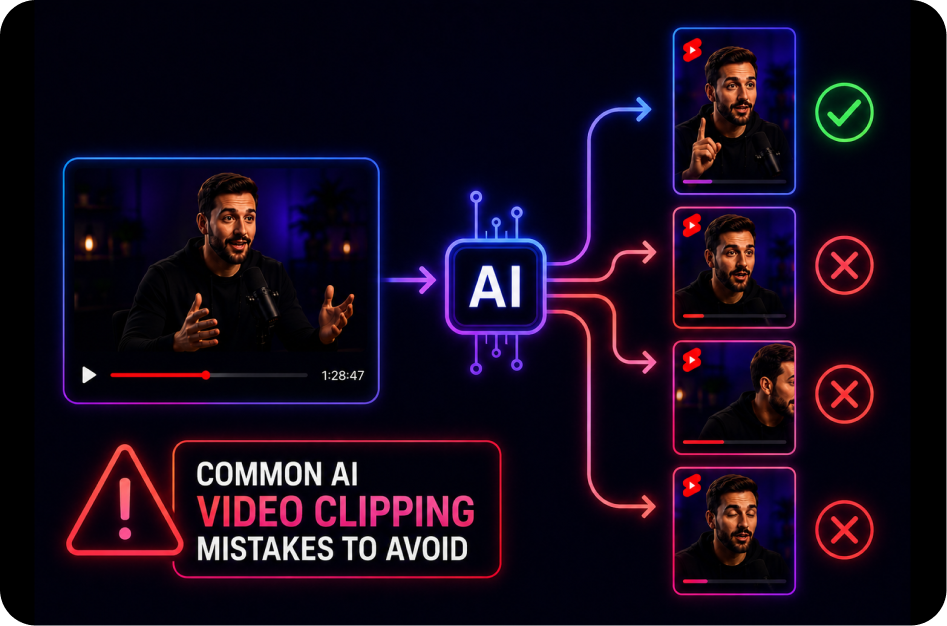
21 June 2026
Common AI Video Clipping Mistakes to Avoid
21 June 2026
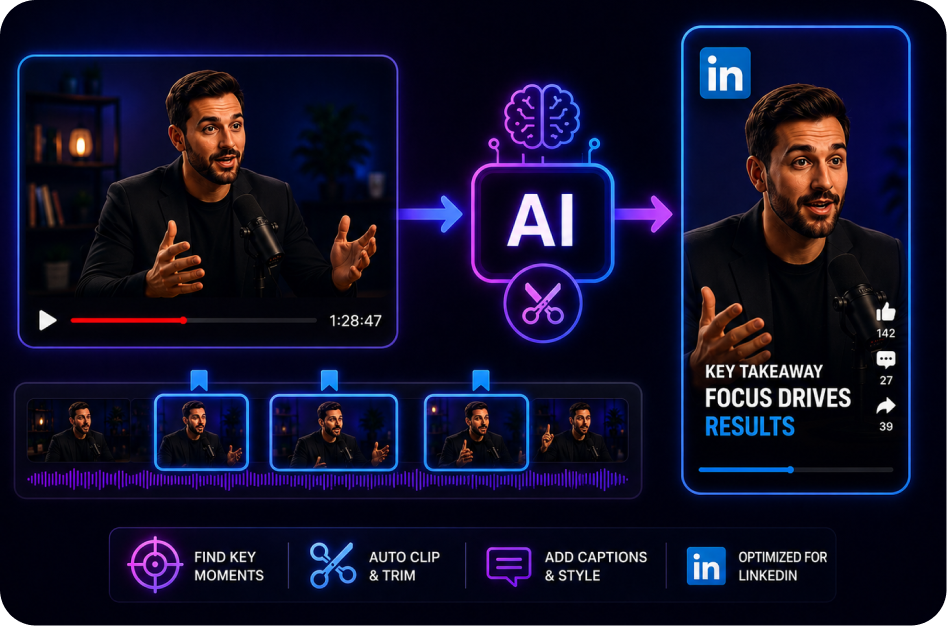
How to Create Short Clips for LinkedIn Video
21 June 2026
How to Turn a YouTube Live into Shorts Automatically
21 June 2026
SRT vs Burned-In Captions for Shorts
21 June 2026
Why Captions Improve Accessibility in Short-Form Video
21 June 2026