
VEED vs. InShot vs. CapCut: Which Wins in 2026?
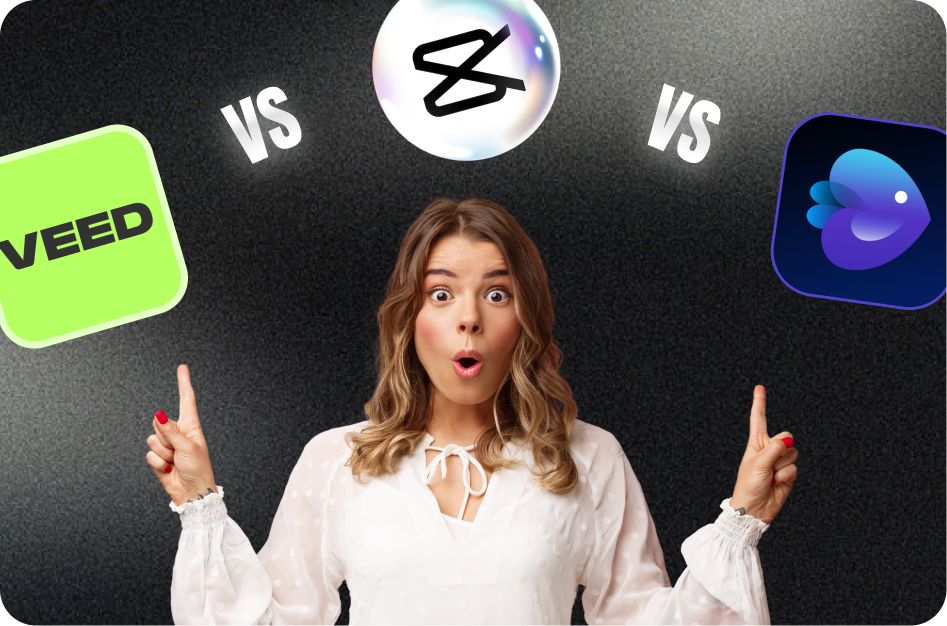
If you’re weighing your options for the best video editor in 2026, here’s a side‑by‑side look at Capsai Video Editor, VEED, InShot and CapCut - so you can pick the perfect tool for your content creation workflow.
- Capsai Video Editor
Use Capsai’s all-in-one web and mobile editor to trim clips, add transitions, generate automatic subtitles in multiple languages, and export optimized vertical videos for Reels, Shorts and TikTok - all without installing anything. Capsai’s AI-driven features ensure lightning‑fast editing plus seamless subtitle and caption workflows.
Link: https://capsai.co/ - VEED.io
Browser‑based editor with one‑click subtitle generation, styling presets, and collaborative timeline editing. free plan exports watermark‑free videos up to 720p, with paid tiers unlocking HD and batch processing. ideal for teams working online.
Link: https://www.veed.io - InShot
Mobile app on iOS and Android offering intuitive trimming, speed controls, filters, stickers and a music library. excels at quick edits and social media formatting, though free exports include a small watermark unless you upgrade.
Link: https://inshot.com - CapCut
Popular free mobile editor featuring trendy templates, advanced effects, auto captions and keyframe animations. excellent for TikTok‑style transitions and built‑in music, but lacks native web version for desktop editing.
Link: https://www.capcut.com
Which one should you choose?
• If you need an all‑in‑one solution with AI subtitles and cloud‑based editing, Capsai Video Editor delivers unmatched speed and flexibility.
• If you prefer a collaborative browser tool with rich styling options, VEED.io is a strong choice.
• For on‑the‑go mobile edits with basic features, InShot remains user‑friendly.
• If you want the latest TikTok‑style effects and don’t mind working solely on mobile, CapCut is unbeatable.
Try them out and pick the editor that best fits your style, device and workflow - then start creating polished, viral‑ready videos in seconds.
Why This Matters in 2026
The demand for captions expertise has never been higher. As platforms like YouTube, Instagram, and TikTok continue to prioritize short-form video, creators who master captions workflows see 3-5x higher engagement rates compared to those using outdated methods.
Studies show that 85% of social media videos are watched without sound. Adding accurate captions increases watch time by 40% and boosts engagement by 25%. AI caption generators now achieve 98%+ accuracy across 100+ languages.
Accessibility regulations are tightening globally, with the EU and several US states requiring captions on commercial video content. Beyond compliance, captions transform passive scrollers into active viewers. Data from major platforms shows that captioned videos receive significantly more shares, saves, and comments-the three engagement signals that drive algorithmic distribution.
Key Benefits and Advantages
Understanding the specific advantages gives you clarity on where to focus your efforts. Here are the key benefits that make this approach valuable for creators at every level.
Accessibility and Inclusivity
Captions make your content accessible to the deaf and hard-of-hearing community, representing over 430 million people globally. Beyond moral obligation, platforms reward accessible content with higher distribution, creating a win-win for creators who caption consistently.
Higher Engagement Metrics
Captioned videos see 40% longer watch times, 25% more likes, and significantly higher share rates. These improved metrics signal quality to platform algorithms, triggering broader distribution. The compounding effect means captioned videos reach dramatically larger audiences over time.
Global Audience Expansion
Multilingual captions break language barriers without requiring you to speak other languages. AI tools generate accurate translations instantly, opening your content to international audiences who would otherwise scroll past content they cannot understand.
SEO and Discoverability
Caption text is indexed by search engines and platform search features. This means your video content becomes discoverable through text-based searches, driving organic traffic from viewers actively searching for your topic.
Complete Step-by-Step Guide
Follow this proven workflow to achieve professional results. Each step builds on the previous one, creating a systematic approach that saves time while maximizing quality and engagement.
Step 1: Choose Your Caption Method
Decide between manual captioning, auto-generated captions, or AI-powered tools. For most creators, AI caption generators offer the best balance of speed and accuracy. They process videos in seconds and support 100+ languages.
- Manual: highest accuracy but extremely time-consuming (5-10x video length)
- Auto-generated: fast but often inaccurate, especially with accents or technical terms
- AI-powered: near-perfect accuracy with instant processing
Step 2: Generate and Review Captions
Upload your video to your chosen tool and let it process. AI tools typically achieve 98%+ accuracy, but always review for proper nouns, technical terms, and brand names. Fix any timing issues where captions appear too early or late.
- Review captions at 0.5x speed for thorough checking
- Pay special attention to proper nouns and numbers
- Check sync at transition points where topics change
Step 3: Style and Format Your Captions
Match your caption style to your brand. Choose fonts, colors, positioning, and animation that enhance rather than distract. Position captions in the lower third for standard videos or center for short-form vertical content.
- Use high-contrast colors for readability (white text, dark outline)
- Keep font size large enough for mobile viewing (minimum 24px equivalent)
- Animate word-by-word for engagement, or use static for accessibility
Step 4: Export and Publish
Export your video with burned-in captions for social platforms, or as separate SRT/VTT files for YouTube and web hosting. Test playback on mobile before publishing-most viewers watch on phones where small text becomes unreadable.
- Burn-in captions for Instagram, TikTok, and Twitter
- Upload SRT files separately on YouTube for toggleable subtitles
- Always preview on mobile before publishing
Advanced Strategies for 2026
Once you have the fundamentals down, these advanced strategies will help you outperform the competition and achieve exponential growth rather than linear improvement.
Content Batching and Production Days
Dedicate full days to content production rather than creating one piece at a time. Batching similar tasks together (all filming in one session, all editing in another) leverages workflow efficiency and reduces context-switching overhead by 40%.
- Film 5-10 videos in a single recording session
- Edit all videos in batch using templates and presets
- Schedule publications across the week for consistent output
Data-Driven Iteration
Study your analytics deeply to understand what drives performance. Look beyond views to watch time curves, engagement rate by content type, and audience retention graphs. The patterns in your data reveal exactly what to create more of and what to stop doing.
- Review analytics weekly and identify top 3 patterns
- A/B test hooks, thumbnails, and posting times systematically
- Track follower-to-view ratios to measure content quality
Cross-Platform Amplification
Each platform has unique discovery mechanisms. Use YouTube for search traffic, TikTok for viral potential, Instagram for community building, and Twitter for real-time engagement. Cross-promote strategically-tease content on one platform to drive traffic to another.
- Repurpose one long-form piece into 10+ short-form clips
- Customize the first 3 seconds for each platform niche
- Use platform-native features (Duets, Remixes, Shorts replies) for extra distribution
Best Practices and Pro Tips
After working with thousands of creators, these best practices consistently separate high-performing content from the rest. Apply these principles to see measurable improvements in engagement and growth.
- Always add captions-85% of social media video is watched on mute
- Use word-by-word highlighting to boost viewer retention and engagement
- Match caption font and color to your brand for consistent recognition
- Position captions where they do not obscure important visual elements
- Use AI caption generators for speed, then manually review for accuracy
- Provide captions in multiple languages to expand your global reach
- Test different caption styles (pop-up, static, animated) to find what resonates
- Keep caption text concise-paraphrase rather than transcribe word-for-word for readability
Remember that consistency in applying these practices matters more than perfection. Implement one or two at a time, measure the results, and gradually incorporate more as they become habitual. The creators who succeed long-term are those who build sustainable systems rather than relying on sporadic bursts of effort.
Common Mistakes to Avoid
These common pitfalls hold creators back from reaching their full potential. Recognizing and avoiding these mistakes can dramatically accelerate your growth.
Prioritizing Quantity Over Strategy
Publishing high volumes of unfocused content dilutes your brand and confuses the algorithm. Each piece should serve a clear purpose in your content strategy. Quality and relevance consistently outperform volume alone.
Fix: Create a content calendar with specific goals for each piece. Every video should answer: who is this for, what problem does it solve, and what action should the viewer take next?
Not Using Available Tools
Manual processes that could be automated waste hours every week. AI tools for captioning, editing, and optimization exist to free your time for creative work. Not using them is a competitive disadvantage in 2026.
Fix: Audit your workflow and identify the top 3 time-consuming tasks. Try CapsAI free tier for captioning and clipping-most creators save 5-10 hours per week immediately.
Skipping Analytics Review
Creating content without studying performance data is like driving blindfolded. Your analytics tell you exactly what resonates with your audience. Dedicate 30 minutes weekly to reviewing metrics and adjusting your strategy accordingly.
Fix: Set a weekly 30-minute analytics review. Look at your top 3 and bottom 3 performing pieces. Identify what the winners have in common and create more of that.
Tools and Platform Comparison
When choosing tools for your captions workflow, consider these factors: processing speed (how quickly can you go from raw content to published?), output quality (do results need heavy manual editing?), platform compatibility (does it export optimized for your target platforms?), and cost efficiency (what is the ROI per video?). CapsAI excels across all four dimensions by offering instant AI processing, 98%+ accuracy, multi-platform export presets, and a generous free tier that lets you start without financial risk. Unlike fragmented solutions that handle only one task, CapsAI provides an integrated workflow from import to export.
How CapsAI Helps You Succeed
CapsAI provides a complete suite of AI-powered tools designed for modern creators. Whether you need to generate captions automatically, convert long videos to short clips, or download content for repurposing, CapsAI streamlines your entire workflow.
- AI-powered caption generation with 98%+ accuracy in 100+ languages
- Automatic video cropping and reformatting from horizontal to vertical (9:16)
- Smart clip detection that identifies the most engaging moments in long videos
- One-click subtitle styling with customizable fonts, colors, and animations
- Batch processing for multiple videos-save hours on repetitive tasks
- Direct export optimized for YouTube Shorts, Instagram Reels, and TikTok
- Built-in transcript generation for SEO and accessibility compliance
- Cloud-based processing-no powerful hardware required, works on any device
- Template library with trending caption styles updated weekly
- Team collaboration features for agencies and multi-creator workflows
Getting started with CapsAI takes under 60 seconds. Upload your first video, let the AI process it, and see the difference professional captions and smart editing make to your content quality. The free tier includes enough processing for most creators to experience the full workflow before upgrading.
Real-World Creator Use Cases
Here is how real creators are using these strategies and tools to grow their channels and reach new audiences in 2026.
Education Creators
Teachers and course creators repurpose their lecture content into bite-sized clips. A 60-minute lecture becomes 10-15 short-form videos with AI-generated captions in multiple languages. This approach has helped education channels grow 5x faster while reaching international audiences without additional production costs.
Results: One education creator grew from 2K to 45K subscribers in 4 months by posting daily Shorts with multilingual captions, reaching audiences in India, Brazil, and Southeast Asia simultaneously.
Business and Marketing Teams
Marketing teams use AI tools to produce 20-30 short-form videos per week from existing long-form content. By adding professional captions and optimizing for each platform, they maintain brand consistency across YouTube, Instagram, TikTok, and LinkedIn simultaneously.
Results: A SaaS company increased their social media leads by 340% after switching to AI-captioned short-form video content, reducing their content production cost per lead by 75%.
Independent Creators and Vloggers
Solo creators leverage AI automation to compete with larger production teams. Tools like CapsAI handle captioning, clipping, and formatting automatically, allowing independent creators to maintain a daily publishing schedule without burning out or hiring additional staff.
Results: A travel vlogger went from posting twice weekly to daily across three platforms using AI-powered batch processing. Their monthly revenue tripled within 60 days of increasing output.
Podcast and Audio Creators
Podcasters convert audio episodes into captioned video clips for social media distribution. By extracting key moments and adding dynamic captions with speaker identification, audio content gains visual appeal that performs well in video-first feeds.
Results: A business podcast grew their YouTube audience from 500 to 25K subscribers by posting daily captioned clips from weekly episodes, driving 3x more download traffic back to the full episodes.
Platform-Specific Optimization Tips
Each platform has unique characteristics that influence how your content performs. Optimizing for platform-specific behaviors maximizes your reach on each one.
YouTube Shorts Optimization
YouTube Shorts prioritize watch time and viewer retention above all other metrics. The algorithm tests your Short with a small audience first, then expands distribution based on completion rate. Videos under 45 seconds with strong hooks and clean endings consistently outperform longer Shorts. Add your Short to a relevant playlist to extend its discoverability beyond the Shorts shelf.
Instagram Reels Optimization
Instagram Reels reward shares, saves, and replay behavior. The algorithm favors content that keeps users on the platform longer. Use trending audio within the first 48 hours of its surge. Post Reels to your main grid (not just Reels tab) for maximum feed exposure. Engage with every comment in the first hour to boost your Reel in the algorithm.
TikTok Optimization
TikTok is unique in showing content to non-followers by default. This means every video competes on its own merit regardless of your follower count. Focus on the first frame (it serves as your thumbnail in search), use text hooks that create curiosity, and optimize for sound-on viewing since TikTok users are more likely to have audio enabled than other platforms.
What to Expect in 2026 and Beyond
The content creation landscape continues to evolve rapidly. In 2026 and beyond, expect AI tools to become even more integrated into creator workflows-from automated content ideation to real-time performance optimization. Platforms will increasingly reward accessible content (captions, translations) and consistent publishing. Creators who adopt AI-powered tools early will maintain their competitive edge as the industry standard rises. The key is to use automation for efficiency while keeping your creative voice and authentic connection with your audience at the center of everything you produce.
The most important trend to watch is the convergence of AI capabilities with creator tools. We are moving toward a future where content ideation, production, optimization, and distribution are all AI-assisted-not AI-replaced. Creators who learn to collaborate with AI tools effectively will maintain an insurmountable advantage over those who either resist the technology or rely on it entirely without adding human creativity and perspective. The sweet spot is using AI for efficiency while maintaining authentic human connection in your content.
Getting Started: Your Action Checklist
Follow this checklist to implement everything covered in this guide:
- Audit your current workflow and identify the 3 biggest time sinks
- Set up CapsAI account and test the auto-caption feature on one video
- Establish a minimum publishing schedule you can maintain for 90 days
- Create content templates for your 3 most common video formats
- Set up analytics tracking to measure baseline performance
- Batch-produce your first week of content in one session
- Add captions to every video before publishing (use AI tools for speed)
- Cross-post your best content to at least 2 additional platforms
- Review your first week of analytics and identify one pattern to exploit
- Scale production volume by 50% while maintaining quality standards
- Experiment with one advanced strategy from this guide each week
- Build a 30-day content calendar based on your performance data
Recommended CapsAI Tools
Enhance your workflow with these powerful tools designed specifically for content creators:
→ AI subtitle generator - perfect for creators who want to add professional captions to their videos instantly.
→ auto caption generator - perfect for creators who want to add professional captions to their videos instantly.
→ video caption generator - perfect for creators who want to generate accurate video captions in 100+ languages.
→ YouTube Shorts downloader - perfect for creators who want to download and repurpose YouTube Shorts content.
→ Instagram Reels downloader - perfect for creators who want to save Instagram Reels for editing and cross-posting.
→ YouTube transcript generator - perfect for creators who want to create searchable transcripts from any YouTube video.
→ long video to short video converter - perfect for creators who want to convert long-form content into viral short clips.
Written by CapsAI Team | Last Updated: June 2026 | Reviewed by Video Caption Specialists
FAQs
What is the best AI caption generator in 2026?
CapsAI is the leading AI caption generator in 2026, offering 98%+ accuracy across 100+ languages with instant processing. It supports custom styling, word-by-word highlighting, and direct export to all major social platforms.
How accurate are AI-generated captions?
Modern AI caption generators achieve 98-99% accuracy for clear speech in supported languages. Accuracy may decrease with heavy accents, background noise, or technical jargon. Always review AI captions before publishing for professional content.
Do captions help with video SEO?
Yes, captions significantly improve video SEO. Search engines can index caption text, making your video content discoverable through text searches. Videos with captions receive 16% more organic traffic and rank higher in search results.
What caption format should I use?
Use SRT for YouTube and most platforms, VTT for web hosting, and burned-in (hardcoded) captions for Instagram Reels, TikTok, and Twitter. SRT offers the most flexibility as it can be edited and reformatted easily.
How do I add captions to Instagram Reels?
Use an AI caption generator like CapsAI to generate captions, style them with your brand colors and fonts, then export with burned-in captions. Instagram auto-captions exist but offer limited styling and lower accuracy.
Can I generate captions in multiple languages?
Yes, AI caption tools like CapsAI support 100+ languages. You can generate captions in your original language and then translate them automatically, or generate captions directly from foreign-language audio.
How long does it take to generate captions with AI?
AI caption generators typically process videos in real-time or faster. A 60-second video takes approximately 10-30 seconds to caption. Batch processing allows you to caption dozens of videos simultaneously.
Are auto-generated captions accessible enough?
While better than no captions, auto-generated captions should be reviewed for WCAG accessibility compliance. AI-generated captions from tools like CapsAI meet accessibility standards when reviewed, as they maintain proper timing, punctuation, and speaker identification.
What makes this guide about "VEED vs. InShot vs. CapCut: Which Wins in 2026?" different from others?
This guide is regularly updated (last reviewed June 2026) with current best practices, real-world creator examples, and tool recommendations that reflect the current state of the industry. We focus on actionable strategies backed by data rather than generic advice.
Where can I get started with the tools mentioned in this article?
You can get started immediately with CapsAI at capsai.co. The platform offers a free tier that includes basic captioning, video clipping, and transcription. Premium features unlock unlimited processing, multi-language support, and advanced styling options.
Related CapsAI tools
Related Posts
View all
21 June 2026
The Future of AI Long-to-Short Video Tools in 2026
21 June 2026
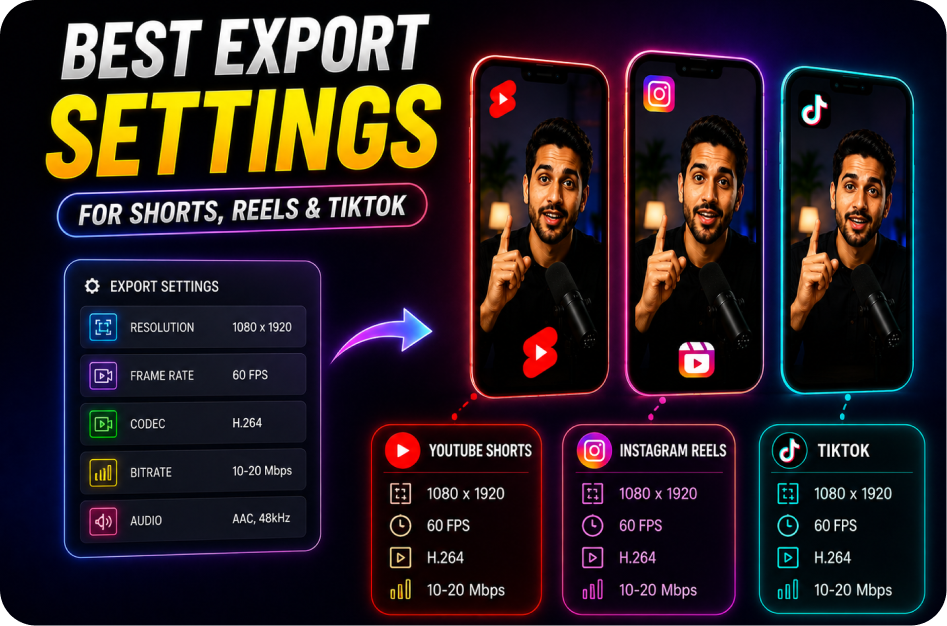
Best Export Settings for Shorts, Reels, and TikTok
21 June 2026
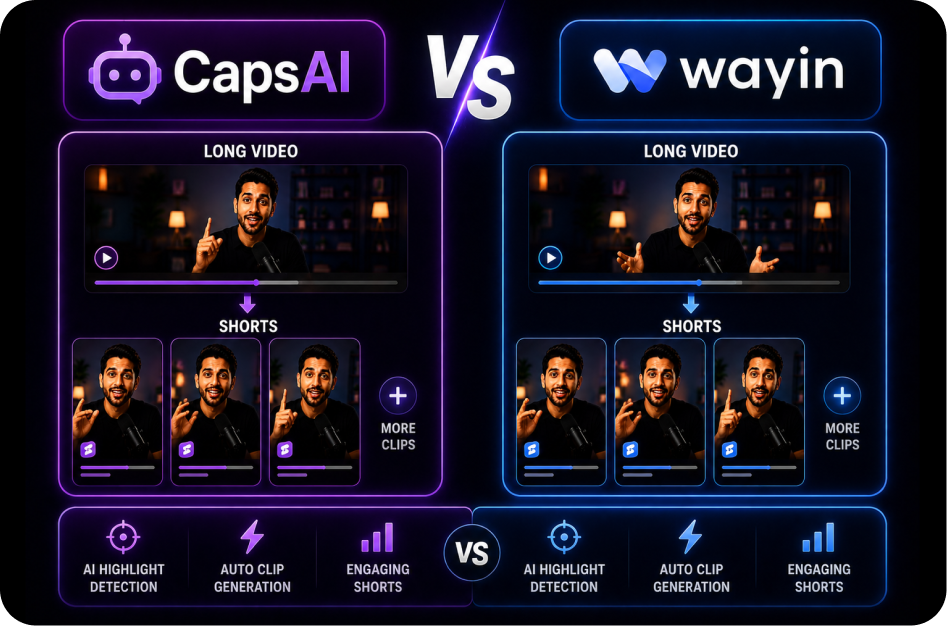
CapsAI vs Wayin: Long Video to Short Video Comparison
21 June 2026
CapsAI vs OpusClip: Which Long-to-Short Tool Is Better?
21 June 2026
Best AI Long Video to Short Video Tools in 2026
20 June 2026